UTT Technologies Advanced Menu
http://www.uttglobal.com Page 71
respectively.
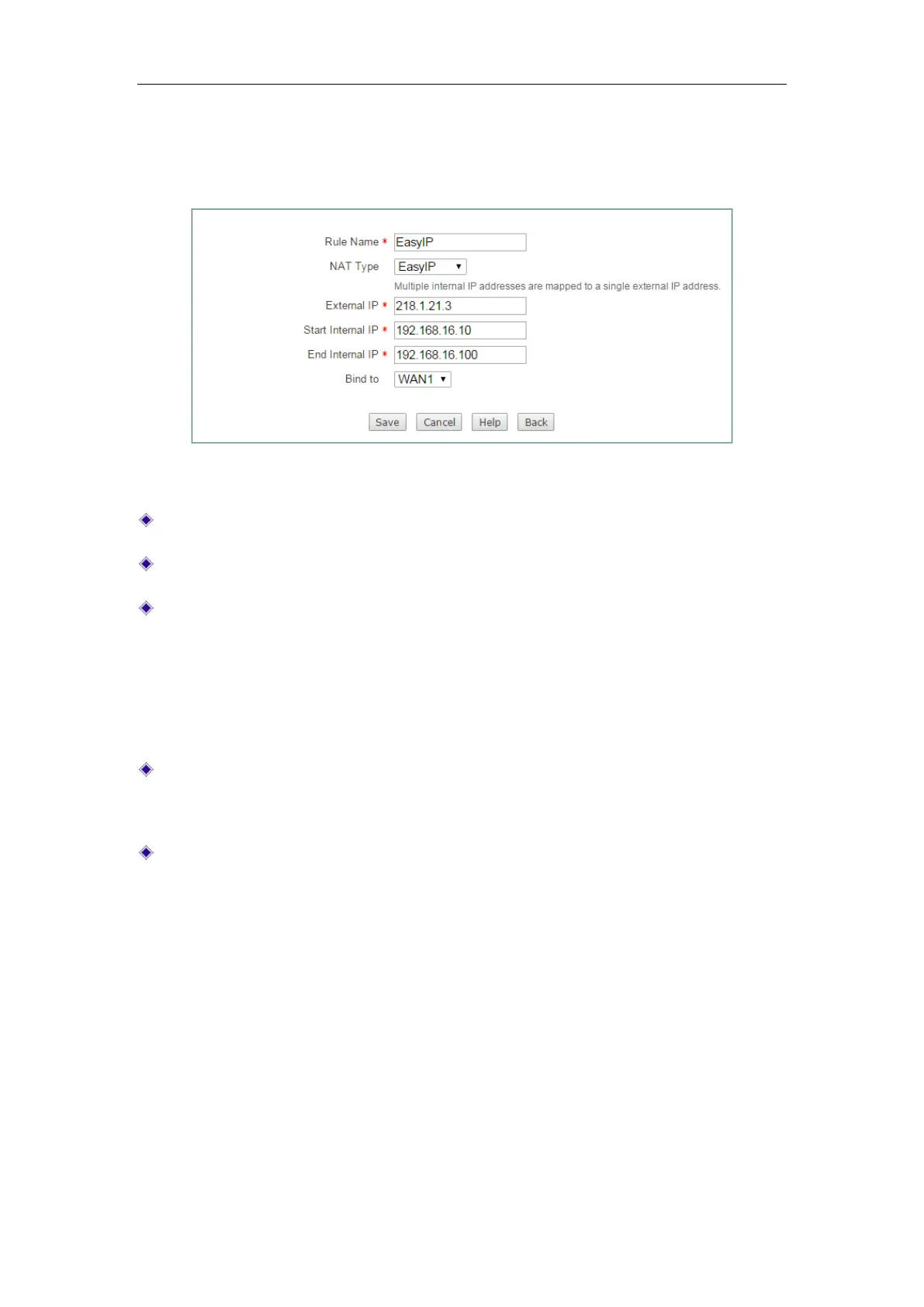
7.1.2.5.2 EasyIP settings
Figure 7-8 EasyIP settings
Rule Name: Specify the name of this NAT rule entry.
NAT Type: Specify the type of the NAT rule. Here please select EasyIP.
External IP: Specify the external IP address to which the LAN hosts’ IP addressed
are mapped. A system reserved NAT rule’s external IP address is
0.0.0.0, which
means that the rule will use the related WAN interface’s IP address as its external
IP address; and it is non-editable. A user-defined NAT rule’s external IP address
can be neither 0.0.0.0 nor the WAN interface’s IP address, that is, you can only
use the other public IP addresses provided by your ISP as its external IP
addresses.
Start Internal IP and End Internal IP: Specify the internal address range of the
NAT rule. The LAN hosts that belong to this address range will preferential use
the NAT rule.
Bind to: Specify an Internet connection to which the NAT rule is bound. The LAN
hosts that match the NAT rule will access the Internet through this Internet
connection.
7.1.2.6 Examples for NAT Rule
7.1.2.6.1 Example for Configuring One2One NAT Rule
1) Requirements
In this example, a business has a single static IP Internet connection and obtains eight
public IP addresses (from 202.1.1.128/29 to 202.1.1.1.135/29) from the ISP. Therein,
202.1.1.129/29 is used as the Internet connection’s gateway IP address,
202.1.1.130/2 is used as the Device’s WAN1 interface’s IP address. Note that
202.1.1.128/29 and 202.1.1.1.135/29 cannot be used as they are the subnet number
and broadcast address respectively.



 To Next Page