8-26 SHB WL34 * 2.0
8 Hydraulic system
Control valve
1. Release the pressure in the hydraulic system – see “Releasing
residual pressure in the hydraulic system” on page E-32.
2. Remove the cap of the control console on the inside and outside –
see “Removing/installing filler cap for the control console” on
page 1-19.
3. Remove the joystick – see “Removing/installing the joystick” on
page 9-10.
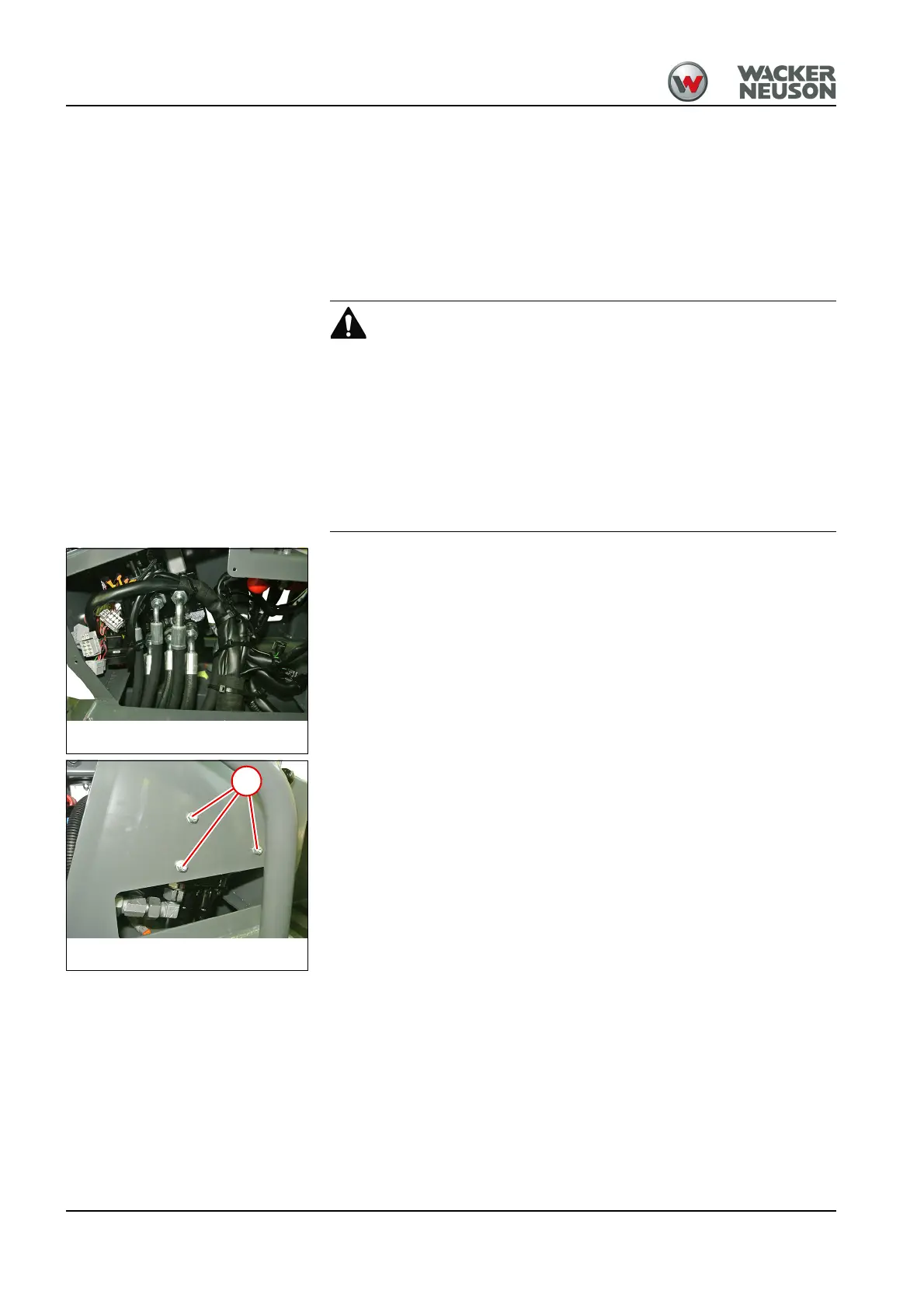
4. Mark the positions of all cables and hydraulic hoses.
Injury hazard due to pressure
A thin jet of hydraulic oil escaping under high pressure can penetrate the
skin.
► Seek medical attention immediately if hydraulic oil penetrates the skin
or eyes.
► Only open hydraulic systems after the pressure in them has been
released.
► Wear protective clothes.
5. Unscrew the union nuts and remove all hydraulic hoses.
6. Close the openings oil-tight with the plugs.
7. Remove all cables.
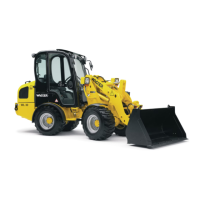
8. Remove nuts 1.
9. Remove the control valve.
Install in the reverse order.



 To Next Page