11-2 SHB WL34 * 2.0
11 Cabin
Display instrument
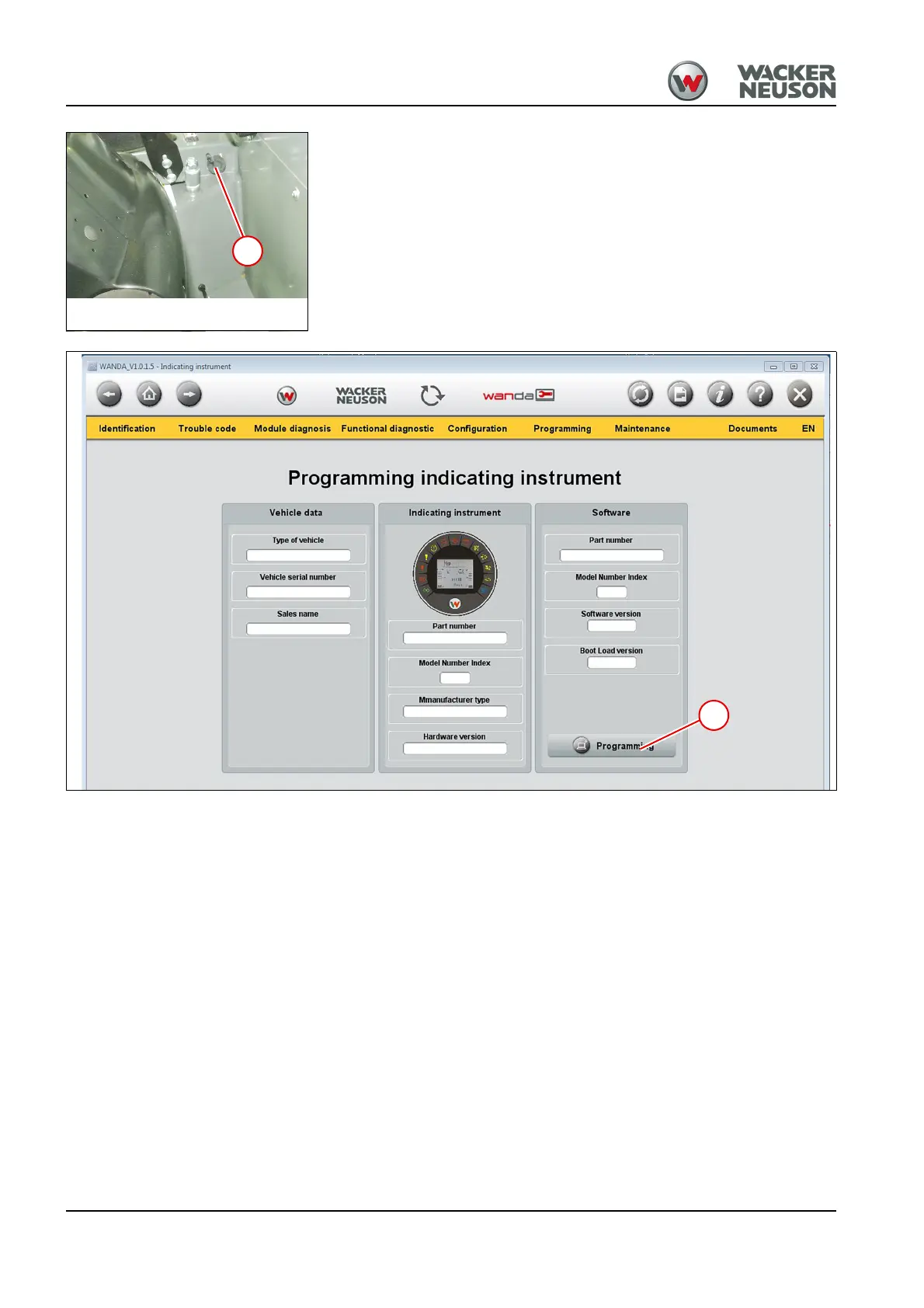
2. Remove cover cap 1 and connect the interface with the machine.
3. Engage the starter of the machine.
4. Start WANDA – see "WANDA operator’s manual".
5. In the menu bar, select Programming > Indicating instrument.
➥ The Programming indicating instrument interface opens.
6. Select the Programming 2 button.
7. Follow the instructions given by the software.
➥ The instrument cluster is programmed.



 To Next Page