11 Cabin
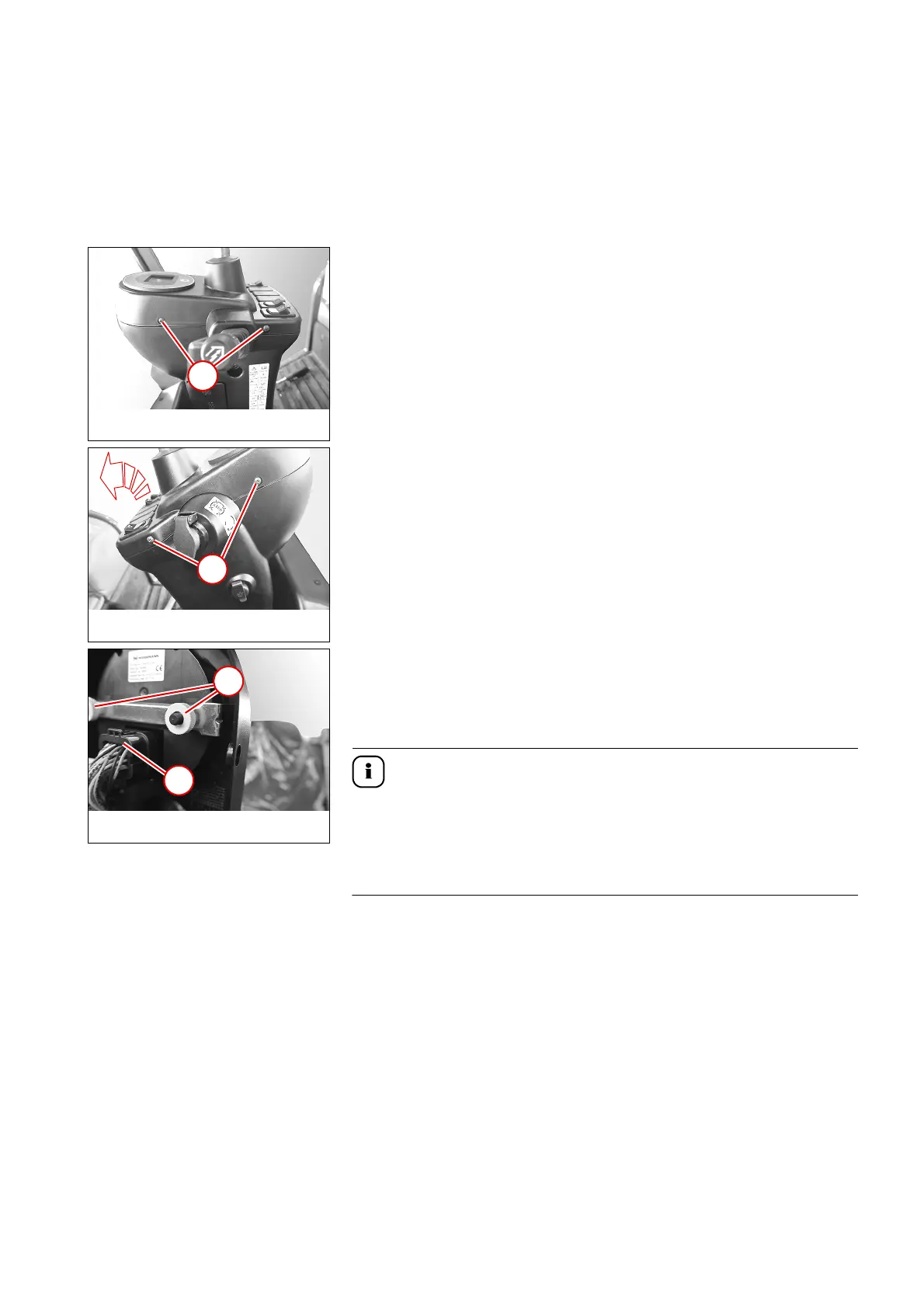
11.1 Removing/installing the indicating instrument
1. Remove the steering wheel – see “Removing/installing the steering
wheel” on page 7-2.
2. Remove screws 1.
3. Remove screws 2.
4. Raise the instrument panel.
5. Remove plug 4.
6. Loosen knurled screws 3 and remove indicating instrument.
Install in the reverse order.
The indicating instrument is programmable.
After replacement, be sure to check whether the latest software version is
installed on the indicating instrument.
► Have a PC/notebook ready with WANDA software installed.
7. Start the Wacker Neuson update tool and download the update file if
necessary – see "WANDA initial installation instructions."
Installing the update file
1. Connect the USB connector of the CAN-USB interface with the USB
connection of the PC/notebook.
Cabin
Display instrument



 To Next Page