Set separation method parameters
July 29, 2013, 715003794 Rev. B 173
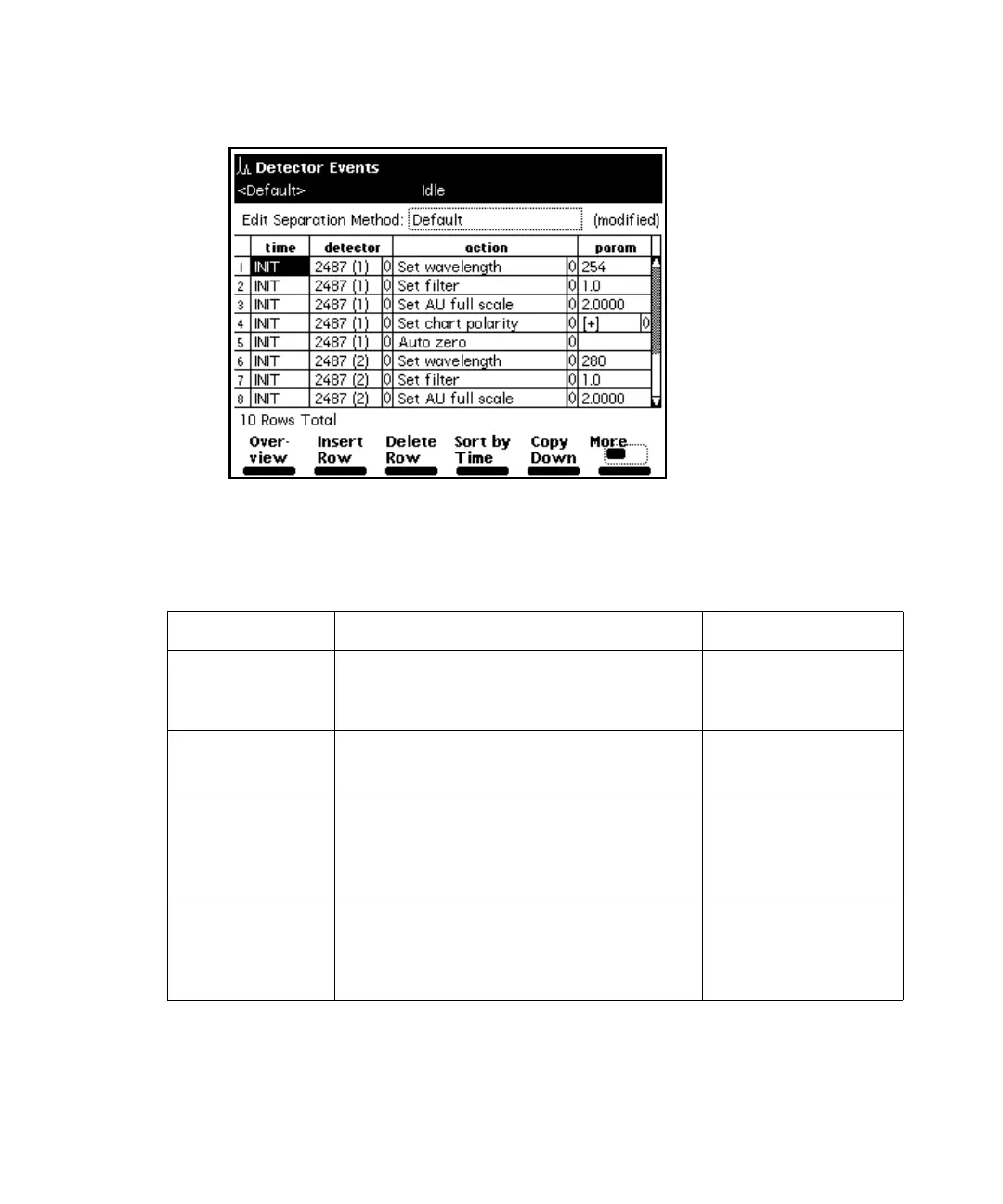
Detector Events screen:
2. Enter parameters in the Detector Events screen and click Exit.
The following table describes the parameters in the Detector Events screen.
The following table describes the actions that you can specify with the Waters
2487 and 486 Tunable Absorbance Detectors.
2487 and 486 Detector Events parameters:
Parameter Function Value range
Time Indicates the time at which the
action is to occur. Press the Clear key
to display INIT.
INIT, 0.00 to
999.99 in 0.01 min
increments
Detector Selects the detector on which to
perform the action.
2487 (1), 2487 (2)
486 (1), 486 (2)
Action Selects the action to perform on the
selected detector.
See the table titled
“2487 and 486
Detector actions:”
on page 174.
Parameter Defines the action, where
appropriate.
See the table titled
“2487 and 486
Detector actions:”
on page 174.



 To Next Page