Perform other diagnostic tests and functions
July 29, 2013, 715003794 Rev. B 231
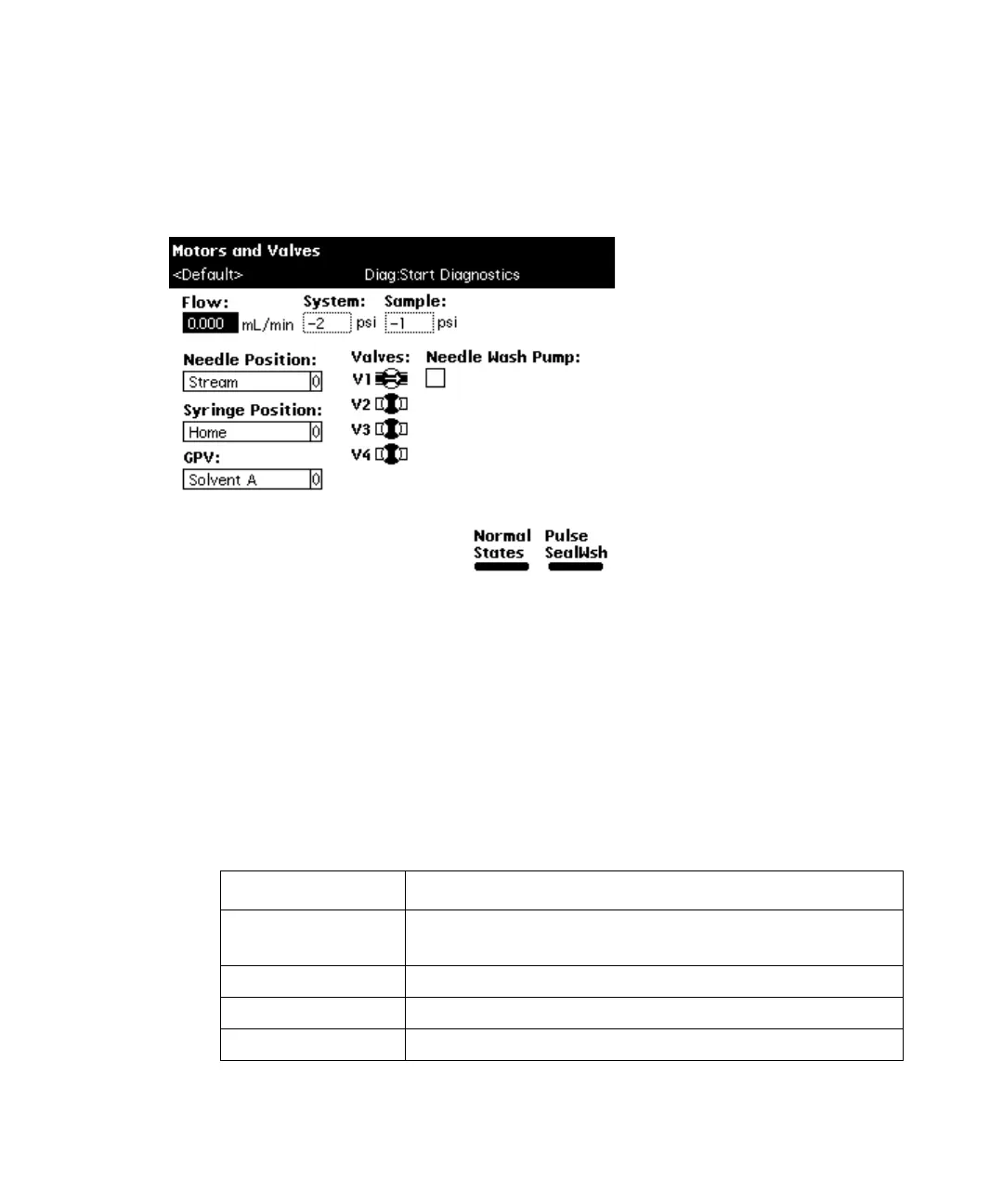
To perform the motors and valves test, select Motors and valves in the Other
Diagnostics screen, and then press the OK screen key. The Motors and Valves
diagnostic screen appears.
Motors and Valves diagnostic screen:
To control the needle or syringe drive:
1. Select the motor position parameter (needle position or syringe position)
that you want to change in the Motors and Valves screen.
2. Press Enter to display a drop-down list of parameter values.
3. Select the value you want, and then press Enter to save your selection.
The following two tables describe the position selections available in the
drop-down lists for the injector (needle) and the syringe motors.
Needle position parameters:
Needle position Description
Stream Needle side port is in the high pressure stream
(default position).
Seal Needle side port is in the lower seal position.
Wet Needle is in the needle-wash position.
Vial Needle is in the sample vial.



 To Next Page