DESCRIPTION OF THE GDP-32
II
RECEIVER
Section 2, Page 15 May 2002
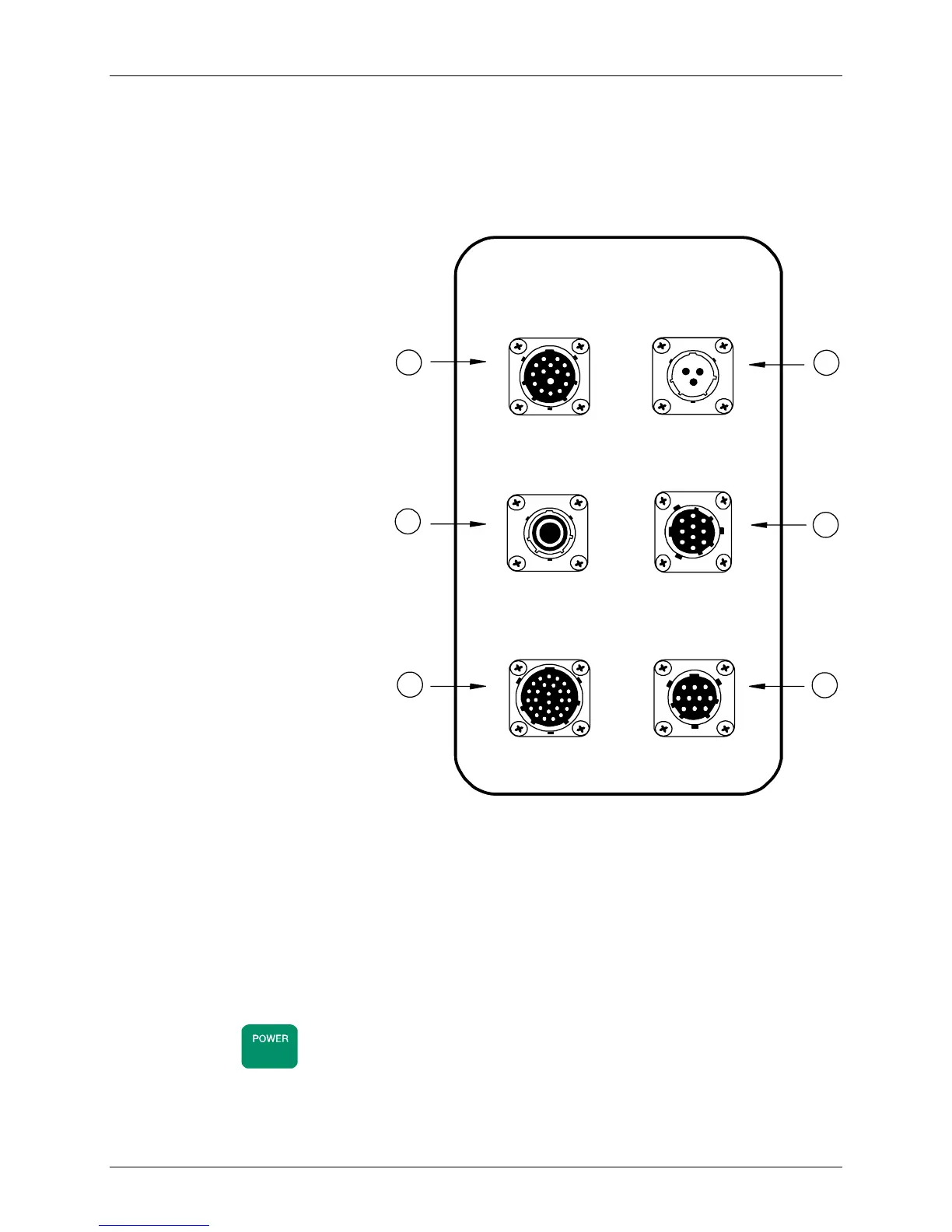
CONTROL I/O PANEL (LEFT SIDE)
The Control I/O Panel is used to charge the batteries, cycle power to the receiver, control the
transmitter, and communicate with external devices.
All ports are MS (military spec) connectors. Cable attachment is made by:
Lining up the slots on the
cable plug with the keys on
the outside of the panel
connectors.
Pushing in the cable plug.
Twisting the knurled ring to
the right.
Only the battery connector is
female, while the others are male.
The connectors are different sizes
to avoid misconnection.
1. TRANSMITTER I/O
Provides digital signals
used to directly control a
transmitter or to
synchronize with an XMT-
series transmitter controller.
To synchronize the GDP-
32
II
with an XMT
controller, the internal
crystal oscillator in both
instruments must be
precisely matched in
frequency and their counter
chains must be reset to a
common starting point. See
Section 6.2 for more
information.
2. POWER ON/OFF
The main power control to the receiver.
To turn ON the GDP-32
II
:
Press the POWER ON/OFF button on the side panel.
Press
ON/OFF
on the Front Panel. There will be a short delay and several menus will
be displayed during the warm-up sequence.
TRANSMITTER
I/O
BATTERY
CHARGE
POWER
ON/OFF
PARALLEL SERIAL
1
2
3
4
6
GPS
5
CONTROL I/O
igure 2.6 – Control I/O Panel



 To Next Page