MODULE 4: RUN OPTIONS
4-14 AEROSET
®
Customer Training Guide
94858-103 — July 2003
NOTE: The following table describes how the System handles
dilutions for calculated assays.
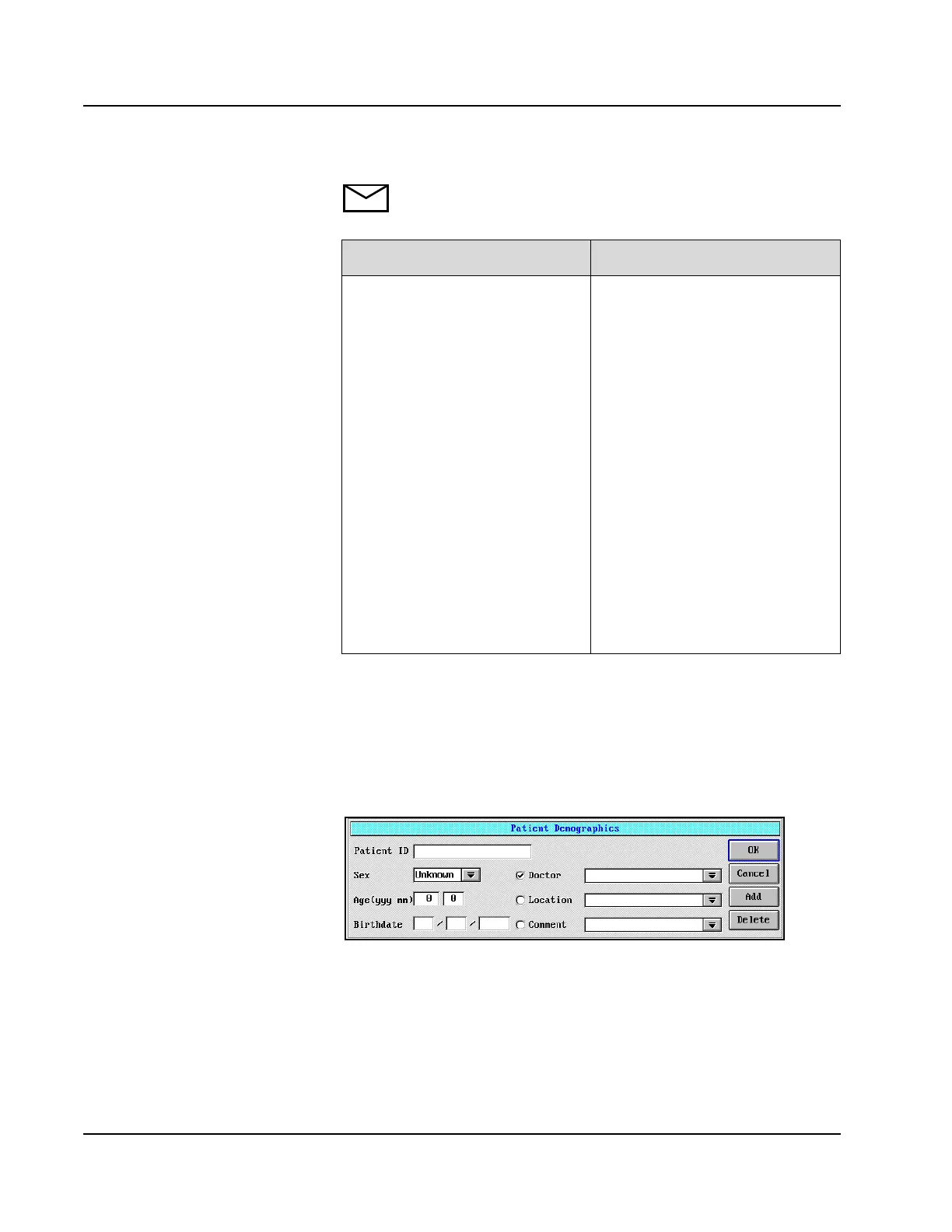
Patient Demographics
Additional patient information may be entered by selecting <Demog>
located in the upper right-hand corner of the Order Samples screen
above the panel buttons. The Patient Demographics dialog window
displays.
Figure 4.6: Patient Demographics Dialog Window
If... Then
• A calculated assay is manually
requested
and
• A dilution is requested for one or
more of the assays used in the
ratio calculation
and
• The constituent assay displays
with a blue or yellow underline to
indicate the dilution protocol
requested (Dil 1 or Dil 2).
•The Order Samples screen for
this sample is accessed again prior
to sample processing
and
• A green line appears under the
diluted assay indicating a standard
dilution.
• <OK> is selected on the screen
or
• The System accepts the standard
dilution and the dilution protocol
is not run.
• <Cancel> is selected on the
screen
• The standard dilution is not
accepted and the assay is diluted
as originally requested.
• If age/sex related reference ranges
used, must enter both on
demographic screen.



 To Next Page