MODULE 4: RUN OPTIONS
4-18 AEROSET
®
Customer Training Guide
94858-103 — July 2003
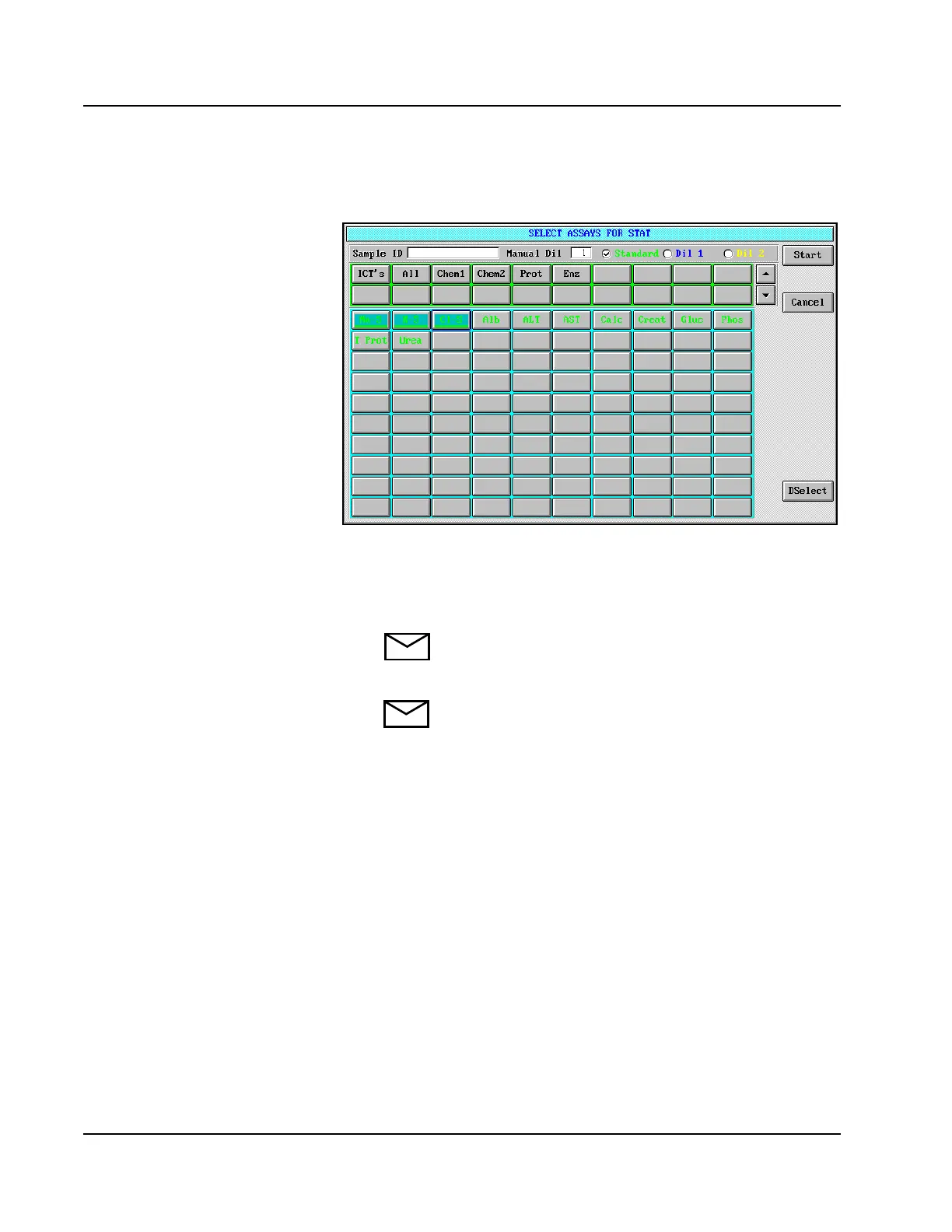
3. Select <STAT> from the Action Area. The SELECT ASSAYS
FOR STAT screen is displayed.
Figure 4.9: SELECT ASSAYS FOR STAT Screen
4. Enter the following sample information:
• Sample ID (required)
NOTE: Sample bar code labels are not read in the
Reserved STAT Position. A sample Bar Code Reader is not
available for that location.
NOTE: If the Operator does not enter the STAT sample ID
on the SELECT ASSAYS FOR STAT screen, the System
automatically issues a STAT sample ID. The format of the
assigned SID is S***1234. The number of asterisks varies
based on the SID length configured on the SYSTEM
CONFIGURATION screen. The last 4 digits represent
the identification number automatically issued by the
AEROSET System.
• Manual Dilution
• Measurement Type



 To Next Page