MODULE 5: RESULT HANDLING
5-22 AEROSET
®
Customer Training Guide
94858-103 — July 2003
Rerunning Results from the DATABASE Screen
The DATABASE screen is used to request that all assays ordered for a
sample be rerun or to request that an assay be rerun on multiple samples.
Rerunning Selected Assays
1. Select <Database> in the Information Access Area, if the screen is
not currently displayed.
2. Select the sample(s) to be rerun.
• To highlight multiple consecutive samples in a list, select the
first sample in the list then highlight the remaining samples by
holding [Shift] and pressing [↓] on the keyboard.
• To highlight multiple random samples, hold down [Ctrl] while
selecting the samples on the screen.
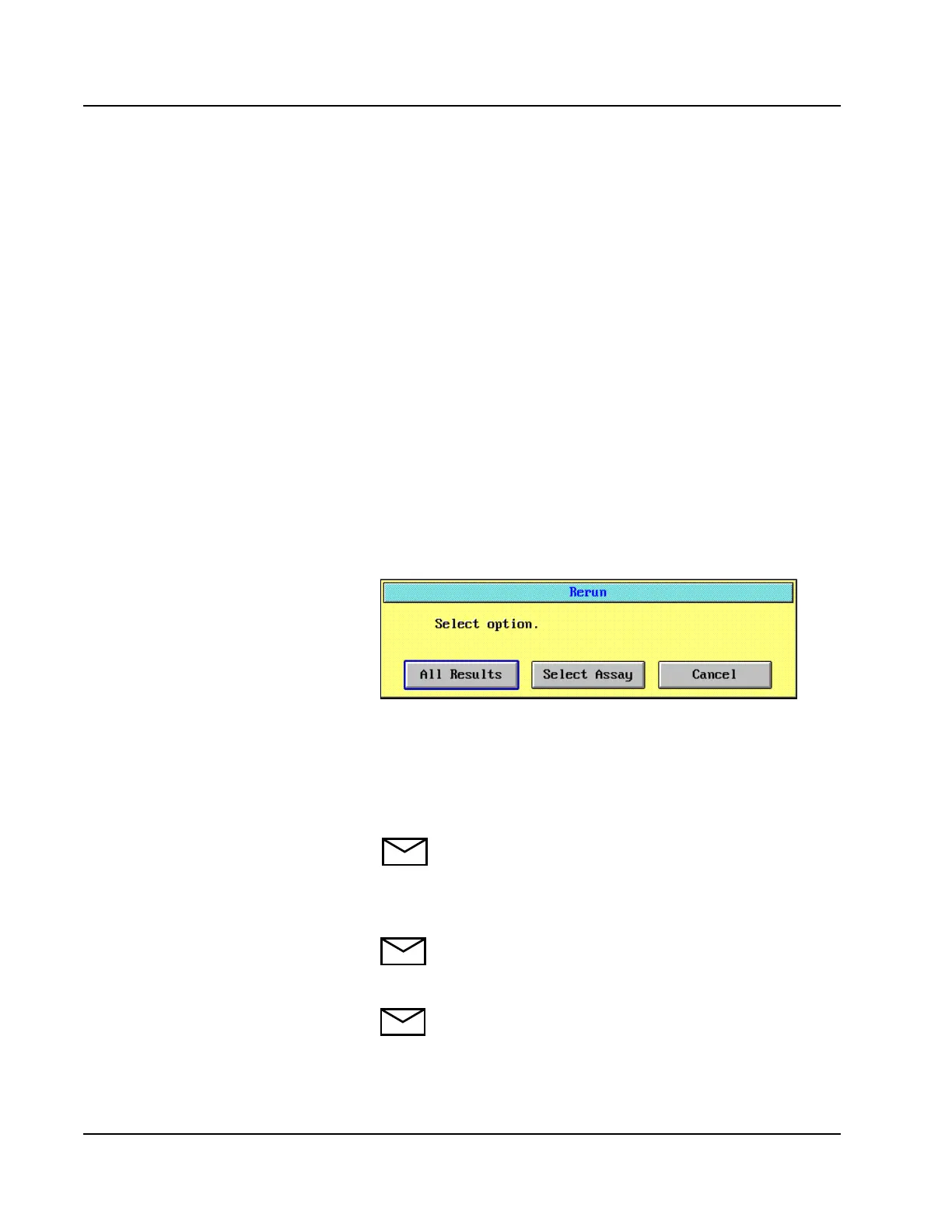
3. Select <Rerun> in the right-hand column. The Rerun dialog
window is displayed.
Figure 5.12: Rerun Dialog Window
4. Select <Select Assay>. The Select Assays screen is displayed.
5. Select the assay(s) to be rerun. The sample measurement type
(Standard, Dil 1, or Dil 2) can be selected prior to selecting the
assay, if desired.
NOTE: The Sample Measurement Type selected for an
assay applies to all samples that were highlighted in step 2.
6. Select <OK>. Each assay selected is scheduled to rerun for all
samples that were highlighted in step 2.
NOTE: If the System is not configured for Auto Return,
the Operator must manually move the sample to a
sampling position.
NOTE: If a rerun is selected for an assay that was not run
initially, the rerun is not performed.
• Caution students about
selecting an assay to be rerun
when the assay has not been
run on that sample.
• The system will turn the
sample to pink, place an
R processing code, but never
aspirate the sample for rerun.



 To Next Page