Reviewing QC Results
AEROSET
®
Customer Training Guide 7-13
94858-103 — July 2003
ASSAY STATUS and Levey-Jennings Graph Screens
1. Select <Assays> in the Information Access Area. The ASSAYS
screen is displayed.
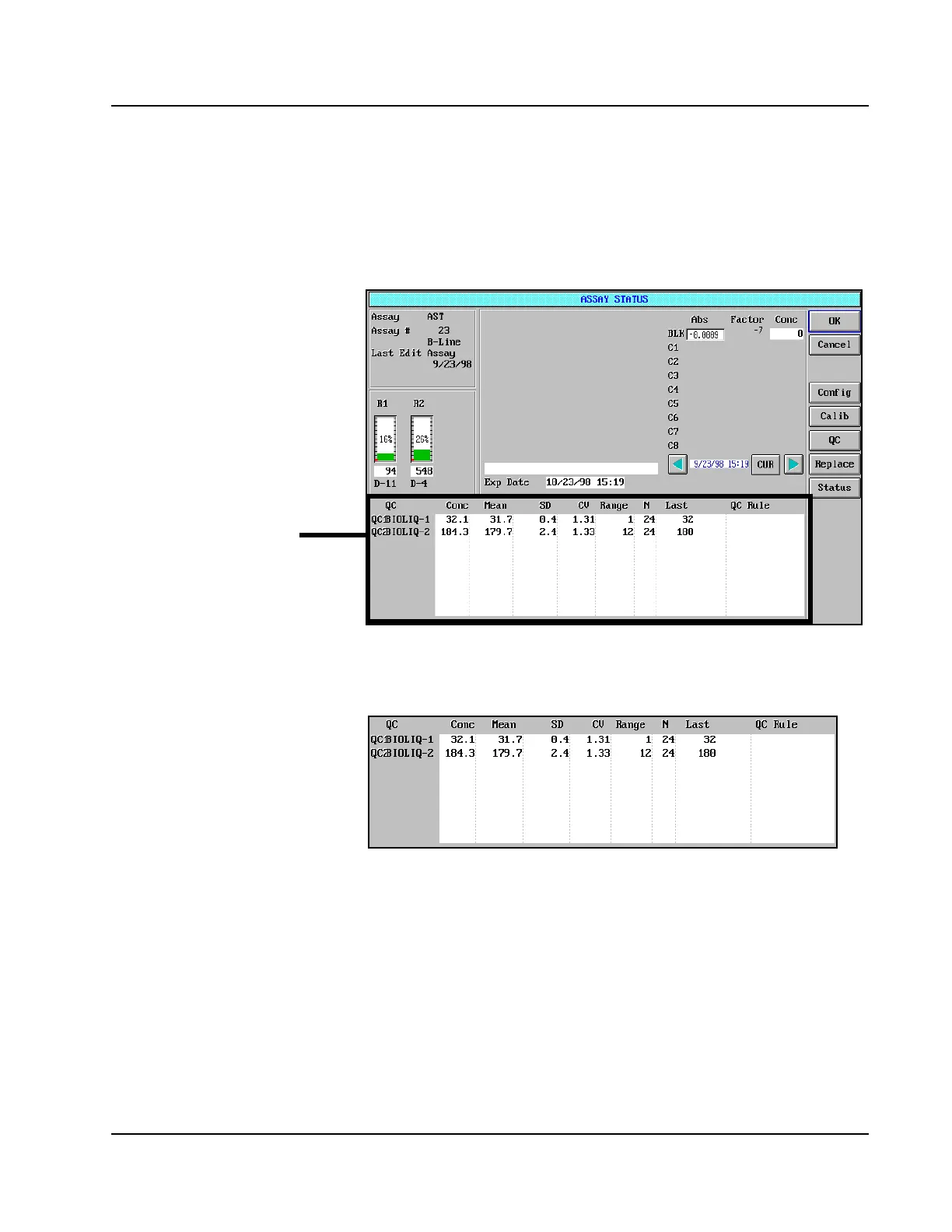
2. Select an assay name. The ASSAY STATUS screen is displayed.
Figure 7.4: ASSAY STATUS Screen
The Quality Control Information portion of the ASSAY STATUS screen
is shown below:
Figure 7.5: Quality Control Information Area of the ASSAY
STATUS Screen
Quality Control
Information



 To Next Page