QC Summary Report
AEROSET
®
Customer Training Guide 7-37
94858-103 — July 2003
Exporting QC Data
QC data and statistics can be exported from the Levey-Jennings Graph
screen to a floppy disk. The information is saved on the floppy disk in a
.csv format. A file in this format can be opened and viewed in most
commercially available PC spreadsheet programs (Microsoft Excel,
Lotus 1-2-3 programs, etc.).
NOTE: Use a formatted floppy disk. The disk can be formatted
on the System Control Center. If an alternate format is used, the
format must be Windows 95 or DOS 5.0 (or higher).
QC SUMMARY Screen
Use the following instructions to transfer QC data from the AEROSET
System to a floppy disk, from the QC SUMMARY screen.
1. Select <QC Summary> in the Information Access Area of the
Main Display. The QC SUMMARY screen displays.
2. Select <Export> in the right column of the screen, or select the
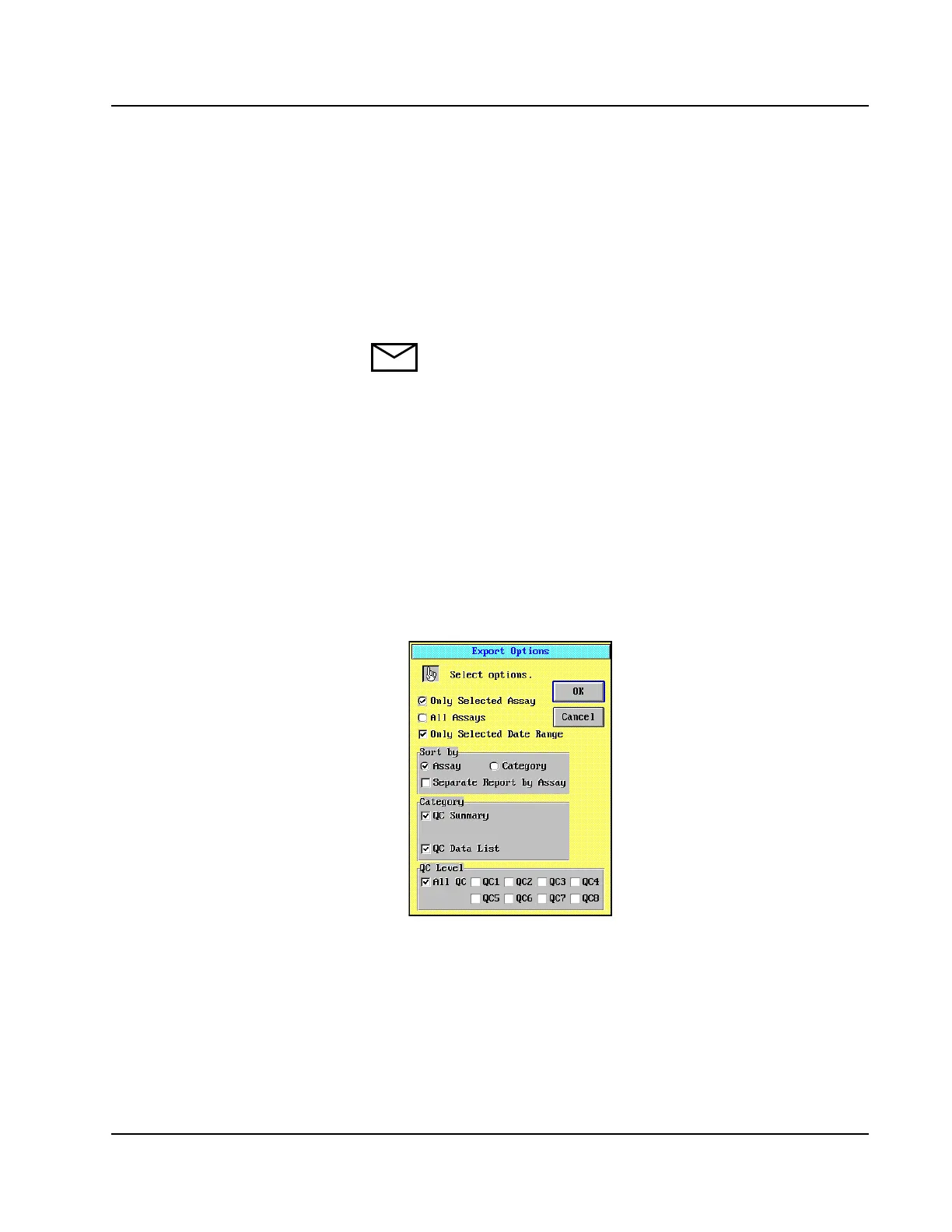
desired assays then select <Export>. The Export Options dialog
window displays.
Figure 7.23: Export Options Dialog Window



 To Next Page