MODULE 8: CONFIGURATION
8-40 AEROSET
®
Customer Training Guide
94858-103 — July 2003
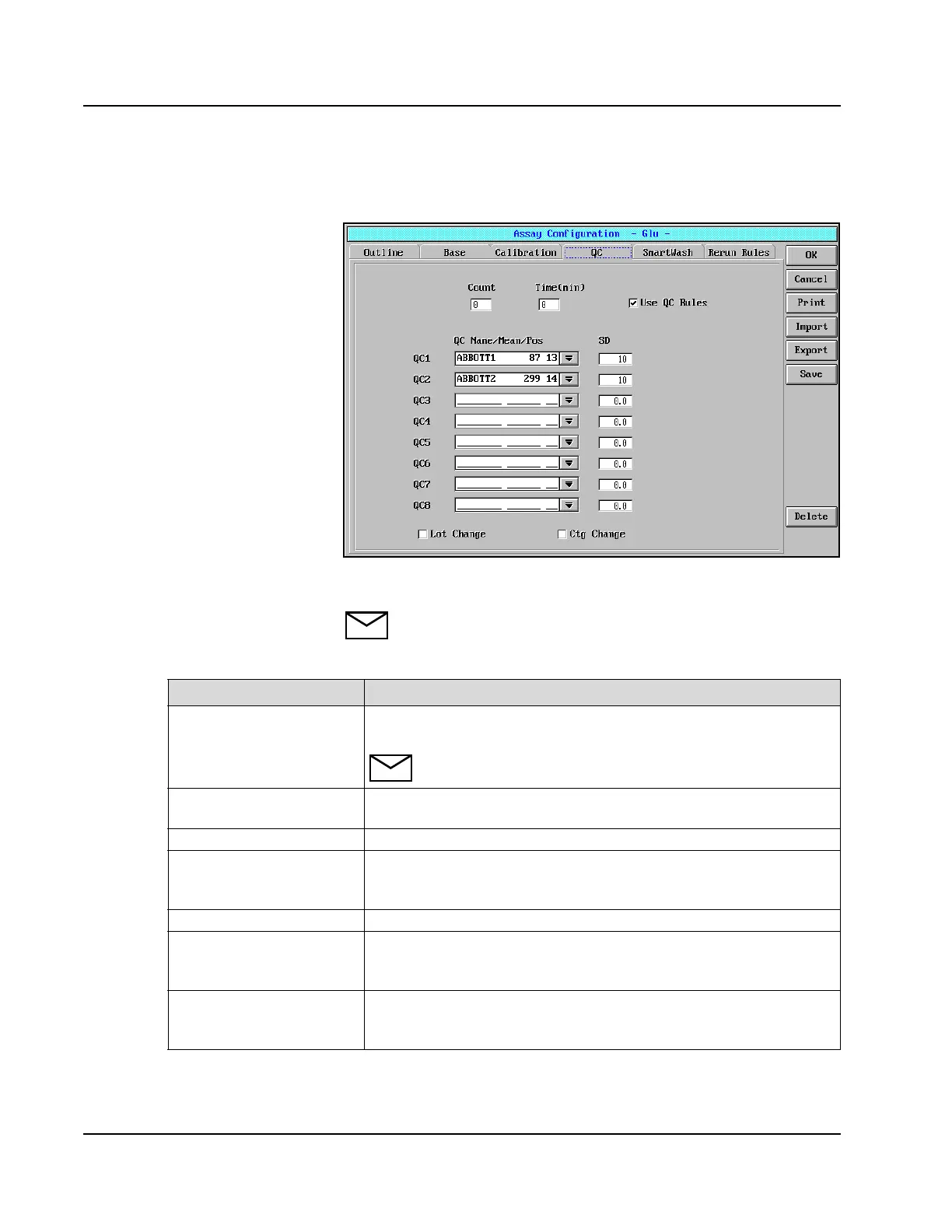
QC Page
Figure 8.12: Assay Configuration Screen, QC Page (Photometric Assay)
NOTE: The fields described in the following chart are used for
all assays.
Field Description
Count If the Interval-QC option will be used, the number of assays between QC
runs may be defined.
NOTE: The count (sample) interval refers to the total number of
samples aspirated, not the number of samples run for that assay.
Time (min) If the Interval-QC option will be used, the amount of time (minutes)
between QC runs may be defined.
Use QC Rules Select this option to use the defined Westgard Rules.
QC1 - QC8 The control name, position and expected mean is defined in the
CALIBRATOR/CONTROL screen and then is selected from the QC
Name/Mean/Pos Drop-down list box.
SD The value equal to 1 SD for each QC level is entered.
Lot Change If automatic QC option is desired when a new lot is used, select the
checkbox. The QC levels selected on the RUN OPTIONS screen will be
run.
Ctg Change If automatic QC option is desired when cartridge changeover occurs, select
the checkbox. The QC levels selected on the RUN OPTIONS screen will
be run.



 To Next Page