Assay Configuration
AEROSET
®
Customer Training Guide 8-41
94858-103 — July 2003
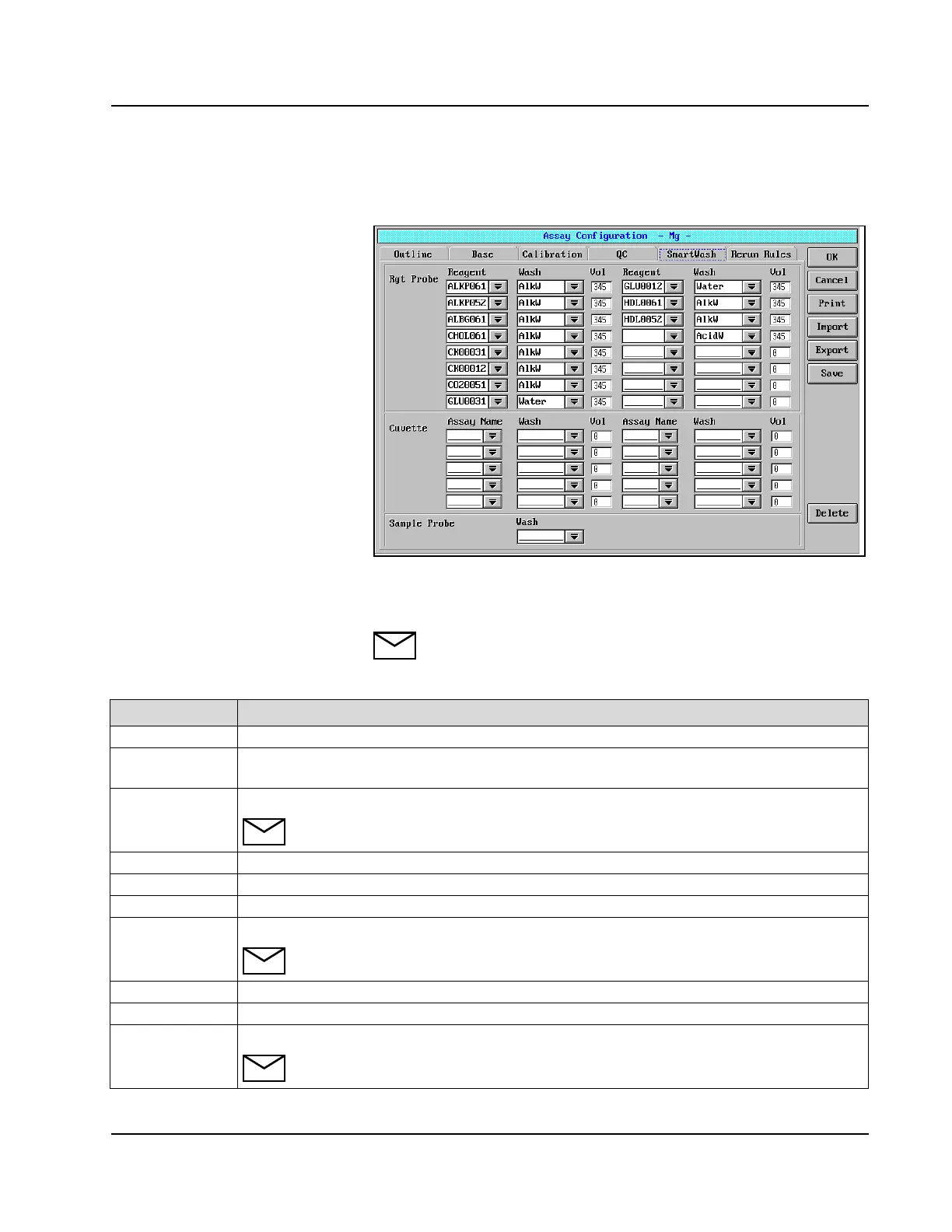
SmartWash™ Page
Figure 8.13: Assay Configuration Screen, SmartWash Page (Photometric
Assay)
NOTE: The fields described in the following chart are only for
photometric and ICT™ assays.
Field Description
Rgt Probe Reagent interference involving the Reagent Probe is minimized.
Reagent Select the interfering reagent. Up to 16 can be defined. Entered name must match reagent name on
the Base Page for the SMARTWASH to occur.
Wash Select the wash method to wash the inside of reagent probes and mixers.
NOTE: The wash cycle is performed only one time.
Vol Enter the volume of the defined wash solution to be used. Range is 10-345 µL.
Cuvette Reagent interference involving the Reaction Cuvette is minimized.
Assay Name Select the assay that interferes. Up to 10 assays can be defined.
Wash Select the wash method to wash the inside of reaction cuvettes.
NOTE: The wash is performed only one time.
Vol Enter the volume of the defined wash solution to be used. Range is 10-345 µL.
Sample Probe When defined, the Sample Probes are washed immediately before aspirating the sample.
Wash Select the solution to be used to wash the inside of the sample probes.
NOTE:
The wash cycle is only performed one time.



 To Next Page