MODULE 11: COMPONENT REPLACEMENT AND TROUBLESHOOTING
11-10 AEROSET
®
Customer Training Guide
94858-103 — July 2003
To reset a message in the ERROR LOG screen, perform the following
steps:
1. Select the Error Log icon in the Action Area.
2. Select <ResetErr> in the right-hand column of the
ERROR LOG screen.
3. Select <OK> on the confirmation dialog window to acknowledge
the new Error Log Message(s).
4. A checkmark (;) is placed next to each Error Log Message, and the
Error Log icon no longer has a colored background.
The Error Log Messages are listed with appropriate probable causes and
corrective actions in Section 10, Diagnostics and Troubleshooting of the
AEROSET System Operations Manual.
NOTE: To display the Error Log Message Code numbers, press
[F1] on the keyboard.
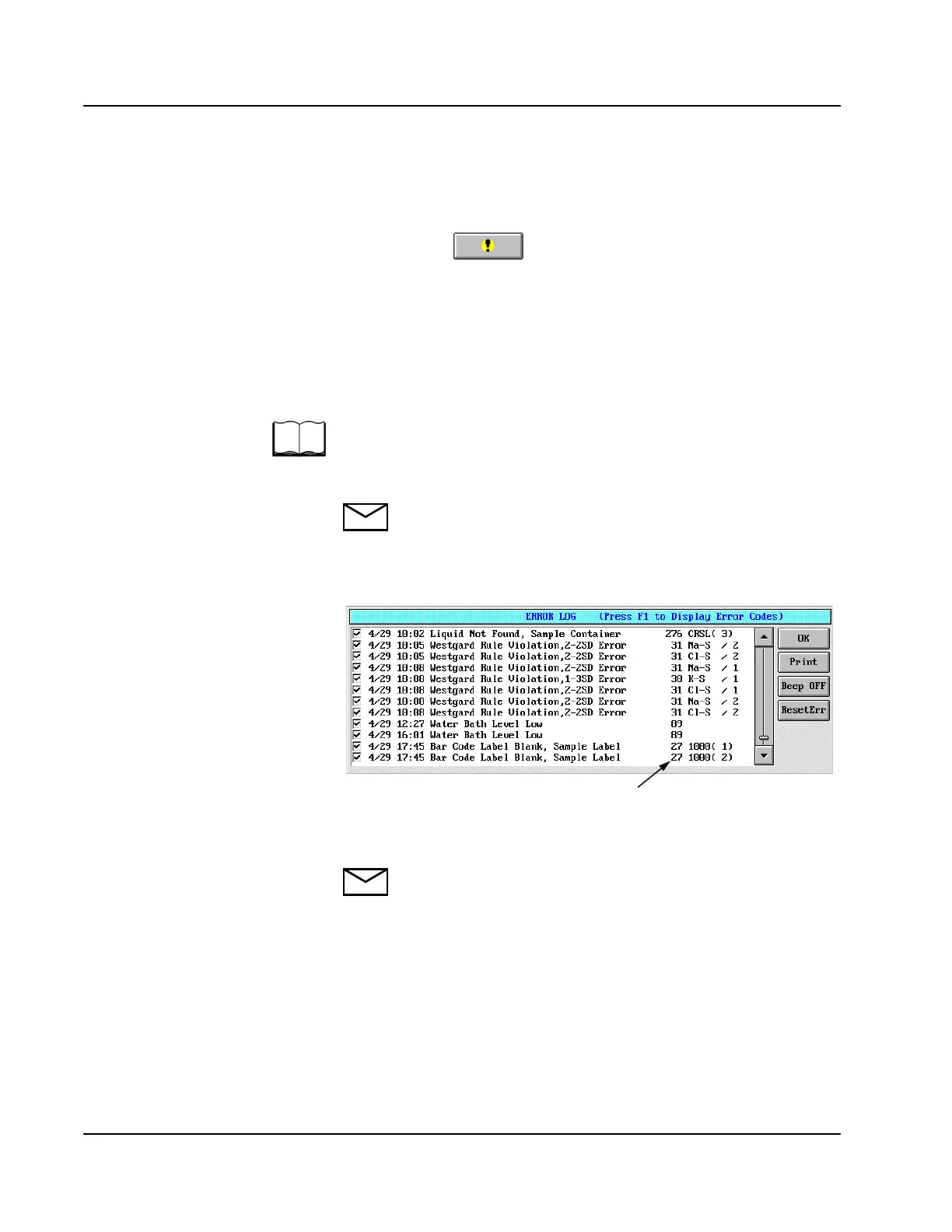
An example of the ERROR LOG screen after [F1] has been pressed is
displayed below.
Figure 11.6: ERROR LOG Screen
NOTE: <Print> will print all 200 Error Log Messages.
Error Code
Number



 To Next Page