MODULE 1: SYSTEM TOUR
1-38 AEROSET
®
Customer Training Guide
94858-103 — July 2003
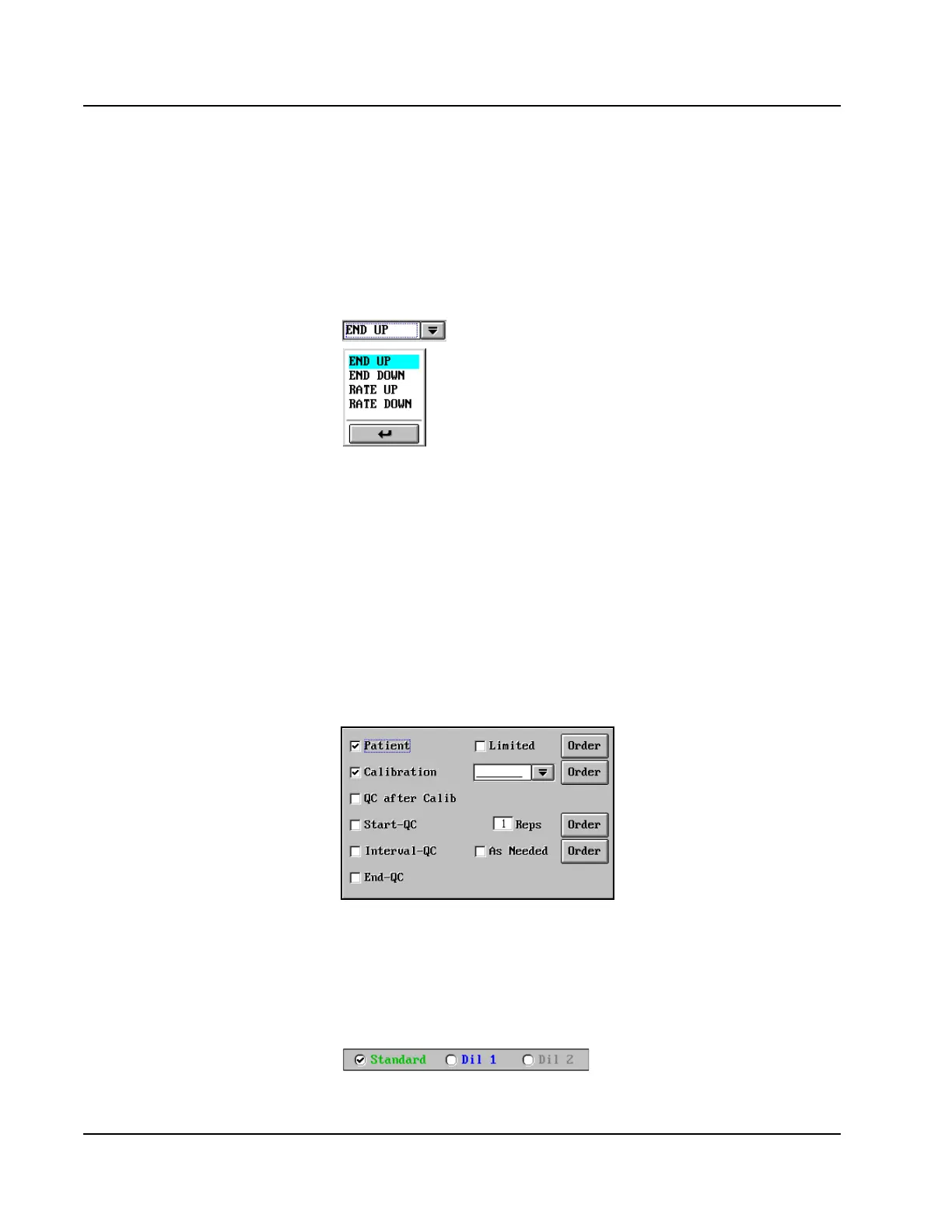
Drop-down List Box
If there are several choices for a single field, a Drop-down list box is
displayed. Press the arrow button to the right of the field to show the
other choices. When the selection has been made from the displayed
items, press the return arrow button at the bottom of the list. An example
of a Drop-down list box is shown below.
Combo Box
The combo box looks exactly like the Drop-down list box and allows the
Operator to select from the list, but it also allows the Operator to create
new items on the list through keyboard entry.
Checkbox
On screens where checkboxes appear, multiple items can be selected by
touching the box to place a checkmark in it. An example checkbox is
shown below.
Single Selection Item
On screens where single selection items are displayed, only one item can
be selected by touching the circle to place a checkmark in it. An example
of a single selection item is shown below.
• Use Patient demographics to
demonstrate.
• Use Patient demographics to
demonstrate.
• Use Startup, Shutdown, or Run
Options to demonstrate.
• Use Order Screen Measurement
Type to demonstrate.



 To Next Page