176
5.1.2.1. IPv4
Setting TCP/IP of Application Server PC.
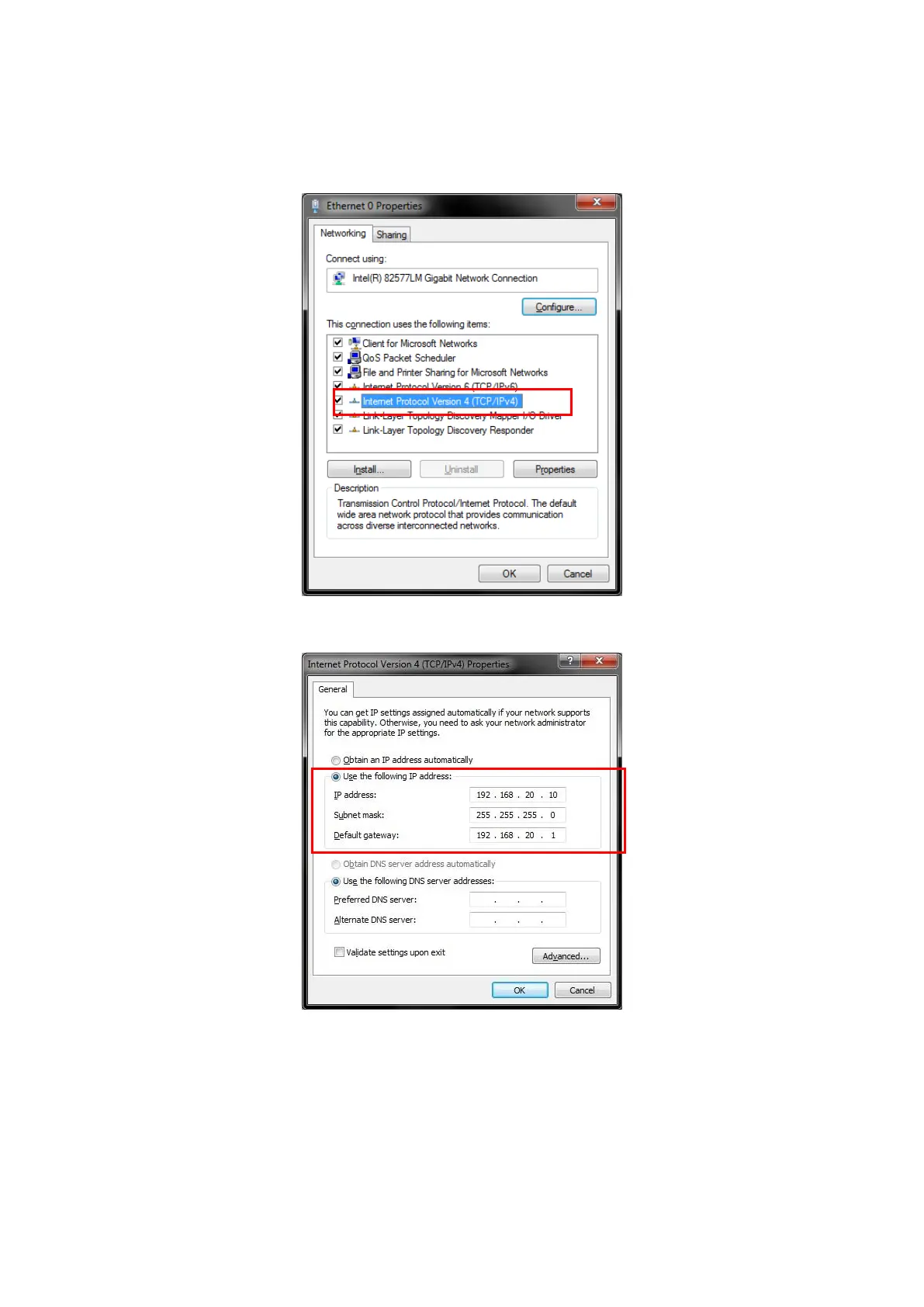
1. Open the Local Area Connection Properties window at the application server PC and put a checkmark in the
Internet Protocol (TCP/IP) checkbox.
Figure 5.1.2.1-1 Local Area Network Connection Properties
2. Double-click Internet Protocol (TCP/IP) to open the Internet Protocol (TCP/IP) Properties window.
Figure 5.1.2.1-2 Internet Protocol (TCP/IP) Properties Window
3. Choose [Use the following IP address] and set [IP address] and [Subnet mask] as follows:
IP address: 192.168.20.10
Subnet mask: 255.255.255.0
4. Click [OK] to close the Internet Protocol (TCP/IP) Properties window.














 To Next Page