154
RX Measurements for 4DL CA 3.6.
This feature is supported only by the MT8821C.
Throughput Measurement Example 3.6.1.
1. Perform Initial Condition setting. (2.4.2)
2. Perform UE Location registration. (2.4.3)
3. Connect to Test Mode.(2.4.4)
4. Execute TPUT_MEAS ON to set Throughput Measurement to On.
5. Execute SWP to measure the power.
6. Execute TPUT? PCC to confirm the PCC Throughput measurement result.
7. Execute TPUT? SCC1 to confirm the SCC1 Throughput measurement result.
8. Execute TPUT? SCC2 to confirm the SCC2 Throughput measurement result.
9. Execute TPUT? SCC3 to confirm the SCC3 Throughput measurement result.
10. Execute TPUT_BLERCNTNACK? PCC to confirm the PCC Error Count (NACK).
11. Execute TPUT_BLERCNTNACK? SCC1 to confirm the SCC1 Error Count (NACK).
12. Execute TPUT_BLERCNTNACK? SCC2 to confirm the SCC2 Error Count (NACK).
13. Execute TPUT_BLERCNTNACK? SCC3 to confirm the SCC3 Error Count (NACK).
14. Execute TPUT_BLERCNTDTX? PCC to confirm the PCC Error Count (DTX).
15. Execute TPUT_BLERCNTDTX? SCC1 to confirm the SCC1 Error Count (DTX).
16. Execute TPUT_BLERCNTDTX? SCC2 to confirm the SCC2 Error Count (DTX).
17. Execute TPUT_BLERCNTDTX? SCC3 to confirm the SCC3 Error Count (DTX).
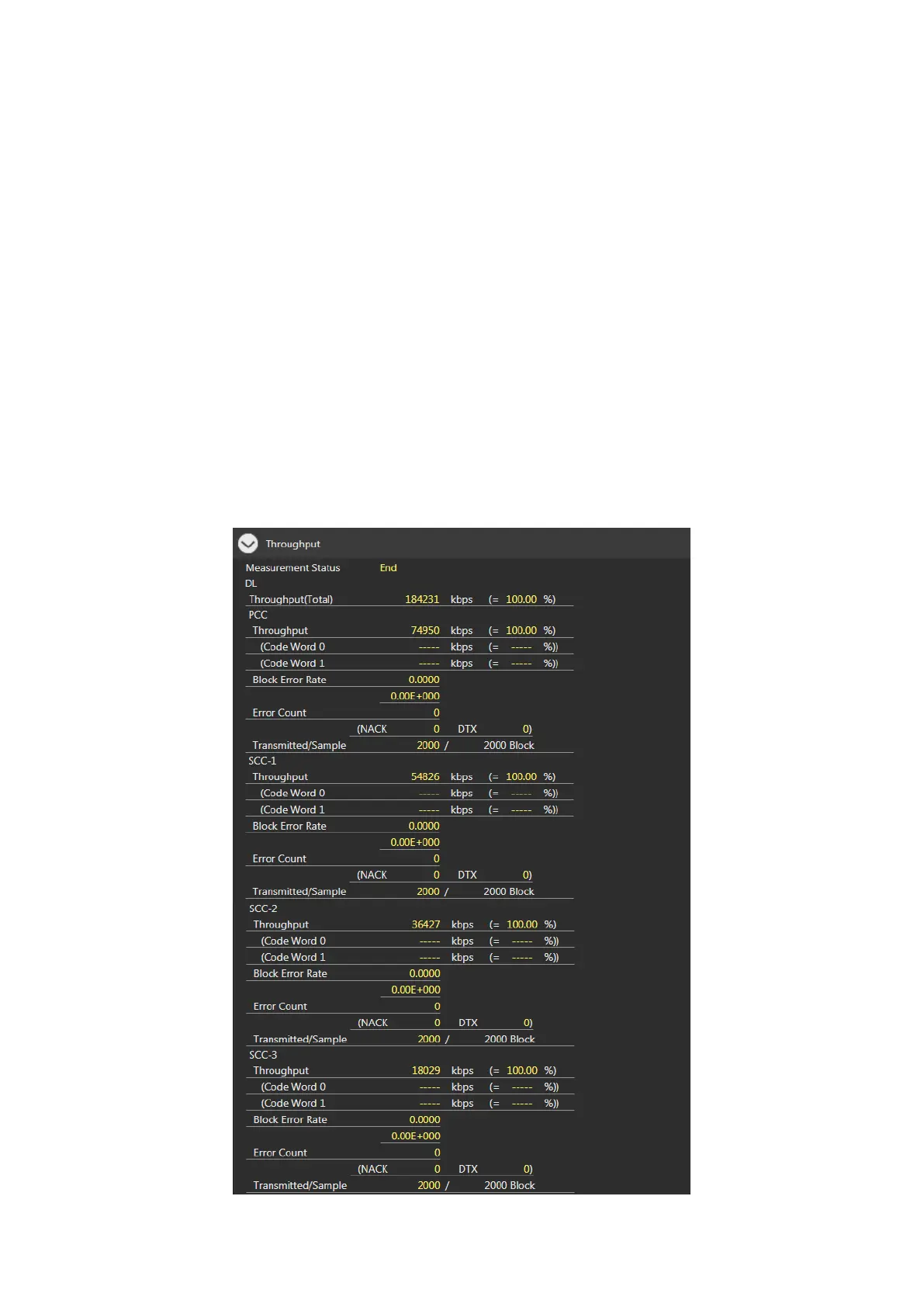
Figure 3.6.1-1 Example of FDD DL CA 4CCs Throughput Measurement Result (MT8821C)














 To Next Page