86
Power Control Absolute power tolerance (6.3.5.1) 3.1.12.
[Pass/Fail evaluation limits value setting]
1. Execute TP_PCTABS_TOL 10.0 to set TX3 - Absolute Power (Test Point1) Pass/Fail judgment.
[Measurements]
2. Execute TESTPRM TX_PCTABS1 to set Test Parameter to TX3 - Absolute Power (Test Point1).
3. Execute SWP to measure Power Control Tolerance (Absolute Power).
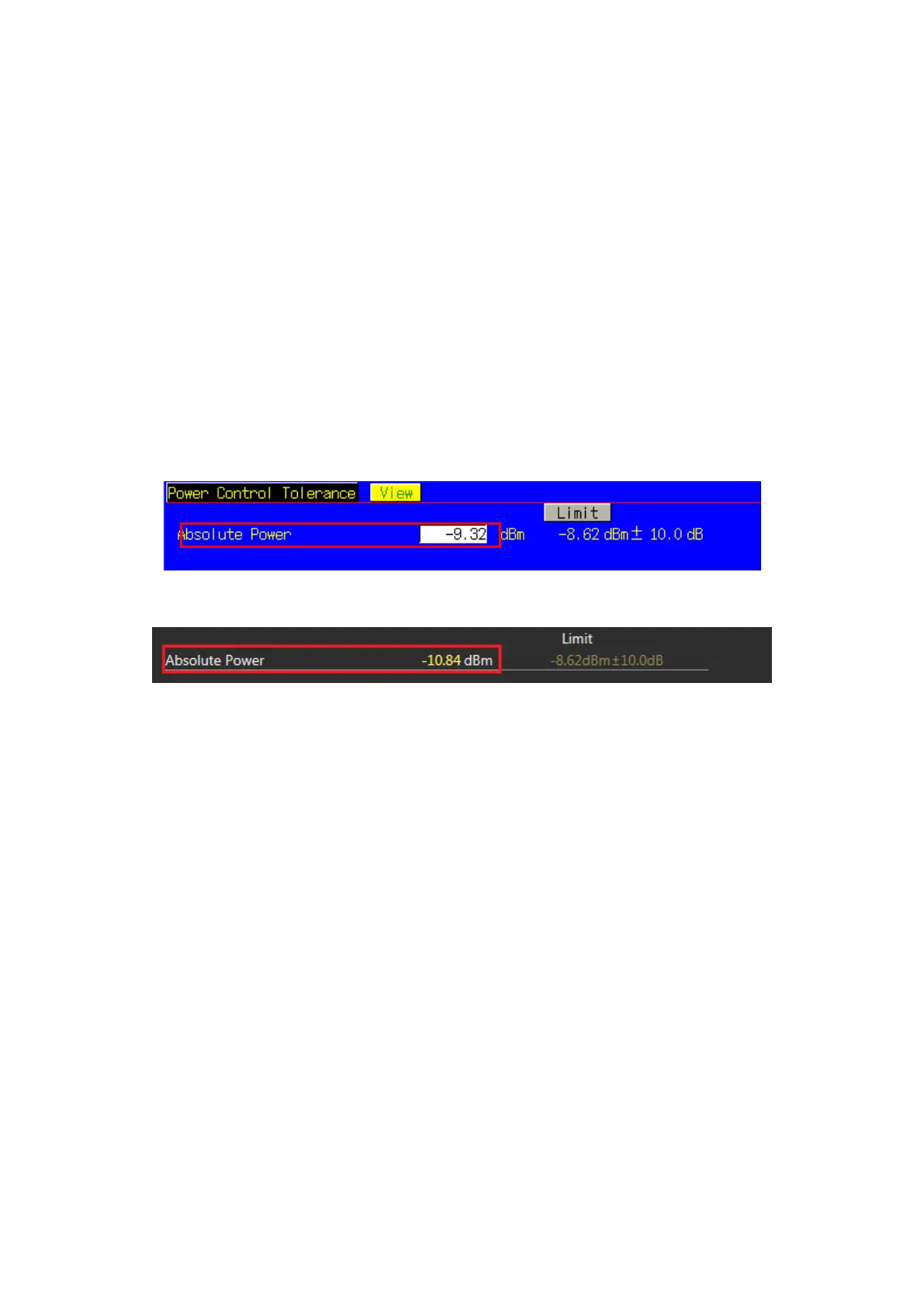
4. Execute PCTPWR? to read the Absolute Power (dBm) measurement result.
5. Execute PCTPASS? to check that the Absolute Power measurement Pass/Fail judgment is Pass.
6. Execute TESTPRM TX_PCTABS2 to set Test Parameter to TX3 - Absolute Power (Test Point2).
7. Execute steps 3 to 5.
NOTE 1: The Pass/Fail evaluation value is initialized as described in TS36.521-1 Table 6.3.5.1.5-1 and used
when the Carrier Frequency is 3 GHz or less. When the Carrier Frequency exceeds 3 GHz, set:
TP_PCTABS_TOL 10.4
as described in TS36.521-1 Table 6.3.5.1.5-1.
For the Pass/Fail evaluation values, refer to Chapter 3.7.4 Test Parameter Limit in the operation manual.
Figure 3.1.12-1 Example of Measurement Result when Test Parameter is TX3 - Absolute Power (Test Point1)
(MT8820C)
Figure 3.1.12-2 Example of Measurement Result when Test Parameter is TX3 - Absolute Power (Test Point1)
(MT8821C)














 To Next Page