206
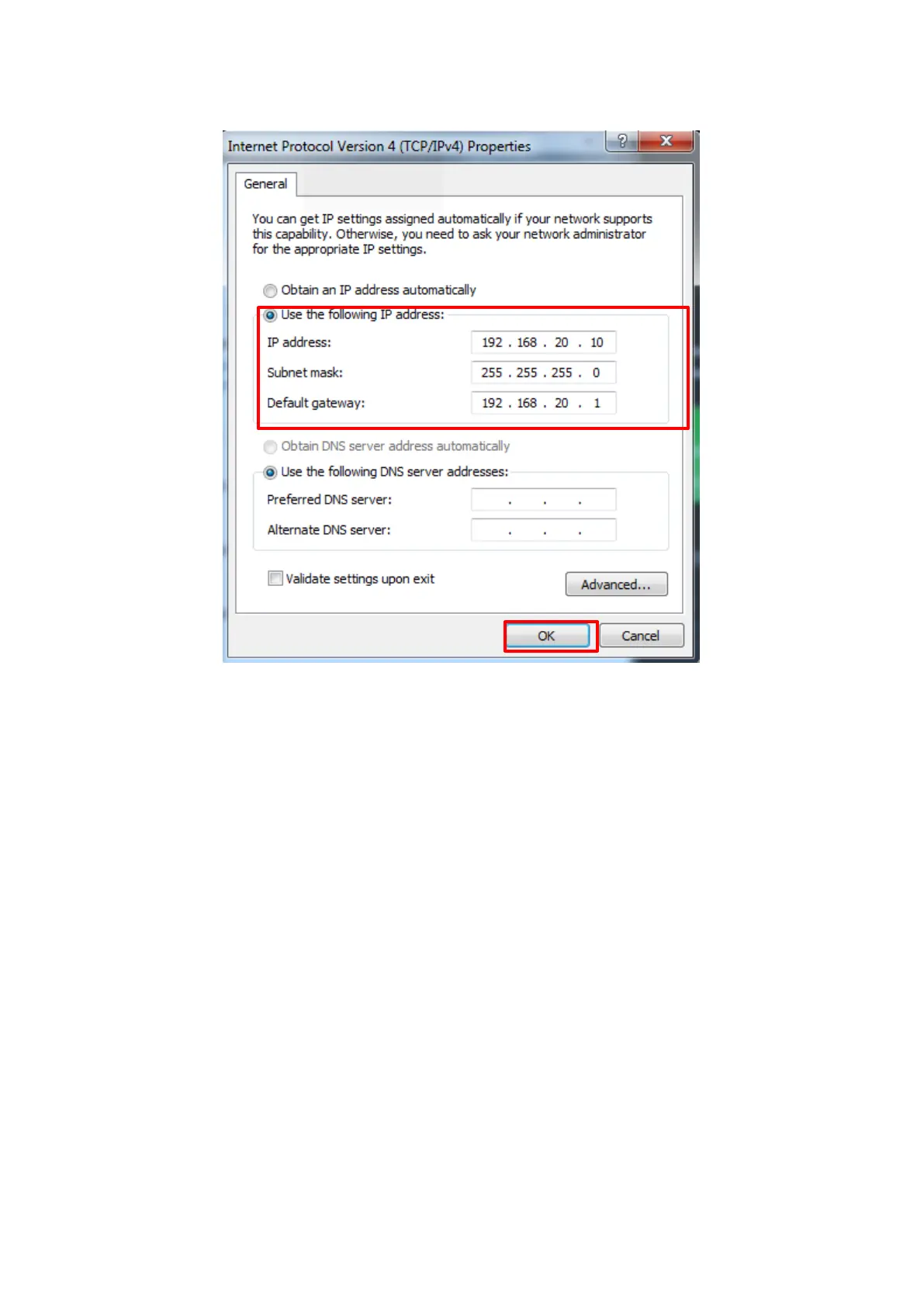
4. At the Properties screen, select “Use the following IP address” and set each parameter (IP address, Subnet
mask and Default gateway), then click “OK”. Select “Internet Protocol Version4 (TCP/IPv4)”.
Figure 5.2.2.3-4 MT8821C “Internet Protocol Version4 (TCP/IP) Properties” Setting Screen
(Example shows Application Server1)
5. After completing the settings, close each setting screen.
Client PC Connection and Setting 5.2.3.
The client PC connection and setting depend on the mobile terminal. Set according to the connection method used.
Synchronizing Frame Timing Between 2 Cells 5.2.4.
For synchronizing frame timing, refer to Chapter 2.2.2.














 To Next Page