184
Initial Condition Setting 5.1.4.
The following illustrates how to set-up the measurement condition for Peak Data Rate.
TS36.306 4.1 defines a transmittable data size for the respective UE Categories.
5.1.4.1. MT8820C
5.1.4.1.1. IPv4
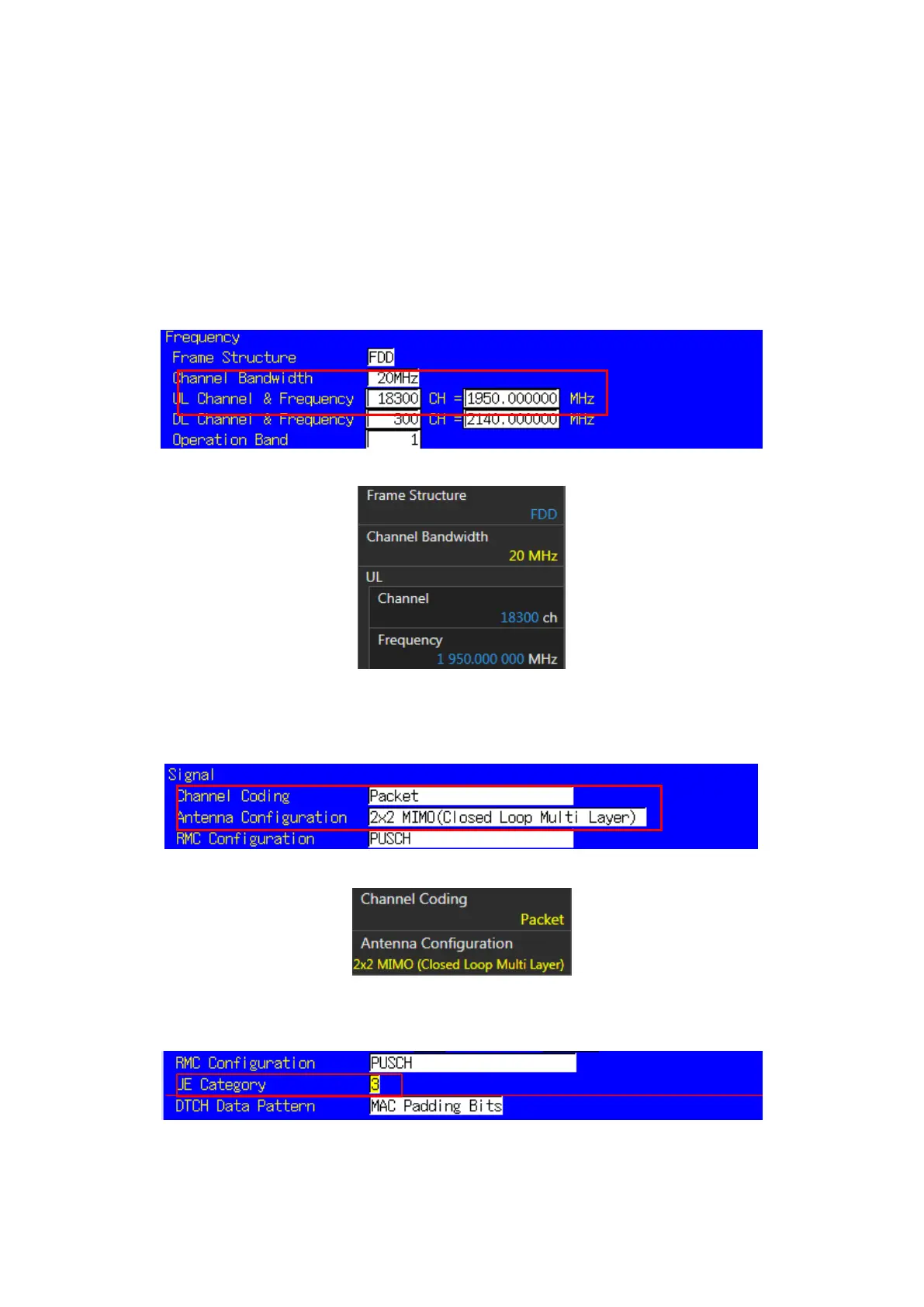
1. Run [PRESET] to initialize the parameter settings.
2. Set [Uplink Channel] to 18300.
3. Set [Channel Bandwidth] to 20 MHz.
Figure 5.1.4.1.1-1 UL Channel/Channel Bandwidth Setting at Common Parameter Screen (MT8820C)
Figure 5.1.4.1.1-2 UL Channel/Channel Bandwidth Setting at Common Parameter Screen (MT8821C)
4. Set [Channel Coding] to Packet.
5. Set [Antenna Configuration] to 2X2 MIMO (Closed Loop Multi Layer). To test a Single Antenna, set to Single.
Figure 5.1.4.1.1-3 Channel Coding/Antenna Configuration at Common Parameter Screen (MT8820C)
Figure 5.1.4.1.1-4 Channel Coding/Antenna Configuration at Common Parameter Screen (MT8821C)
6. Set a UE Category.
Figure 5.1.4.1.1-5 UE Category Setting at Common Parameter Screen (MT8820C)














 To Next Page