197
RRC State Transition Test 5.1.8.
5.1.8.1. Function Overview
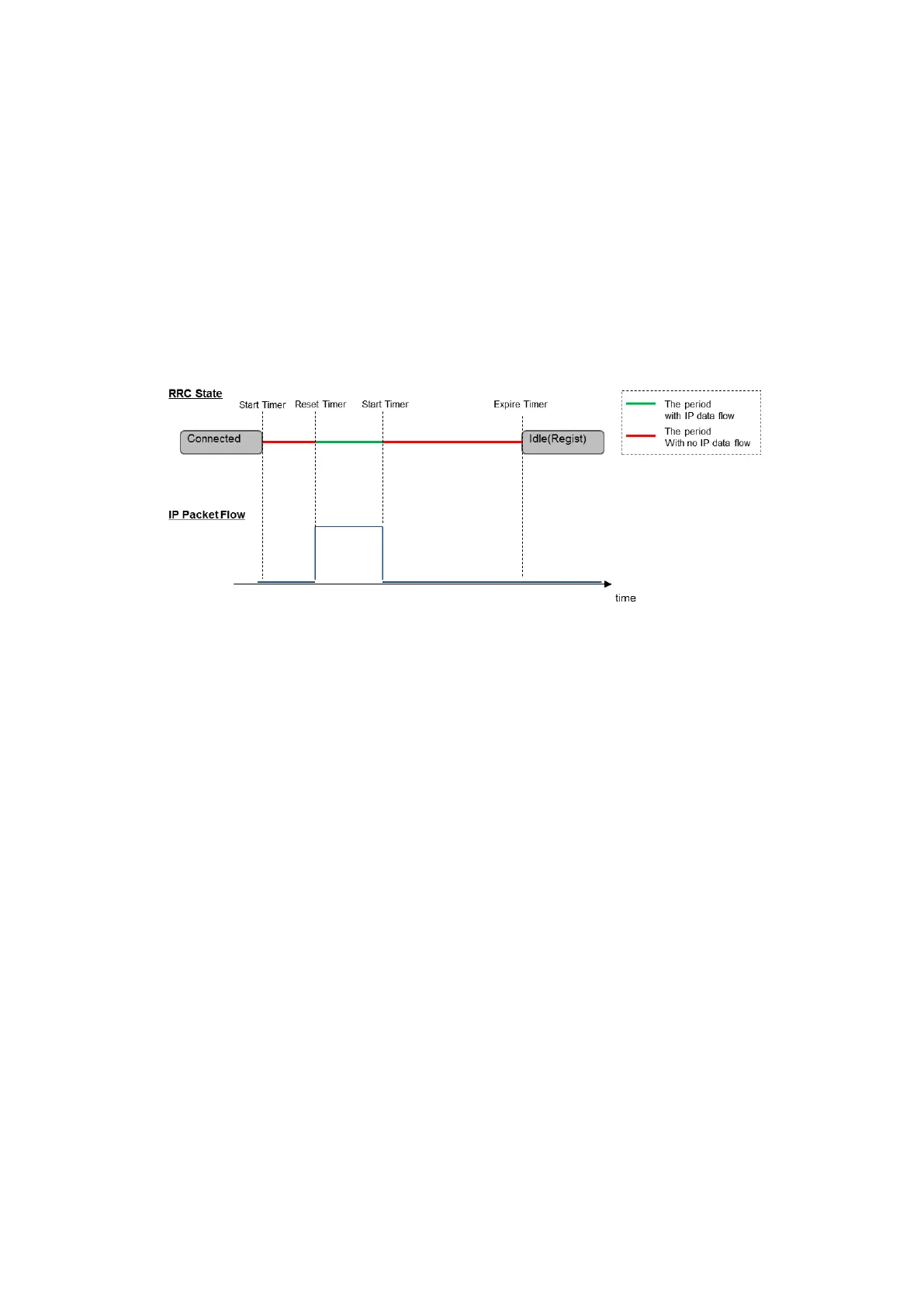
This function makes the RRC State transition from the Connected to Idle state automatically when there is no IP
Data to be transmitted/received for a certain period of time (Inactivity Timer) while the RRC Status is Connected.
Inactivity Timer
Starts when there is no UL/DL Packet Data on the PDCP layer at some subframe timing
Stops and resets when there is UL/DL Packet Data on the PDCP layer at some subframe timing
When the Inactivity Timer expires, the MT8821C sends the RRC Connection Release message to the UE and checks
that the RRC State (Call Status) transitions from Connected to Idle(Regist).
NOTE1: This function is enabled only when Channel Coding is Packet or Packet (DL CA PCC).
Figure 5.1.8.1-1 Overview of RRC State Transition/Inactivity Timer
5.1.8.2. RRC State Transition Test Setting
This chapter explains the procedure for performing the RRC State Transition Test. The following is an example of
setting the Timer to 10 seconds.
[Procedure]
1. Connect the UE and MT8821C.
2. Execute CHCODING PACKET to set Channel Coding to Packet.
3. Execute STATETRANSTEST ON to set Call Processing Parameter - RRC State Transition to ON.
4. Execute TRANS_TIMER1 10.0 to set Call Processing Parameter - Inactivity Timer to 10.0.
5. Turn on the UE power.
6. Ensure the UE is in the Connected state.
7. Packet communication is performed between the UE and MT8821C. (5.1.6)
8. 10 seconds after the packet communication ends, the Call Status transitions from Connected to Idle(Regist)














 To Next Page