47
Synchronizing Frame Timing between 2 Cells 2.2.2.
This chapter is only for the MT8820C.
The frame timing between two cells must be synchronized when connecting using LTE-Advanced (CA).
<Using Main 1 and Main 2 with one MT8820C unit including ParallelPhone measurement option>
1. [SCC-1] Execute ENTERSYNC INT_SLAVE to set the frame timing synchronization processing slave status.
2. [PCC] Execute ENTERSYNC MASTER to perform frame timing synchronization processing.
3. [SCC-1] Execute ENTERSYNC? to query that the response is 1 (synchronization established).
<Using two MT8820C units)>
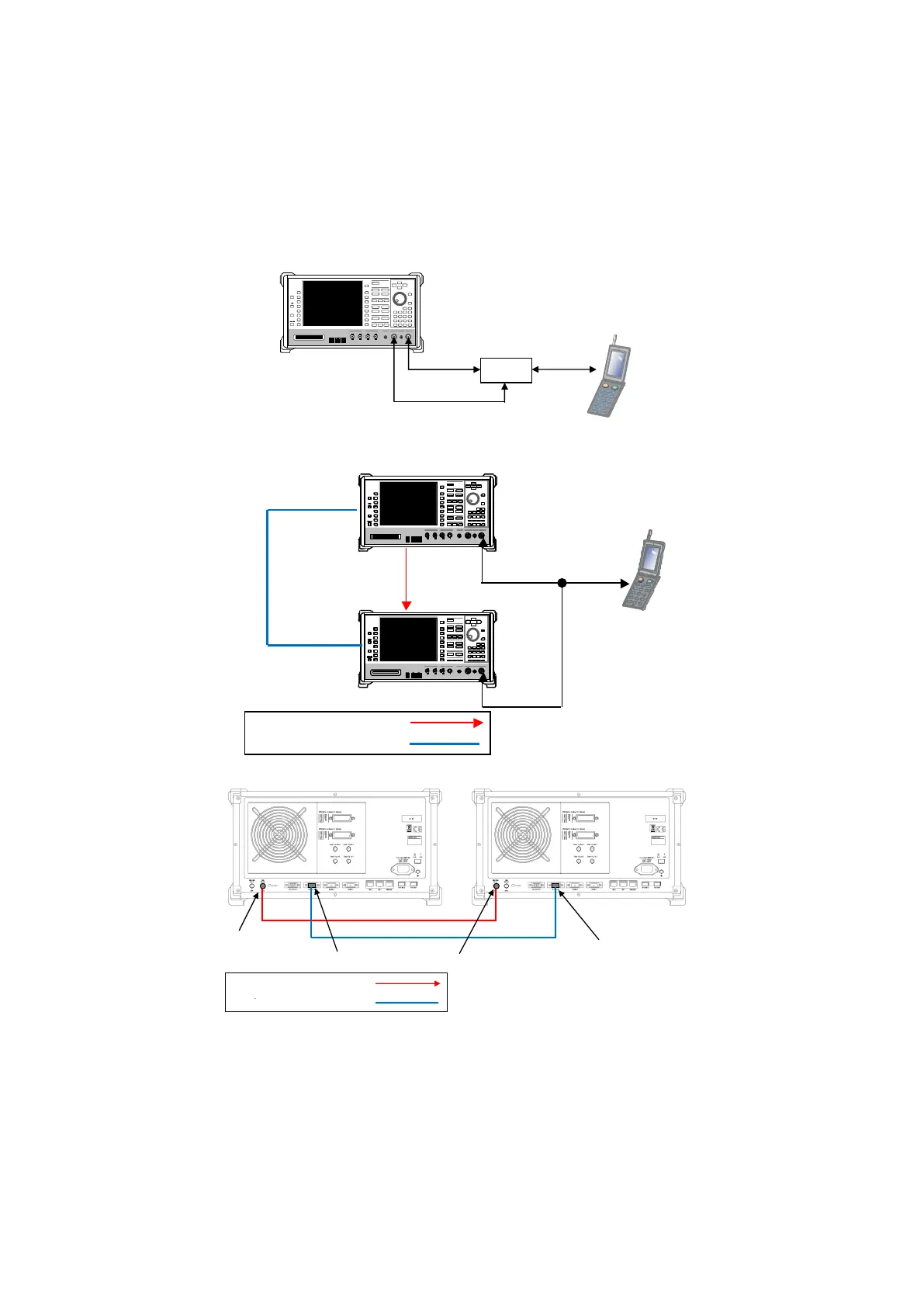
1. Setup the two MT8820C units as shown below.
BNC cable
D-sub 15pin cable J1249
BNC cable
D-sub 15pin cable J1249
DL CA 2CCs Test Connection Setup
2. [SCC-1] Execute REF 10MHZEXT to set Ref. Frequency to 10 MHz (EXT).
3. [SCC-1] Execute ENTERSYNC EXT_SLAVE to set the frame timing synchronization processing slave status.
4. [PCC] Execute ENTERSYNC MASTER to perform frame timing synchronization processing.
5. [SCC-1] Execute ENTERSYNC? to query that the response is 1 (synchronization established).
NOTE 1: Since the DL CA 2CCs test connections differ according to the terminal specifications, check the
connections described in TS36.508 Figure A.32a, b, c.














 To Next Page