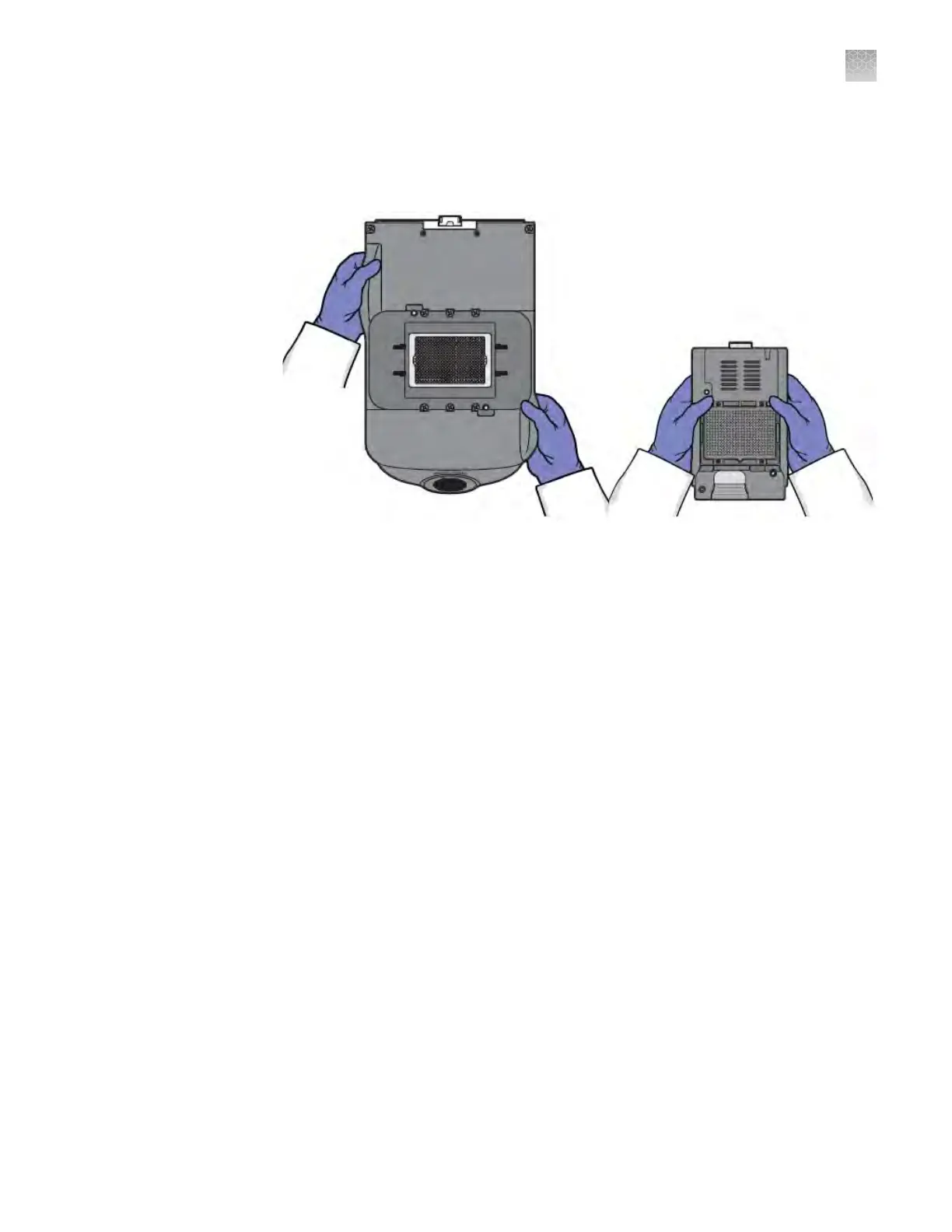
To prevent damaging or contaminating the sample block or the heated cover, handle
the assemblies as shown below
. After you remove each assembly from the
QuantStudio
™
6 or 7 Flex System, place them on a clean, dry surface or in its shipping
container.
1.
P
ower o the QuantStudio
™
6 or 7 Flex System and computer.
2.
When the QuantStudio
™
6 or 7 Flex System and computer are powered o,
disconnect all QuantStudio
™
6 or 7 Flex System components and package the
cabling for the move.
3.
Prepare the QuantStudio
™
6 or 7 Flex System for the move:
a.
Open the QuantStudio
™
6 or 7 Flex System access door.
b.
Firmly press down on the sample block handle, pull the sample block from
the QuantStudio
™
6 or 7 Flex System, then place it on a clean, dry surface.
c.
Pinch the handle of the heated cover together, then pull the assembly from
the QuantStudio
™
6 or 7 Flex System and place it on a clean, dry surface.
How to handle the
sample block and
heated cover
Prepare the
QuantStudio
™
6 or
7 Fl
ex System
components
Appendix D P
ower on or off, store, and move
Move the QuantStudio
™
6 or 7 Flex System
D
QuantStudio
™
6 and 7 Flex Real-Time PCR Systems v1.6 Maintenance and Administration Guide
127












 To Next Page