Component
Description
1 Touchscreen
Provides access to the instrument functions. Can be used to
run experiment, transfer data, and operate the instrument
functions without the use of the computer.
2 USB ports
Provide USB communication with the instrument. Can be used
to transfer data to and from the instrument.
Note: If multiple USB drives are plugged into the instrument,
the instrument mounts only the first drive that is installed,
regardless of the USB port used.
3 Access door
Provides access to the instrument lamp, the heated cover, and
the sample block.
4 Lamp Illuminates the plate or array card during a run.
5 Heated cover
Covers the plate or array card during a run to prevent
condensation and leakage through the cover.
6 Sample block Heats the plate or array card during a run.
7 Side door Opens to allow extension of the tray arm.
8 Plate adapter Secures the plate or array card to the tray arm.
9 Tray arm
Conveys the plate or array card to and from the sample block
in the interior of the instrument.
PWR
F1
F2
Ethernet
USB
1
USB
2
RS232
Ethernet
USB
3
USB
4
RS232
PWR
F1
F2
7
5
6
2 31
4
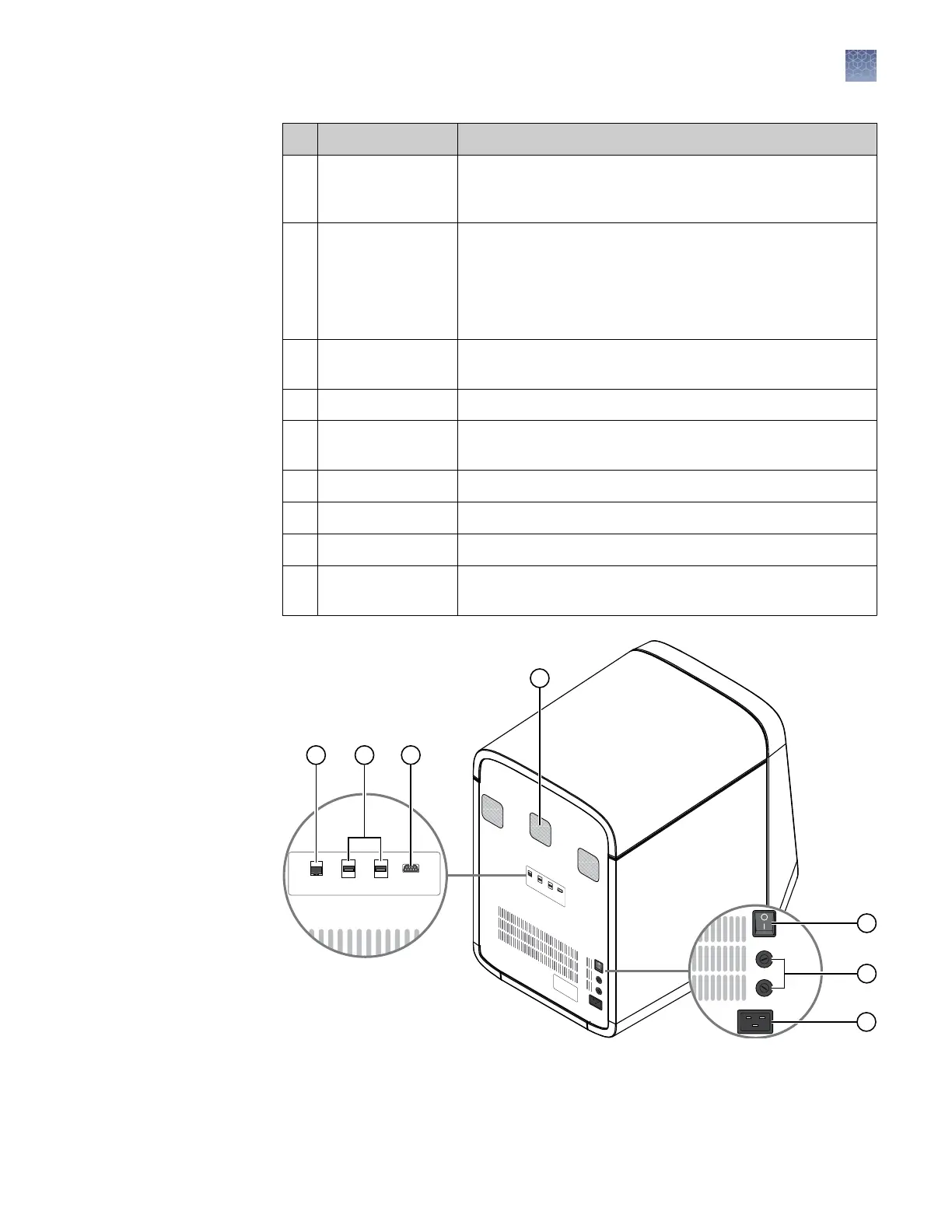
Rear
Chapter 1 Getting started
Instrument hardware
1
QuantStudio
™
6 and 7 Flex Real-Time PCR Systems v1.6 Maintenance and Administration Guide
17












 To Next Page