Operating rules are:
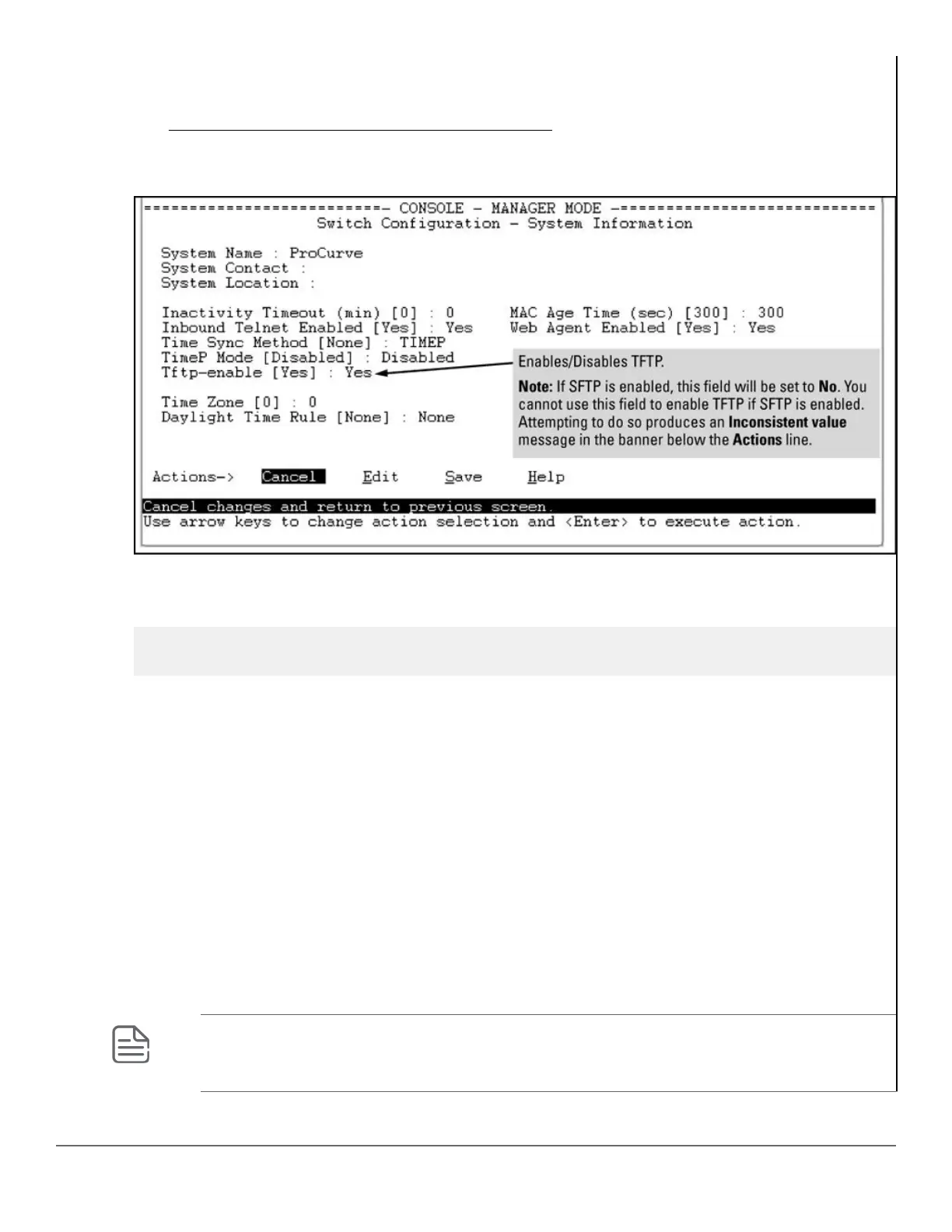
• The TFTP feature is enabled by default, and can be enabled or disabled through the CLI, the Menu interface
(see Figure 40: Using the Menu interface to disable TFTP on page 267), or an SNMP application. Auto-
TFTP is disabled by default and must be configured through the CLI.
Figure 40: Using the Menu interface to disable TFTP
• While SFTP is enabled, TFTP and auto-TFTP cannot be enabled from the CLI. Attempting to enable either
non-secure TFTP option while SFTP is enabled produces one of the following messages in the CLI:
SFTP must be disabled before enabling tftp.
SFTP must be disabled before enabling auto-tftp.
Similarly, while SFTP is enabled, TFTP cannot be enabled using an SNMP management application.
Attempting to do so generates an "inconsistent value" message. (An SNMP management application cannot
be used to enable or disable auto-TFTP.)
• To enable SFTP by using an SNMP management application, you must first disable TFTP and, if configured,
auto-TFTP on the switch. You can use either an SNMP application or the CLI to disable TFTP, but you must
use the CLI to disable auto-TFTP.
The following CLI commands disable TFTP and auto-TFTP on the switch.
Syntax:
no tftp-enable
This command disables all TFTP operation on the switch except for the auto-TFTP feature. To re-enable TFTP
operation, use the tftp-enable command. When TFTP is disabled, the instances of tftp in the CLI copy
command and the Menu interface “Download OS” screen become unavailable.
NOTE: This command does not disable auto-TFTP operation. To disable an auto- TFTP command
configured on the switch, use the no auto-tftp command described below to remove the
command entry from the switch’s configuration.
Chapter 14 File Transfers 267














 To Next Page