Chapter 8: Troubleshooting
8/2
Operators & Maintenance Manual GENIUS Compact Version UK 0.1 © BESTnv
BESTnv Industrial Research BV, Marinus van Meelweg 20, 5657 EN, EINDHOVEN, THE NETHERLANDS
General tel. +31 (40) 292 2622 - Service tel. +31 (40) 292 2620 - Fax. +31 (40) 292 2633 - Email: service.BESTnv@bestnv.com
1.
2.
3.
4. 5.10.
6.
7.
8.
9.
8.3. Troubleshooting Procedures
8.3.1. Procedure 1: Testing Main Air Pressure Regulator
1.- Check the air pressure on the pressure gauge (see control panel).
2.- Turn the air pressure regulator button clockwise.
3.- The air pressure gauge should indicate an increased air pressure.
4.- Next turn the air pressure button counterclockwise.
5.- Activate the air guns (go to the Valve Test Menu via the Rejection Menu, next press the “Test All
valves” button to activate all valves.
6.- The air pressure gauge should indicate a decreased air pressure.
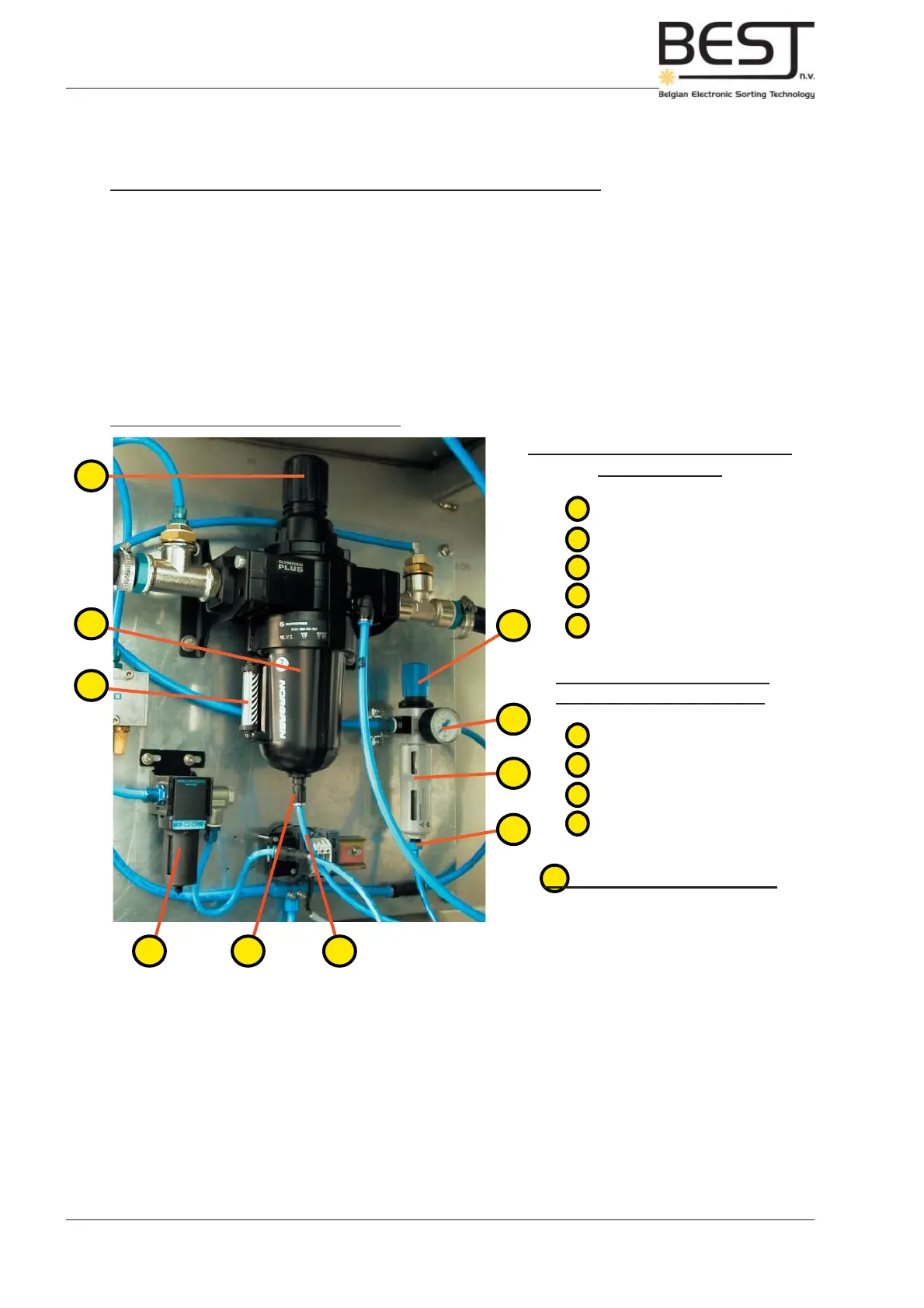
Compressed Air Controls inside sorter unit
Main Compressed Air Regulator/
Filter assembly
1 - air regulator button
2 - compressed air fi lter
3 - water level indicator
4 - water drain
5 - water drain tube
Auxiliary Compressed Air
Regulator/Filter (optional)
6 - air regulator button
7 - air pressure gauge
8 - compressed air fi lter
9 - water drain
10. Auxiliary Air Filter (optional)



 To Next Page