9/27
Chapter 9: The Touchscreen program
Operators & Maintenance Manual GENIUS Compact Version UK 0.1 © BESTnv
BESTnv Industrial Research BV, Marinus van Meelweg 20, 5657 EN, EINDHOVEN, THE NETHERLANDS
General tel. +31 (40) 292 2622 - Service tel. +31 (40) 292 2620 - Fax. +31 (40) 292 2633 - Email: service.BESTnv@bestnv.com
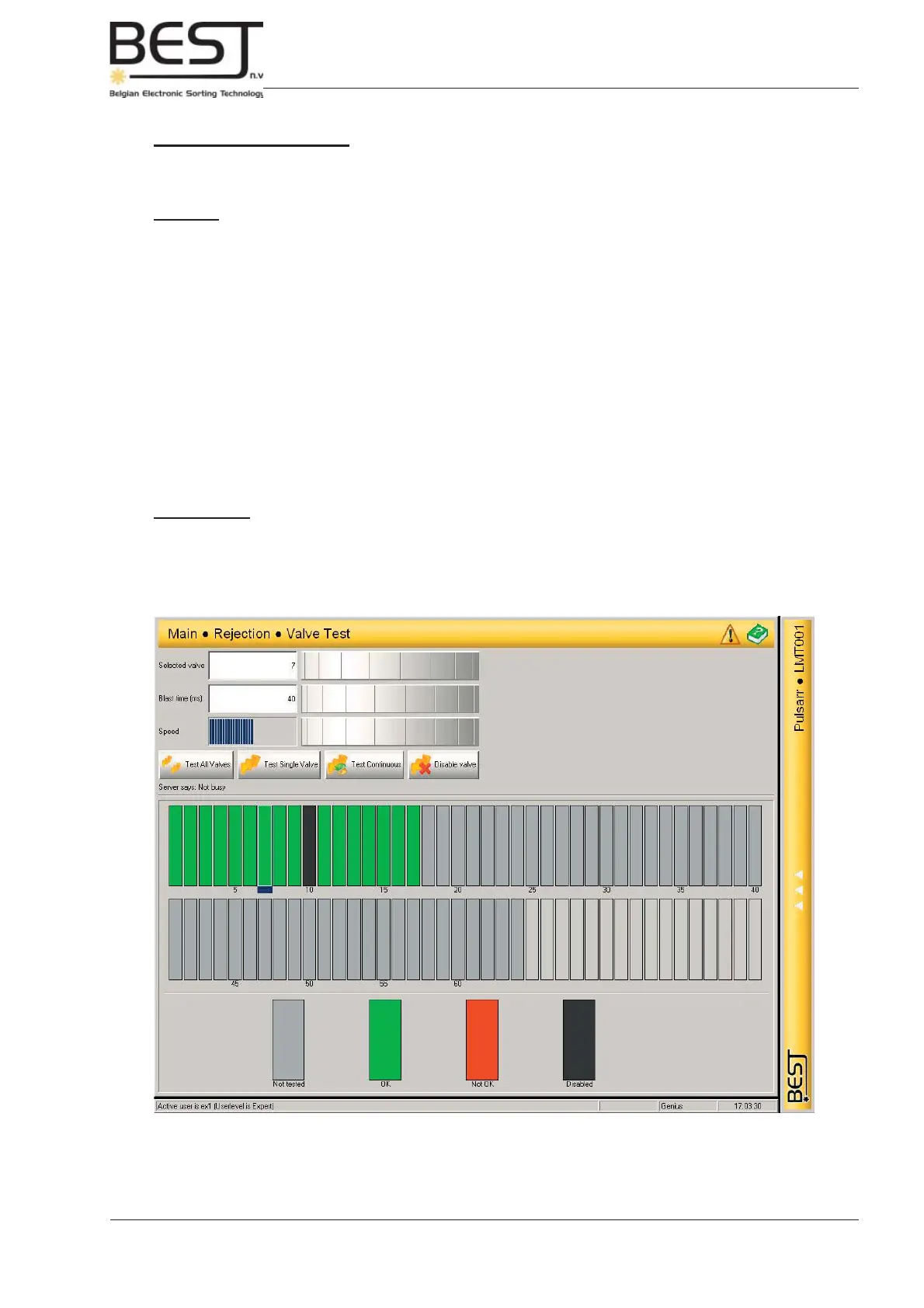
9.5.2. Valve Test Menu
This Menu contains all settings for testing the air gun valves.
Features:
- Selected Valve cell + dial: by turning the dial or pressing the value cell and entering a number, a specifi c
valve can be selected. The selected valve in the valve table will appear to come slightly forward
will have a small blue rectangle underneath it.
- Blast Time (ms) cell + dial: by turning the dial or pressing the value cell and entering a number, a specifi c
Blast time can be selected. This is only the blast time/duration for the testing, and has nothing
to do with the blast time used during sorting (see 9.5.1.).
- Speed dial: with this dial, the speed at which the different valves will be activated in succession can
be changed. Slower => less blue lines, faster => more blue lines.
- Test buttons:
Test All valves: press this button to activate all air valves in succession for a short burst
(see Blast time).
Test Single Valve: press this button to activate one valve for a short burst (see Blast time).
Test Continuous: press this button to activate one valve continuously.
Disable Valve: with this button the selected valve can be disabled.
Colour coding:
- Grey: not tested
- Green: OK
- Red: not OK
- Black: disabled



 To Next Page