Chapter 9: The Touchscreen program
9/24
Operators & Maintenance Manual GENIUS Compact Version UK 0.1 © BESTnv
BESTnv Industrial Research BV, Marinus van Meelweg 20, 5657 EN, EINDHOVEN, THE NETHERLANDS
General tel. +31 (40) 292 2622 - Service tel. +31 (40) 292 2620 - Fax. +31 (40) 292 2633 - Email: service.BESTnv@bestnv.com
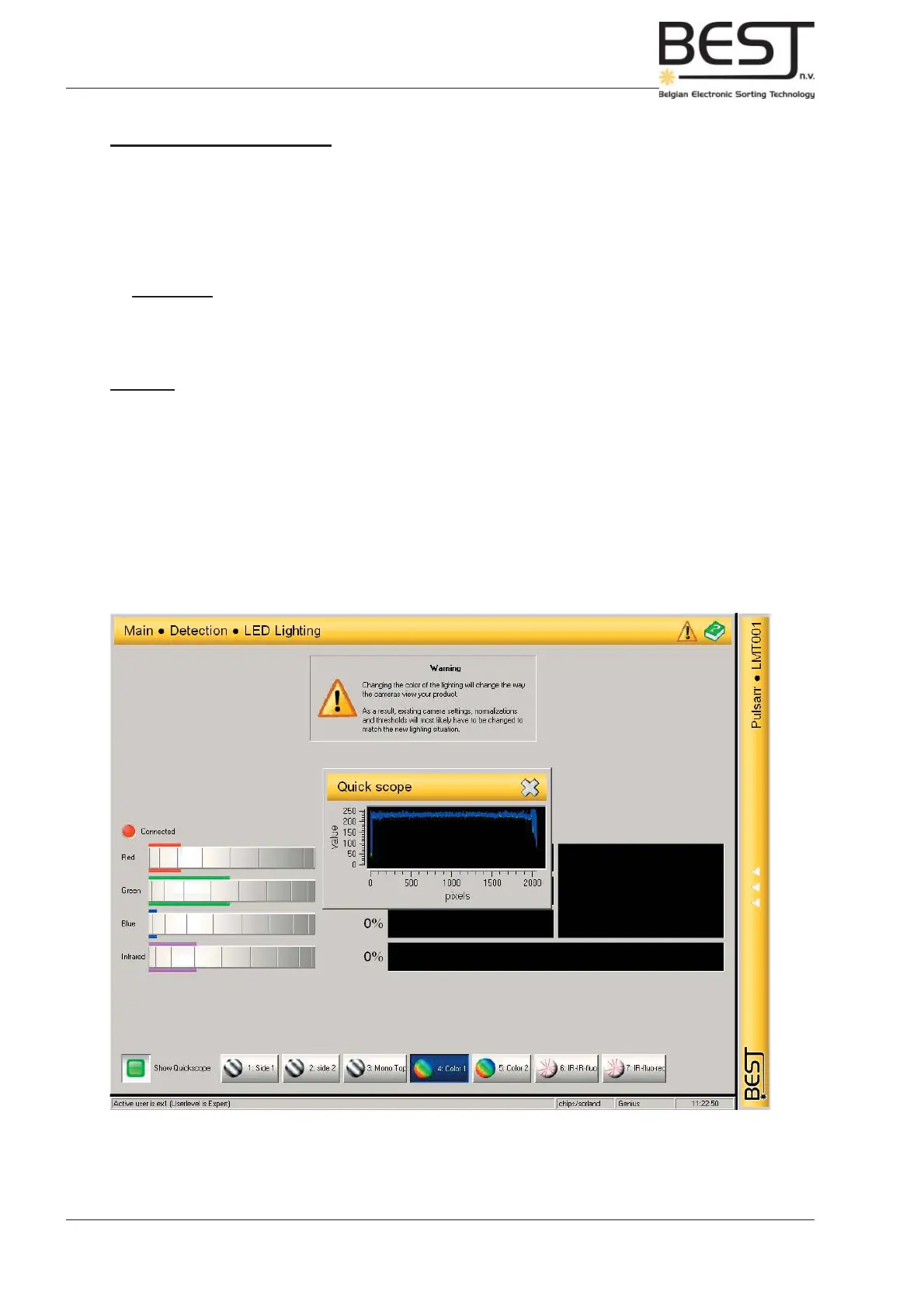
9.4.5. LED Lighting Menu
This menu contains all options and functions to set the LED lighting (only active if LED lighting option is
present and connected).
In general it is rarely necessary to change the LED settings once they have been set during installation
by the BESTnv engineer.
Attention: - Changing the colour of the lighting will change the way the cameras view
your product. As a result, existing camera settings, normalizations and
thresholds will most likely have to be changed, to match the new lighting
situation.
Features:
- Connected indicator (Red/Green): This light indicates whether the LED lighting module is installed/
connected. Red = Not Connected; Green = Connected.
- Colour dials: With these dials the user can change the colour of the LED light by changing the
percentages of the composing colours.
- Colour displays: In these small screens the percentage of every specifi c colour will be displayed, and
the total effect on the fi nal colour (larger screen).
- Show Quickscope function (on/off): After activating this function a small pop-up screen will appear
showing the oscilloscope signal of the selected device. This enables the user to see the effect of the
LED colour changes on the oscilloscope signals of the different devices, and as a consequence the
effect on the sorting process.
- Device buttons: Press this button to select the device for which you want to see the scope signal.



 To Next Page