9/33
Chapter 9: The Touchscreen program
Operators & Maintenance Manual GENIUS Compact Version UK 0.1 © BESTnv
BESTnv Industrial Research BV, Marinus van Meelweg 20, 5657 EN, EINDHOVEN, THE NETHERLANDS
General tel. +31 (40) 292 2622 - Service tel. +31 (40) 292 2620 - Fax. +31 (40) 292 2633 - Email: service.BESTnv@bestnv.com
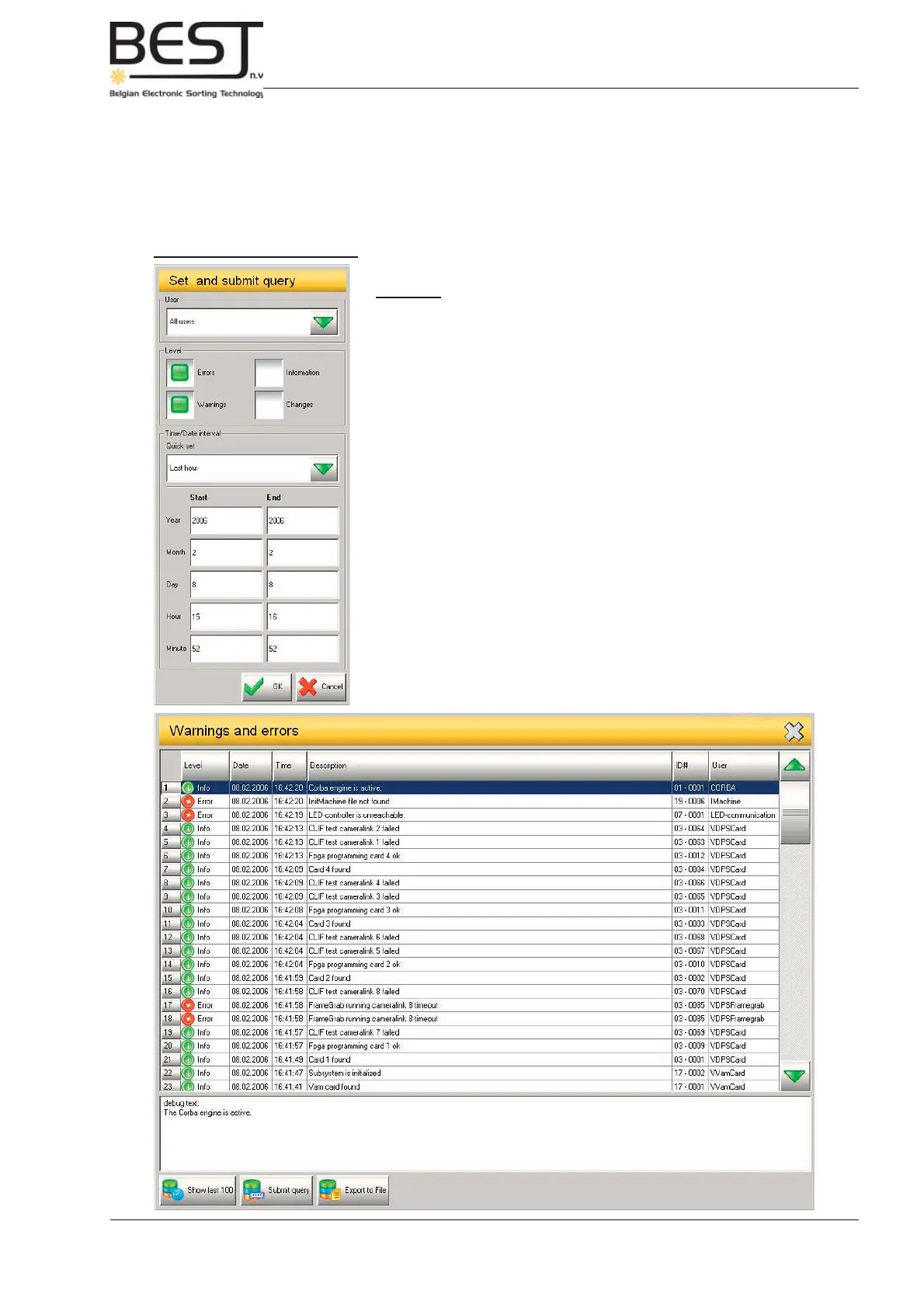
- Submit query button: When pressing this button a pop-up screen will appear enabling you to create
a detailed query in order to check all messages of a certain type, for a specifi c user, date, time, etc...
(see next picture).
- Export to fi le button: With this button the message table that is presently displayed can be saved in
a log fi le.
Set and submit query menu
Features:
- User: With this selection list you can select all messages that
appeared when one specifi c user was logged in.
- Level: Indicate which type of message(s) you want to see (“Changes”
option is not yet available).
- Quick set: A selection list with a number of quick set options for the
period, e.g.: last 15 min., last hour, last day, last week, ...
- Start/End: These settings allow you to defi ne a specifi c period
specifying the start and end of the period. To enter the year, month,
day, hour and even minute of Start and End, just press the appropriate
cell. A pop-up screen will appear allowing you to enter the appropriate
value.
Press OK to confi rm. A new Message table will appear, listing all the
messages conforming to your query (see picture below).
Press Cancel to annul your query request.



 To Next Page