4/9
Chapter 4: Operating the GENIUS Compact
Operators & Maintenance Manual GENIUS Compact Version UK 0.1 © BESTnv
BESTnv Industrial Research BV, Marinus van Meelweg 20, 5657 EN, EINDHOVEN, THE NETHERLANDS
General tel. +31 (40) 292 2622 - Service tel. +31 (40) 292 2620 - Fax. +31 (40) 292 2633 - Email: service.BESTnv@bestnv.com
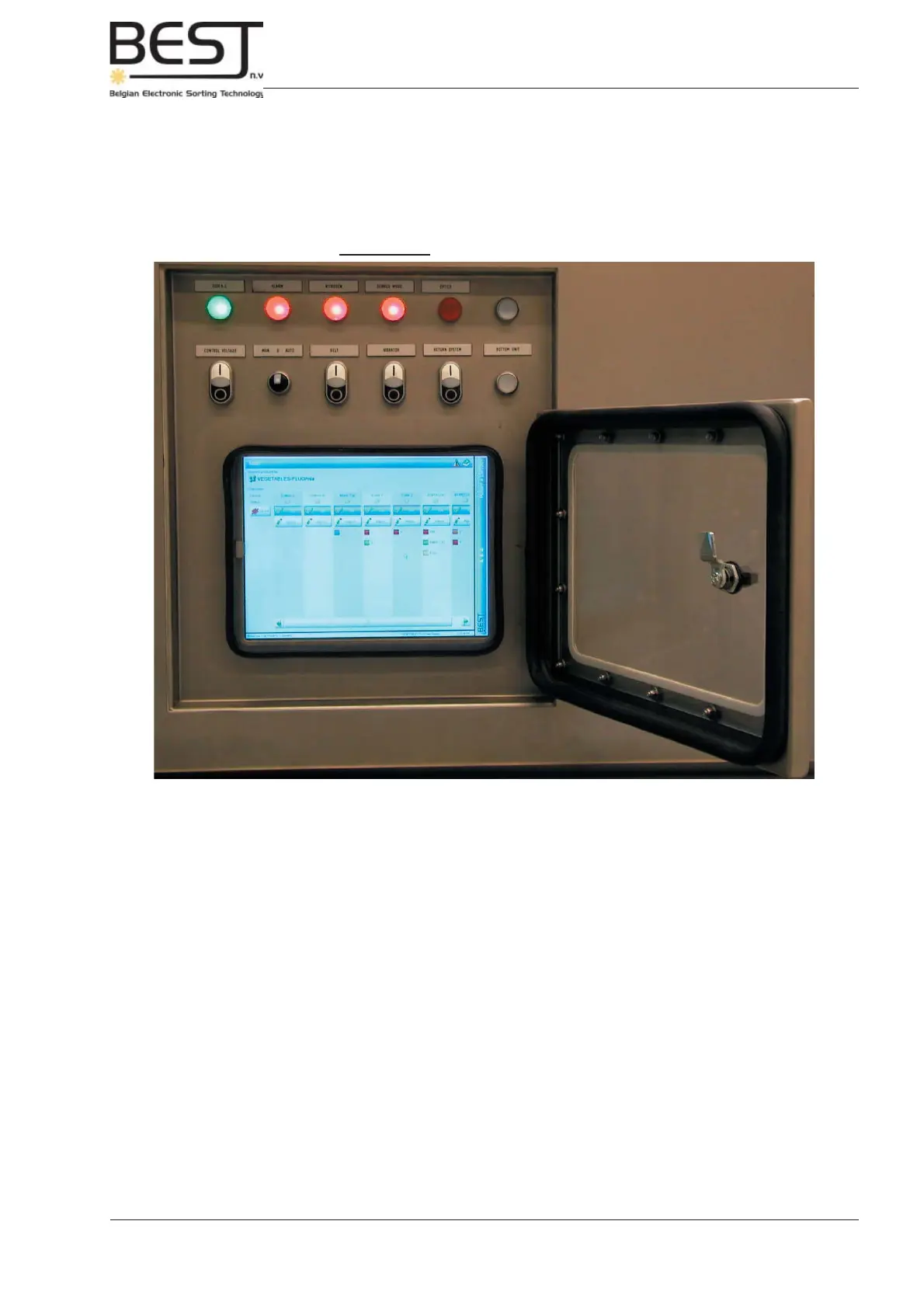
Picture 4.3.1: Control panel + touchscreen
4.3. Control panel
The control panel is on the left or right side near the front of the GENIUS Compact sorter unit, and consists
of a touchscreen control display and directly above it 2 rows of control lights, buttons and switches:
- 3 standard (+ 2 optional warning lights):
220 VAC, Alarm, Service Mode + Nitrogen and Optics (only with laser box)
- 4 On/Off buttons:
Control voltage, Belt, Vibrator and Return System.
On the GENIUS Compact version these control buttons have been equipped with a central white
light that will be activated when the buttons are switched to ON.
- 1 switch:
Production Line switch
- 2 buttons (optional):
Upper button to switch between normal Pollux operating system and Xyclops shape recognition
system.
Lower button to switch the bottom detection unit on/off (this button will light up when the bottom unit
is ON).



 To Next Page