Chapter 4: Operating the GENIUS Compact
4/10
Operators & Maintenance Manual GENIUS Compact Version UK 0.1 © BESTnv
BESTnv Industrial Research BV, Marinus van Meelweg 20, 5657 EN, EINDHOVEN, THE NETHERLANDS
General tel. +31 (40) 292 2622 - Service tel. +31 (40) 292 2620 - Fax. +31 (40) 292 2633 - Email: service.BESTnv@bestnv.com
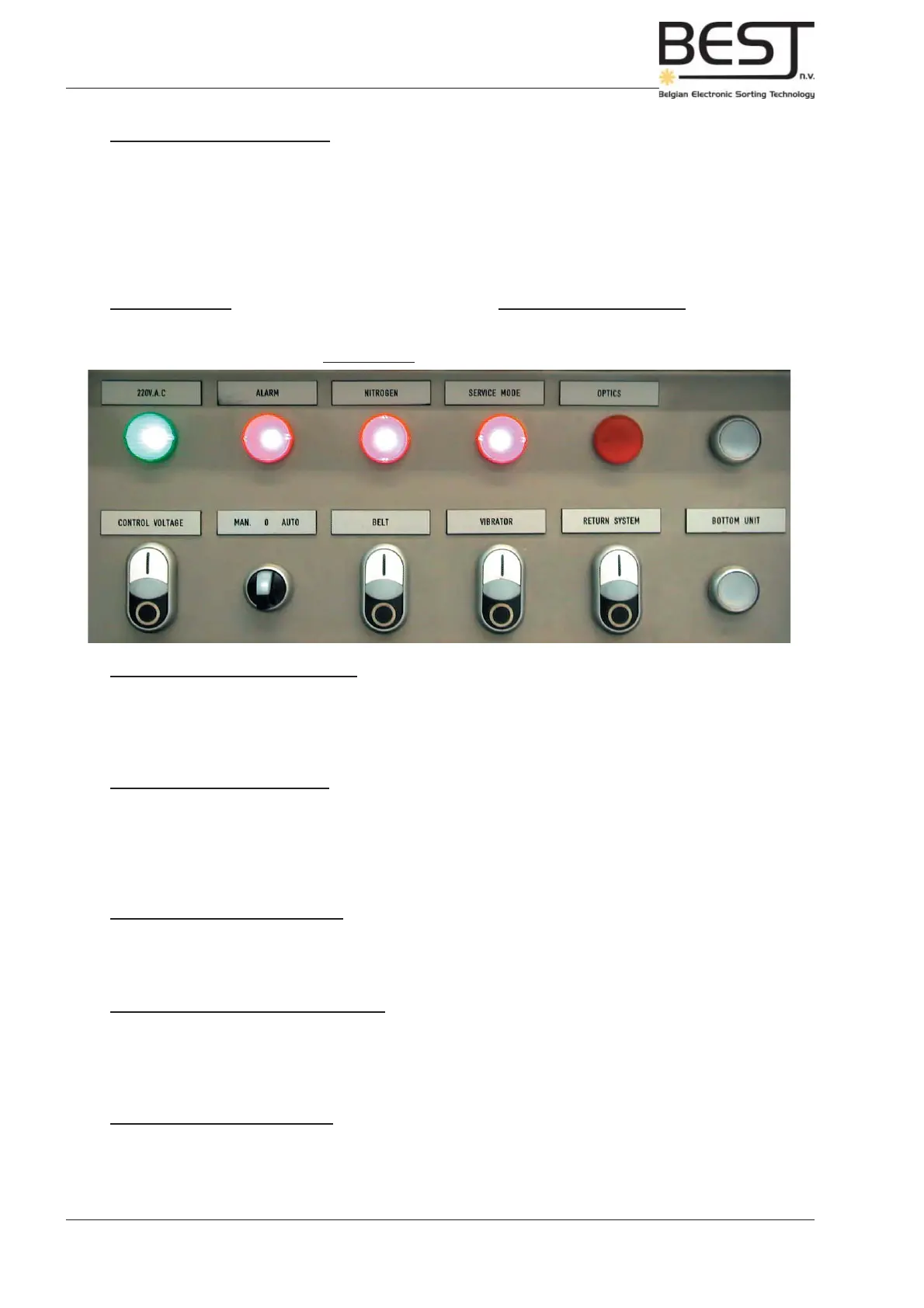
Picture 4.3.2: control panel details
1
3
2
4
5
11
6
10
7
8
9
12
1. Green “220 VAC” Warning light
This light simply indicates that the Main Power Switch is switched on and the machine is powered. When
the Main Power Switch is switched off, the green warning light will switch off as well.
2. Red “Alarm” Warning Light
This light will be on whenever there is an alarm, indicating there is a problem impeding the proper
functioning of the sorter.
When this warning light is activated, the control current will be switched off automatically.
3. Red “Nitrogen” Warning light (Only with laser box)
This light will be activated whenever there is insuffi cient nitrogen pressure.
4. Red “Service Mode” Warning Light (Only with laser box)
This light will be activated whenever the laser safety interlocks have been defeated. All lasers will
automatically switch off.
5. Red “Optics” Warning Light (Only with laser box)
This light will be activated whenever the temperature of the laser box is too high, the lasers will be switched
off and sorting with the laser box will be halted.
Touchscreen Control Display:
The Touchscreen Control display can be considered as a computer through which you can control the
entire GENIUS Compact sorter system. Theoretically the entire sorting process can be controlled using
this display.
The touchscreen can also give information concerning the hardware of the sorter and the sorting process,
and major electrical and electronic failures will be indicated by messages in the appropriate touchscreen
menu (further information on the messages and the use of the touchscreen display will be given in the
Troubleshooting chapter and the chapter on the use of The Touchscreen Display).



 To Next Page