11.3. Operation
11.3.1. Switching the FSV-module ON/OFF
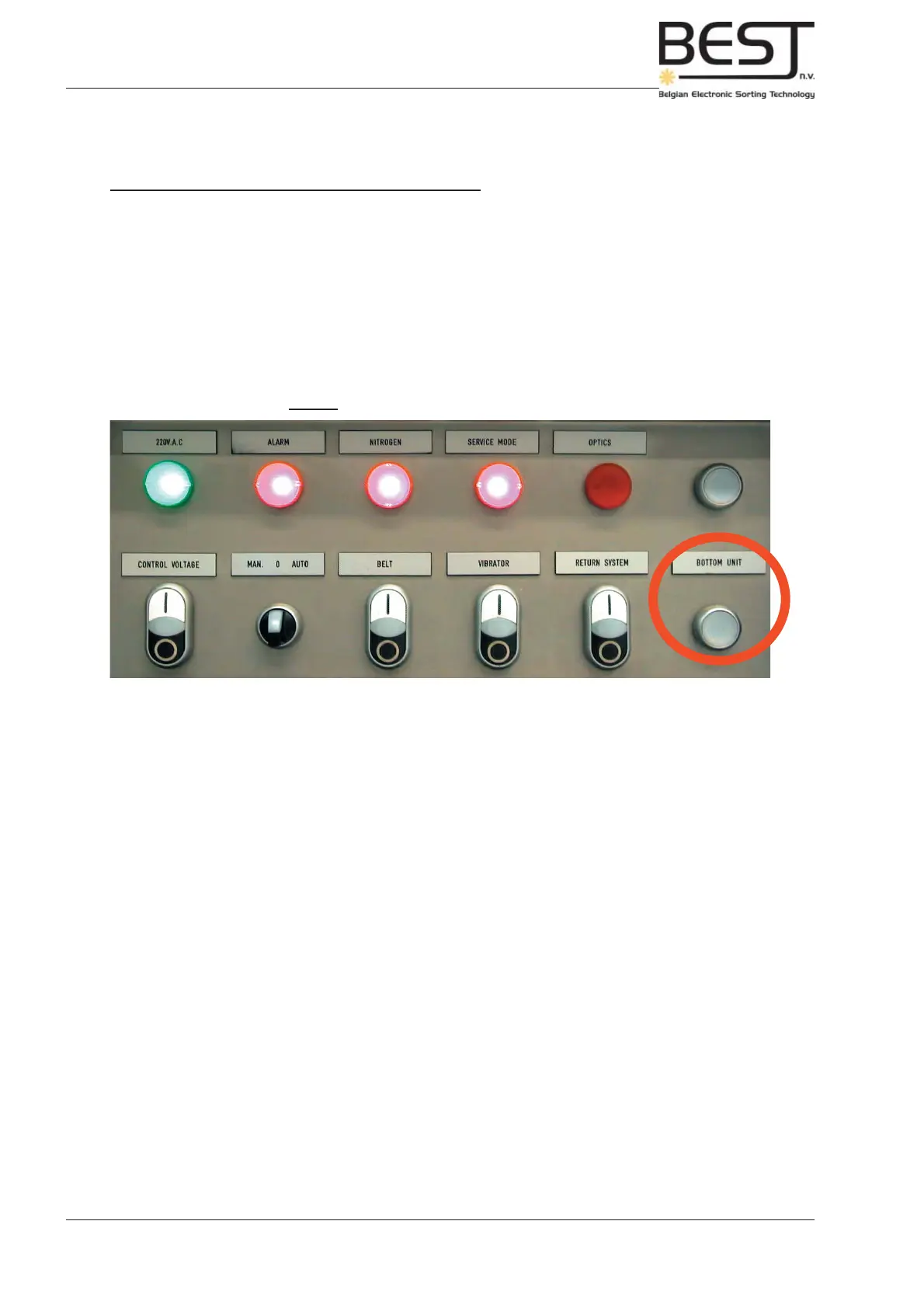
The FSV-module can be turned On and Off independently with one button that is added to the control
panel. The LED inside this button indicates the status of the FSV-module.
LED off = FSV-module turned off.
LED on = FSV-module turned on.
LED fl ashing = The left cabinet door of the FSV-module is open
(FSV-lights and rotating tubes turned off).
Picture: Control panel with extra FSV-button
Chapter 11: FSV-system
11/4
Operators & Maintenance Manual GENIUS Compact Version UK 0.1 © BESTnv
BESTnv Industrial Research BV, Marinus van Meelweg 20, 5657 EN, EINDHOVEN, THE NETHERLANDS
General tel. +31 (40) 292 2622 - Service tel. +31 (40) 292 2620 - Fax. +31 (40) 292 2633 - Email: service.BESTnv@bestnv.com



 To Next Page