9/21
Chapter 9: The Touchscreen program
Operators & Maintenance Manual GENIUS Compact Version UK 0.1 © BESTnv
BESTnv Industrial Research BV, Marinus van Meelweg 20, 5657 EN, EINDHOVEN, THE NETHERLANDS
General tel. +31 (40) 292 2622 - Service tel. +31 (40) 292 2620 - Fax. +31 (40) 292 2633 - Email: service.BESTnv@bestnv.com
9.4.3. Scope Menu
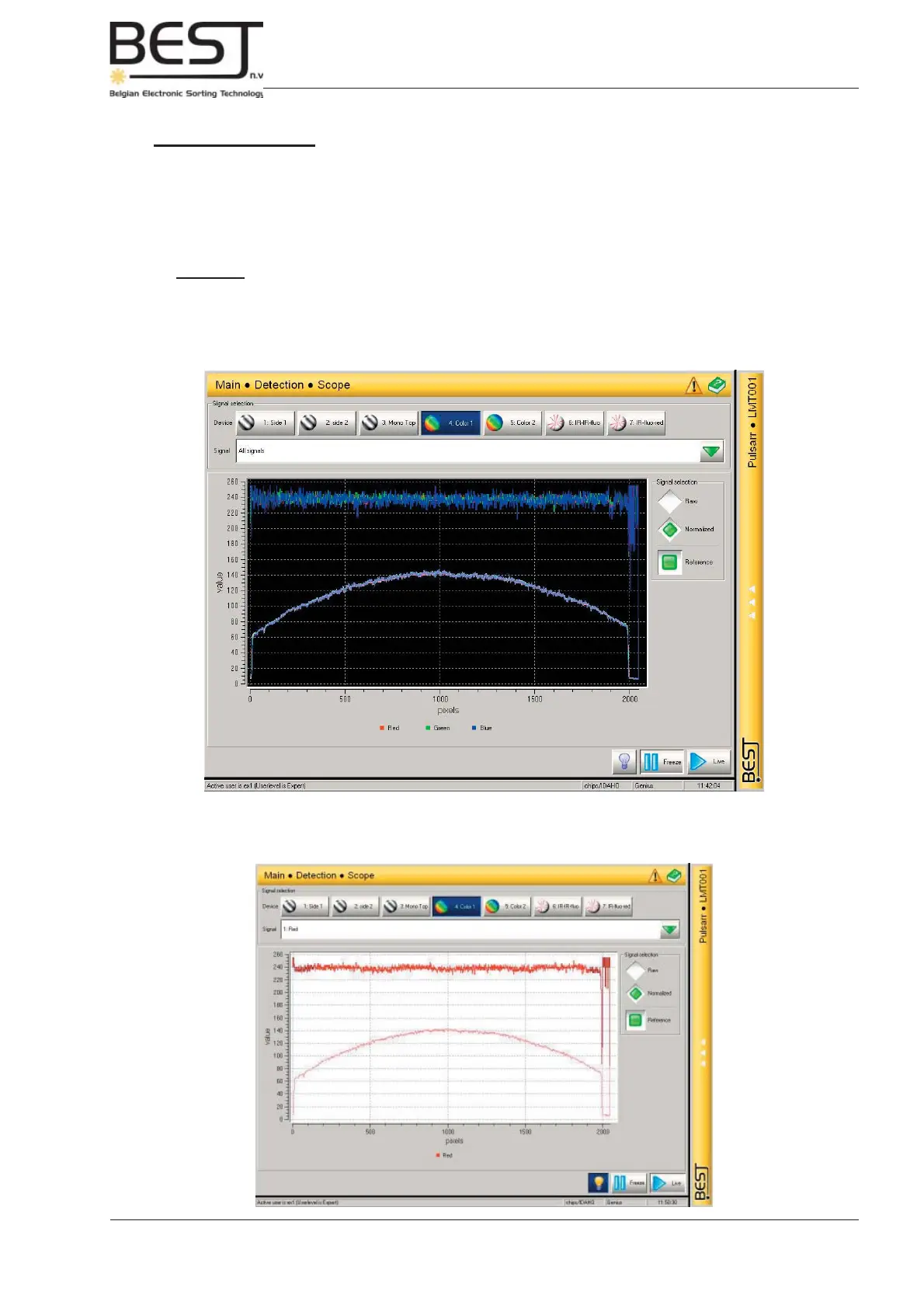
In this menu the device (camera/laser) signals can be analysed using the different scope options.
For every device the different signals can be shown (separately or all together, see pictures), raw or
normalized and with or without the corresponding Reference signal.
Remark: - In ideal circumstances, with a clean empty belt, the raw signals should
almost perfectly overlap the corresponding Reference signals.
The signal can be studied Live, as it changes second by second, or in one frozen instant by pressing
the Freeze button.
By pressing the light bulb underneath the screen the user can change the backlighting of the signal to
get a better contrast if necessary.



 To Next Page