Chapter 9: The Touchscreen program
9/20
Operators & Maintenance Manual GENIUS Compact Version UK 0.1 © BESTnv
BESTnv Industrial Research BV, Marinus van Meelweg 20, 5657 EN, EINDHOVEN, THE NETHERLANDS
General tel. +31 (40) 292 2622 - Service tel. +31 (40) 292 2620 - Fax. +31 (40) 292 2633 - Email: service.BESTnv@bestnv.com
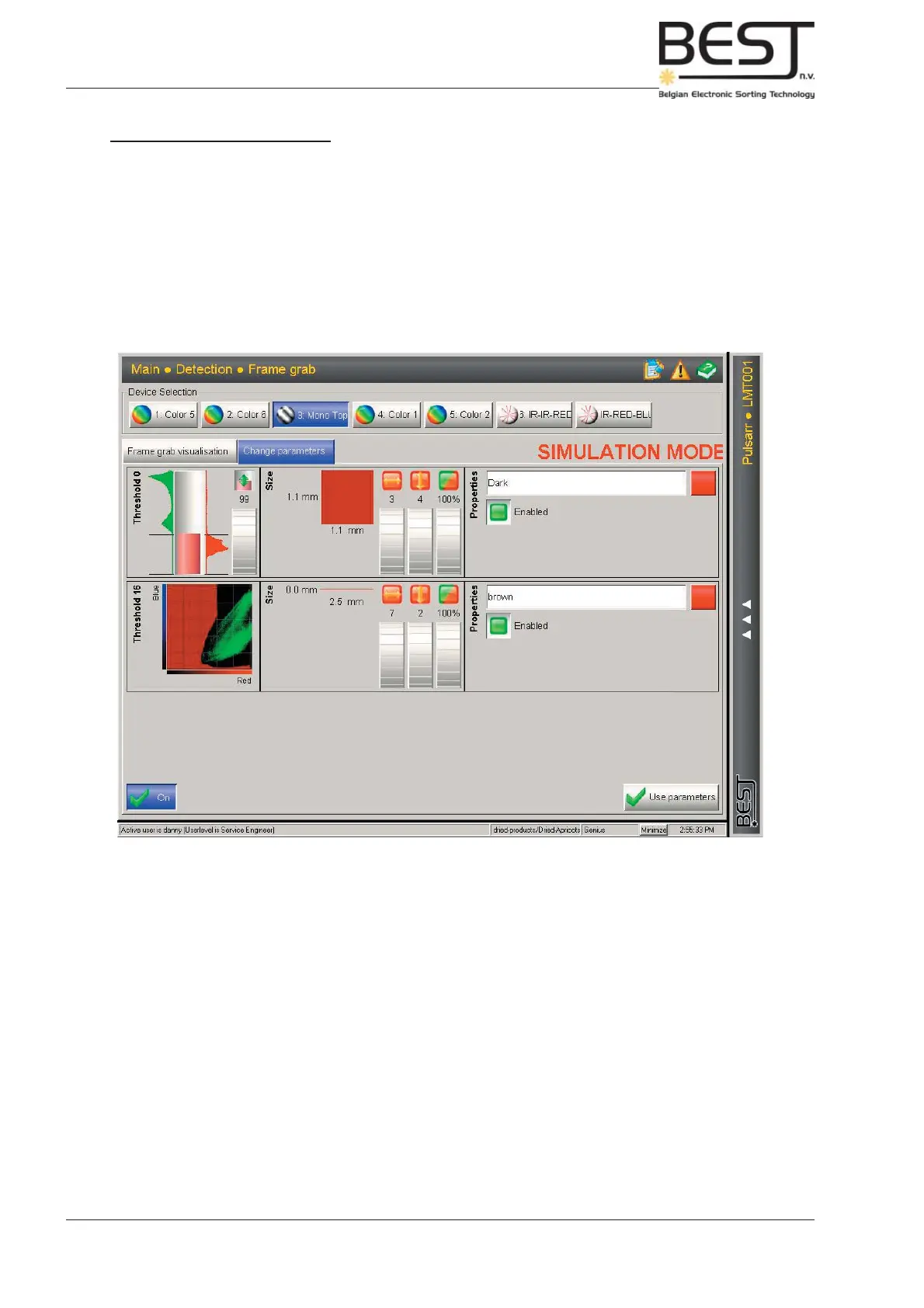
Change Parameters Submenu
This submenu corresponds almost exactly to the Settings Menu (see 9.4.1).
The only differences are:
- 2 Tabs underneath the device buttons: Frame Grab Visualisation and Change Parameters, used to
go from one submenu to the other.
- The red text “Simulation Mode”, to indicate that nothing that is done in this menu will affect the
sorting process unless the Use Parameters button is pressed.
- No Threshold fi lters can be added or deleted in this menu.
All other functions and options are exactly as those described in 9.4.1. Settings Menu.



 To Next Page