2/7
Chapter 2: Pre-installation Guide:
Unpacking & placing of GENIUS Compact optical sorter
Operators & Maintenance Manual GENIUS Compact Version UK 0.1 ©
BESTnv
Pulsarr Industrial Research BV, Marinus van Meelweg 20, 5657 EN, EINDHOVEN, THE NETHERLANDS
General tel. +31 (40) 292 2622 - Service tel. +31 (40) 292 2620 - Fax. +31 (40) 292 2633 - Email: service.pulsarr@bestnv.com
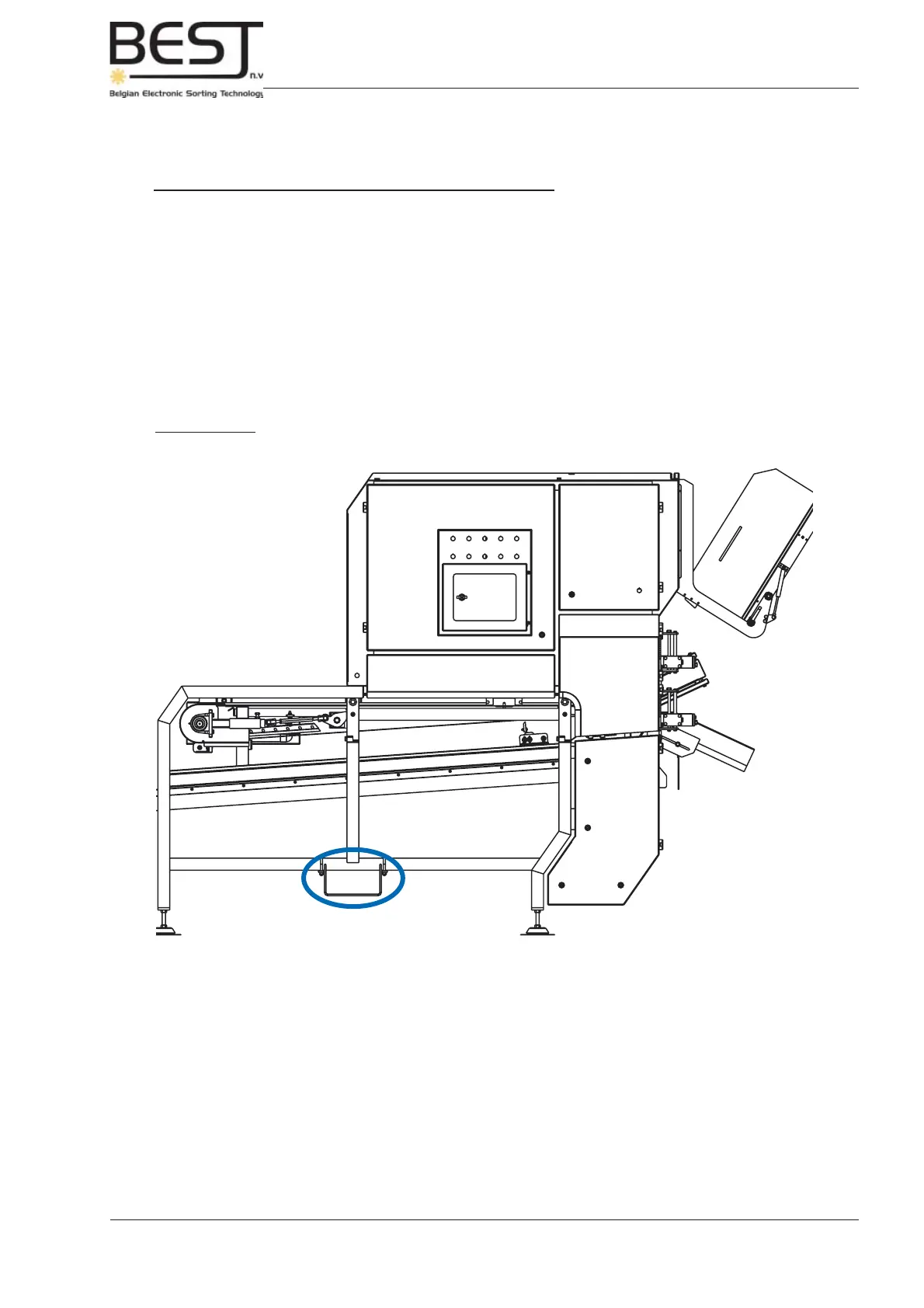
Picture 2.4.1: Lift sorter unit using the handles on tube frame underneath the sorter unit
2.4. Installation
2.4.1. Lifting the GENIUS Compact sorter unit
Always use proper lifting equipment adequate for lifting a machine of this size and weight. The GENIUS
Compact sorter unit weighs maximum
2200
kg / 4850 lbs (1200 mm type) or 1800 kg / 4000 lbs (650 mm
type). Please, be aware of the fact that the centre of gravity is NOT in the middle of the machine.
When using a forklift to lift the GENIUS Compact sorter unit, please note the lifting handles that have
been mounted on the frame for this purpose. Put the one part of the fork of the forklift in the handles, and
the other underneath the cabinet, to ensure the weight of the unit is properly divided. These handles can
be removed by the customer. When moving the sorter unit, please fi rst place back the lifting handles.
After the sorter unit has been placed in the production line, it must be placed level. This is very important,
especially for the rotating parts such as the drive drum and the return axle of the conveyor belt. It should
be suffi cient to check the position of the tube frame underneath the sorter unit. Adjustments can be made
using the adjustable legs underneath the machine.



 To Next Page