Chapter 9: The Touchscreen program
9/26
Operators & Maintenance Manual GENIUS Compact Version UK 0.1 © BESTnv
BESTnv Industrial Research BV, Marinus van Meelweg 20, 5657 EN, EINDHOVEN, THE NETHERLANDS
General tel. +31 (40) 292 2622 - Service tel. +31 (40) 292 2620 - Fax. +31 (40) 292 2633 - Email: service.BESTnv@bestnv.com
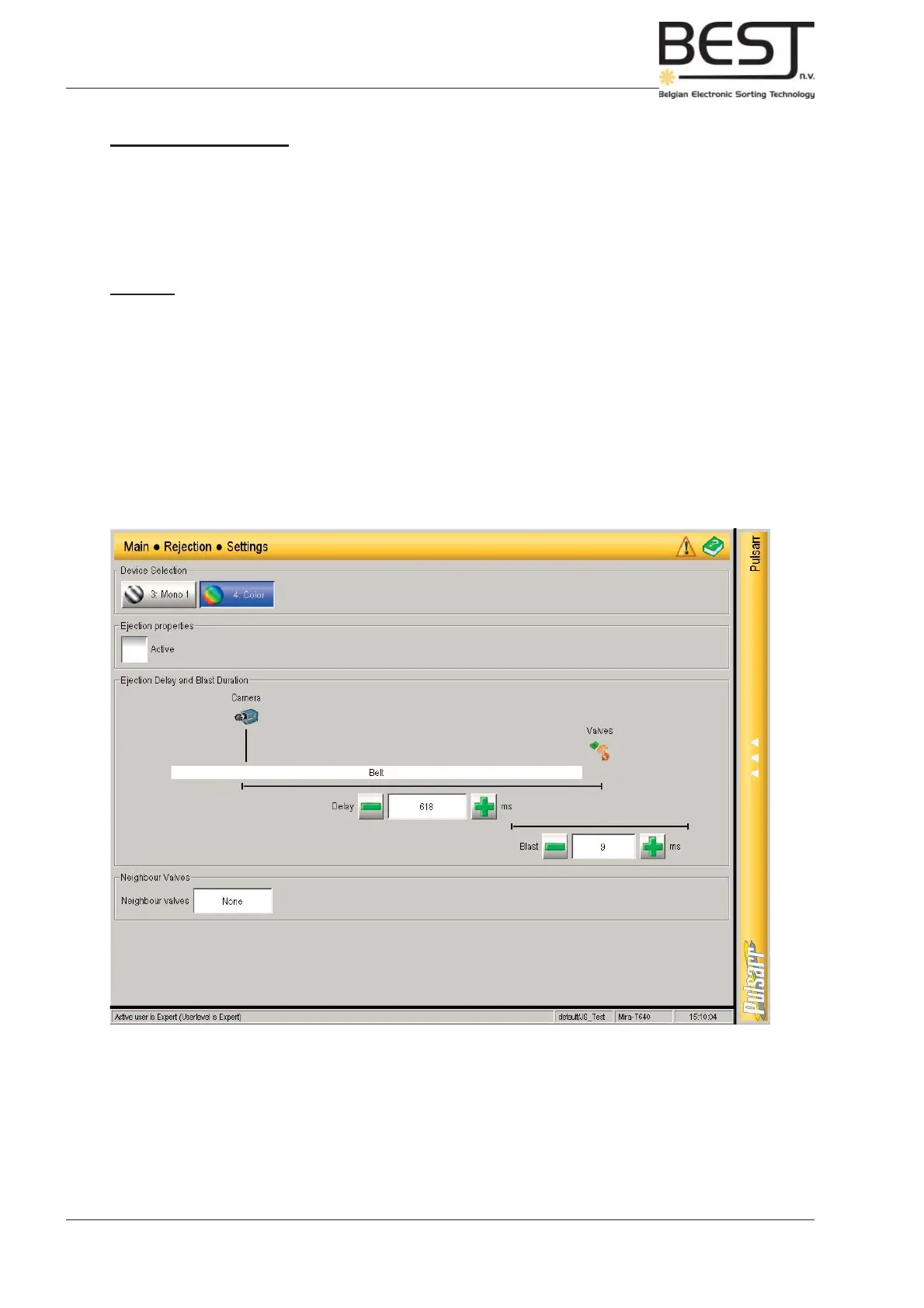
9.5.1. Settings Menu
This submenu contains those settings that have to do with the rejection of defects, but are specifi c for
every single device: in other words, in this menu the Delay, the Blast Time and the Overlap can be set.
For more info on the exact procedure to set these settings, please check chapter 5: Routine operational
procedures.
Features:
- Device buttons: With these buttons the user can indicate which device’s settings he wants to change.
- Ejection properties option (on/of): ???
- Ejection Delay and Blast Duration:
The (Ejection) Delay is the time the product needs to go from the scan zone of the Device
(camera/laser) on the belt, to the actual ejection zone (see drawing).
The Blast (Duration/Time) is the time the air gun valves of the ejection unit have to blow to
make sure the defects are actually removed.
- Neighbour Valves setting: When pressing the value cell, a pop-up screen will appear allowing the
user to set the Overlap. This is the amount of neighbouring valves that are to help when
ejecting a defect.



 To Next Page