Chapter 5: Routine Operational Procedures
5/5
Operators & Maintenance Manual GENIUS Compact Version UK 0.1 © BESTnv
BESTnv Industrial Research BV, Marinus van Meelweg 20, 5657 EN, EINDHOVEN, THE NETHERLANDS
General tel. +31 (40) 292 2622 - Service tel. +31 (40) 292 2620 - Fax. +31 (40) 292 2633 - Email: service.BESTnv@bestnv.com
5.2. Using the Pollux Touchscreen navigation bar
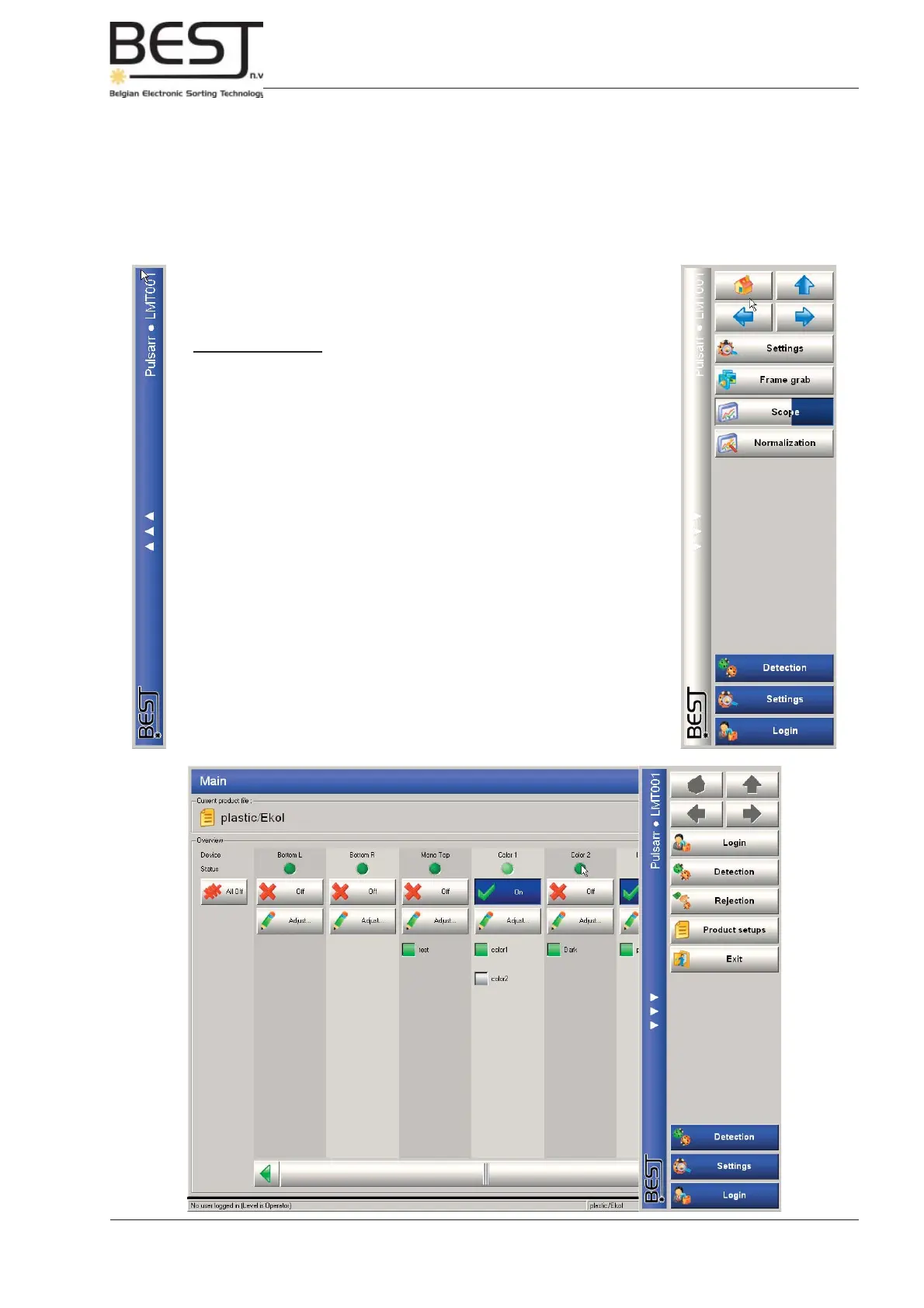
To the right side of each touchscreen menu there is a bar containing 3 arrows pointing to the left. If this
bar is pressed, the navigation bar will pop out, slightly overlapping the central screen of the menu. To
make the navigation bar disappear again, just press the bar to the left of the navigation bar with the
arrows pointing to the right.
The navigation bar contains a number of buttons that can be divided in 3
groups from top to bottom on the bar:
1. Navigation buttons: from left to right, and from top to bottom:
- “Home” Pressing this button will take you right back to the
main menu.
- “Level up” Pressing this button will take you to the menu that
is exactly one level above the menu you are in.
- “Back” Pressing this button will take you back to the
previous menu you visited
- “Next”” Pressing this button will take you to the next menu
(will only be activated when the ‘Back’ button has
been pressed one or more times).
2. Menu Buttons:
The buttons shown here provide links to the menu’s that can be visited
directly from this menu. Usually these are the menu’s directly below
this menu
3. Most visited buttons:
These 3 buttons provide direct links to the 3 most visited menu’s.



 To Next Page