9/23
Chapter 9: The Touchscreen program
Operators & Maintenance Manual GENIUS Compact Version UK 0.1 © BESTnv
BESTnv Industrial Research BV, Marinus van Meelweg 20, 5657 EN, EINDHOVEN, THE NETHERLANDS
General tel. +31 (40) 292 2622 - Service tel. +31 (40) 292 2620 - Fax. +31 (40) 292 2633 - Email: service.BESTnv@bestnv.com
Expert Level
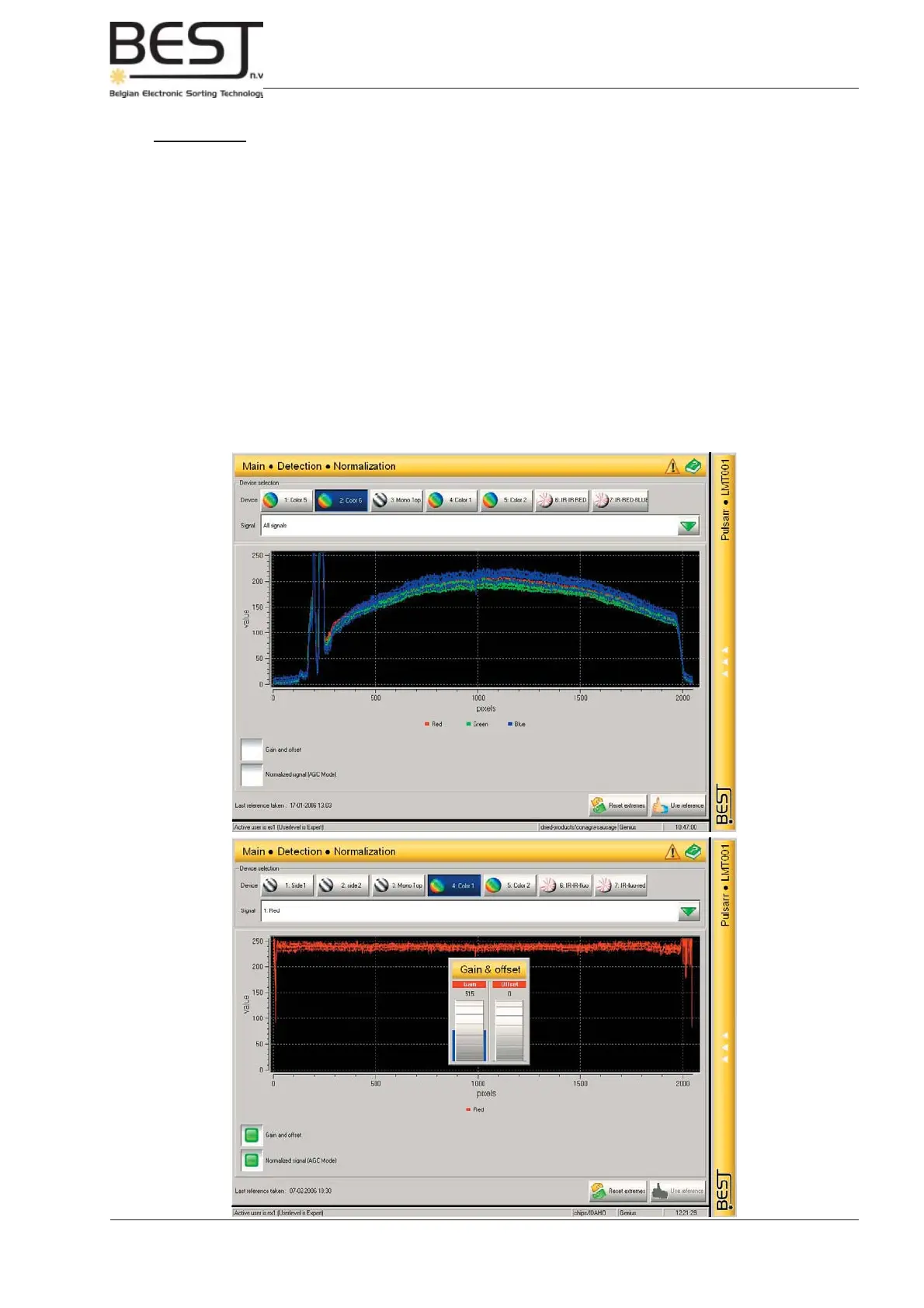
In this level the expert user can analyse and compare basic and normalised signals and adjust Gain and
Offset if necessary.
The Menu features:
- Device buttons: to indicate which device the user wants to check.
- Signal selection (not for mono cameras): here the user can select one or all signals to be displayed.
- A central screen displaying the selected signals. Underneath the screen the colour and names of
the displayed signals are shown.
- Gain and Offset option: when activated a small pop-up screen will appear, allowing the user to set/
change the gain offset values for the displayed signal(s).
- Normalised signal (AGC mode) option: when activated the normalised signal(s) will appear on the
screen, instead of the normal raw signal image(s).
- Reset Extremes button: when this button is pressed the signal peaks are fl attened a bit.
- Use Reference button: press this button to use the fi nal signal(s) as reference line(s) for this
device.



 To Next Page