Chapter 9: The Touchscreen program
9/30
Operators & Maintenance Manual GENIUS Compact Version UK 0.1 © BESTnv
BESTnv Industrial Research BV, Marinus van Meelweg 20, 5657 EN, EINDHOVEN, THE NETHERLANDS
General tel. +31 (40) 292 2622 - Service tel. +31 (40) 292 2620 - Fax. +31 (40) 292 2633 - Email: service.BESTnv@bestnv.com
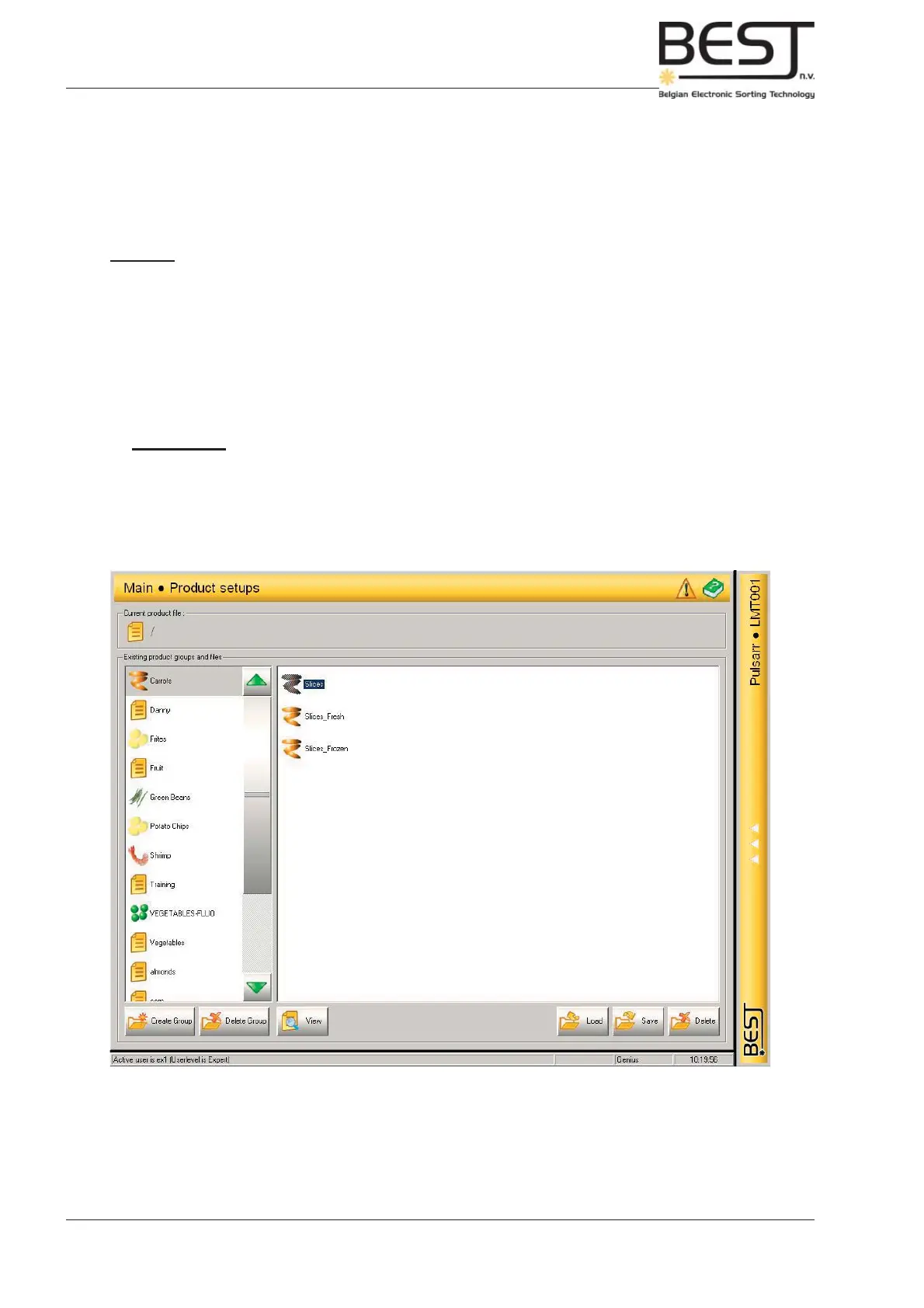
9.6. Product Setups Menu
In the Product Setups Menu all management of Product Files takes place.
The actual adjustment of fi lters, thresholds and other settings must be done in the Detection or the
Rejection Menu.
Features:
(a number of buttons is only available in the expert level)
- Create Group button (Expert level): press this button to create a new product group.
- Delete Group button (Expert level): press this button to delete an entire product group.
- View button: press this button to check all data that has been saved under the selected product fi le.
- Load button: press this button to load the selected product fi le.
- Save button (Expert level): press this button to save the presently used product fi le (a pop-up screen
will appear to allow the user to choose a product fi le name.
- Delete button (Expert level): press this button to delete the selected product fi le.
Remember: - The product fi le/group that is in use cannot be deleted.
- Saving product settings under the same name as an existing product fi le will
overwrite the old fi le.
Use the slide bar in the middle to navigate through the product fi les, and select the desired product fi le
by pressing it. The name of the selected fi le will be highlighted in blue.



 To Next Page