8/3
Chapter 8: Troubleshooting
Operators & Maintenance Manual GENIUS Compact Version UK 0.1 © BESTnv
BESTnv Industrial Research BV, Marinus van Meelweg 20, 5657 EN, EINDHOVEN, THE NETHERLANDS
General tel. +31 (40) 292 2622 - Service tel. +31 (40) 292 2620 - Fax. +31 (40) 292 2633 - Email: service.BESTnv@bestnv.com
1.
2.
3.
4.
8.3.2. Procedure 2: Testing Settings optional cooling unit
(MTA TAE 020 or M010)
1.- Switch off cooling unit with On/Off button (next to main power switch).
(Only for TAE M010)
2.- Press the P-button (min. 5 sec. for TAE 020).
3.- The display should indicate a temperature between 10°C and 13°C.
4.- If the temperature indication is not correct, use the arrow button to reach the correct value.
5.- Press the P-button again.
6.- The display should now indicate d3.
7.- When the indication is incorrect, use the arrow button to reach the correct value.
8.- Switch the Cooling Unit back on.
- If the indicator displays a default code, check the operators manual of the cooling unit (to be found in
the provider info chapter).
- If the compressor of the cooling unit does not work (LED in compressor icon is orange during operation),
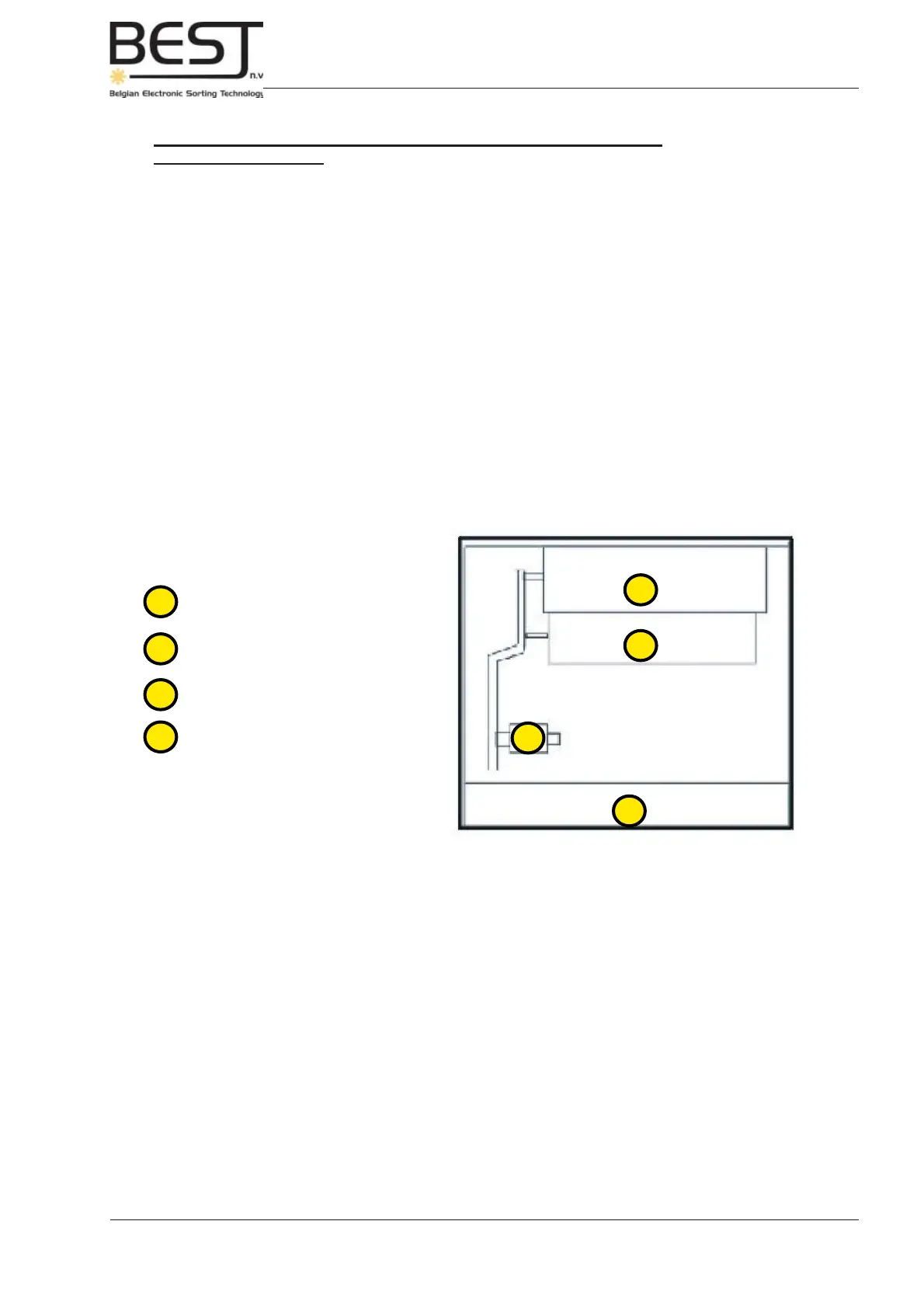
remove the cover of the cooling unit, and press the High Pressure switch inside (see picture).
- For further and more detailed information on the cooling unit, see the operation manual in the attachments
section at the end of this manual.
Top view inside cooling unit
1. Cooling Chamber
2. Ventilator
3. HP-switch (Reset Button)
4. Control Panel



 To Next Page