Chapter 5: Routine Operational Procedures
5/13
Operators & Maintenance Manual GENIUS Compact Version UK 0.1 © BESTnv
BESTnv Industrial Research BV, Marinus van Meelweg 20, 5657 EN, EINDHOVEN, THE NETHERLANDS
General tel. +31 (40) 292 2622 - Service tel. +31 (40) 292 2620 - Fax. +31 (40) 292 2633 - Email: service.BESTnv@bestnv.com
5.6. Saving and loading Product Files
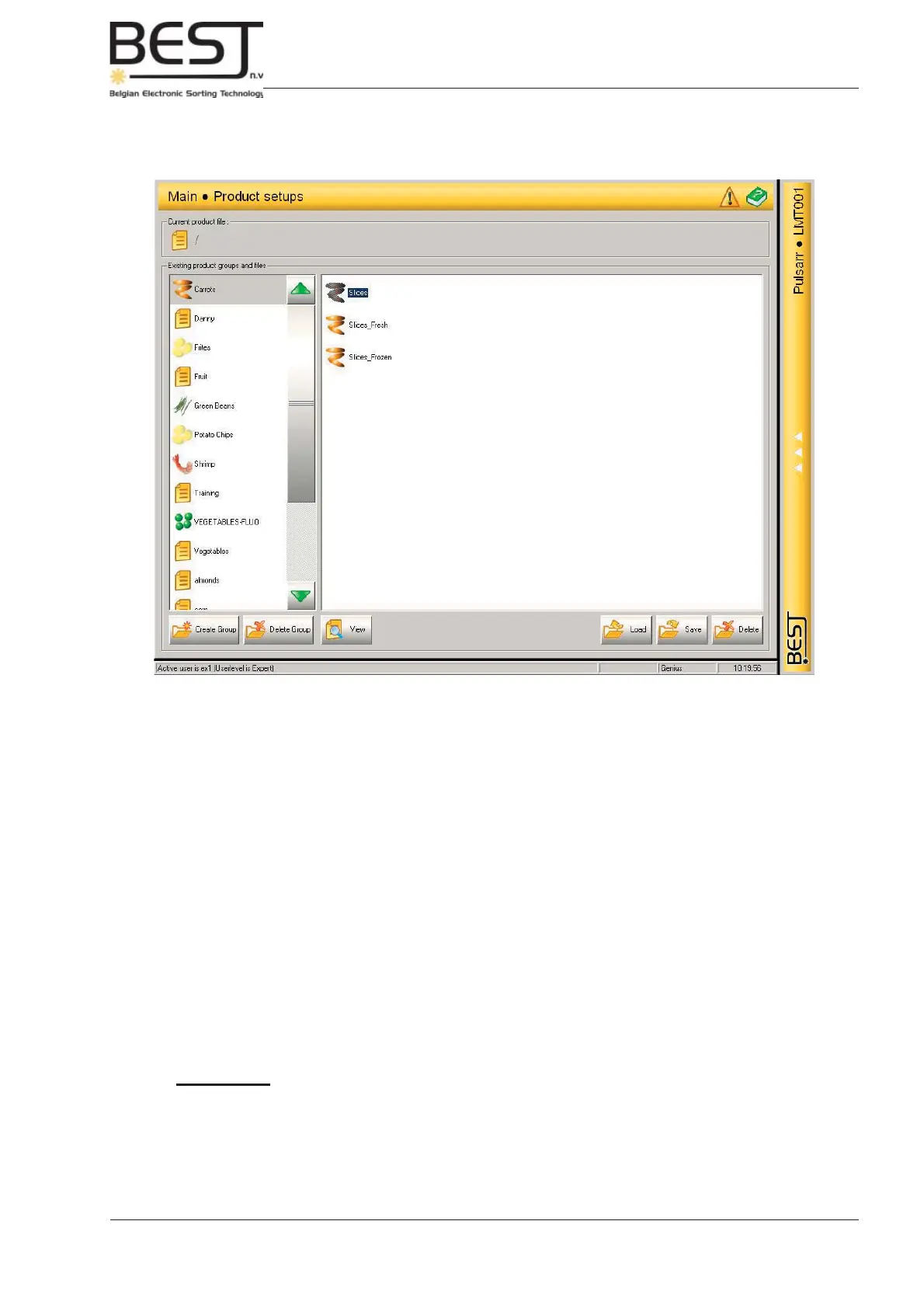
In the Product Setups Menu all management of Product Files takes place.
The actual adjustment of fi lters, thresholds and other settings must be done in the Detection or the
Rejection Menu.
The following functions are available in this menu:
1. Create Group (Expert level)
2. Delete Group (Expert level)
3. View the Product File (Operator and Expert level)
Shows a list of all settings saved under the selected product fi le.
4. Loading Product Files (Operator and Expert level)
5. Saving Product Files (Expert level)
6. Deleting Product Files (Expert level)
Remember: - The product fi le that is currently in use cannot be deleted.
- Saving product settings under the same name as an existing product fi le will
overwrite the old fi le.



 To Next Page