5/6
Chapter 5: Routine Operational Procedures
Operators & Maintenance Manual GENIUS Compact Version UK 0.1 © BESTnv
BESTnv Industrial Research BV, Marinus van Meelweg 20, 5657 EN, EINDHOVEN, THE NETHERLANDS
General tel. +31 (40) 292 2622 - Service tel. +31 (40) 292 2620 - Fax. +31 (40) 292 2633 - Email: service.BESTnv@bestnv.com
5.3. Log-in
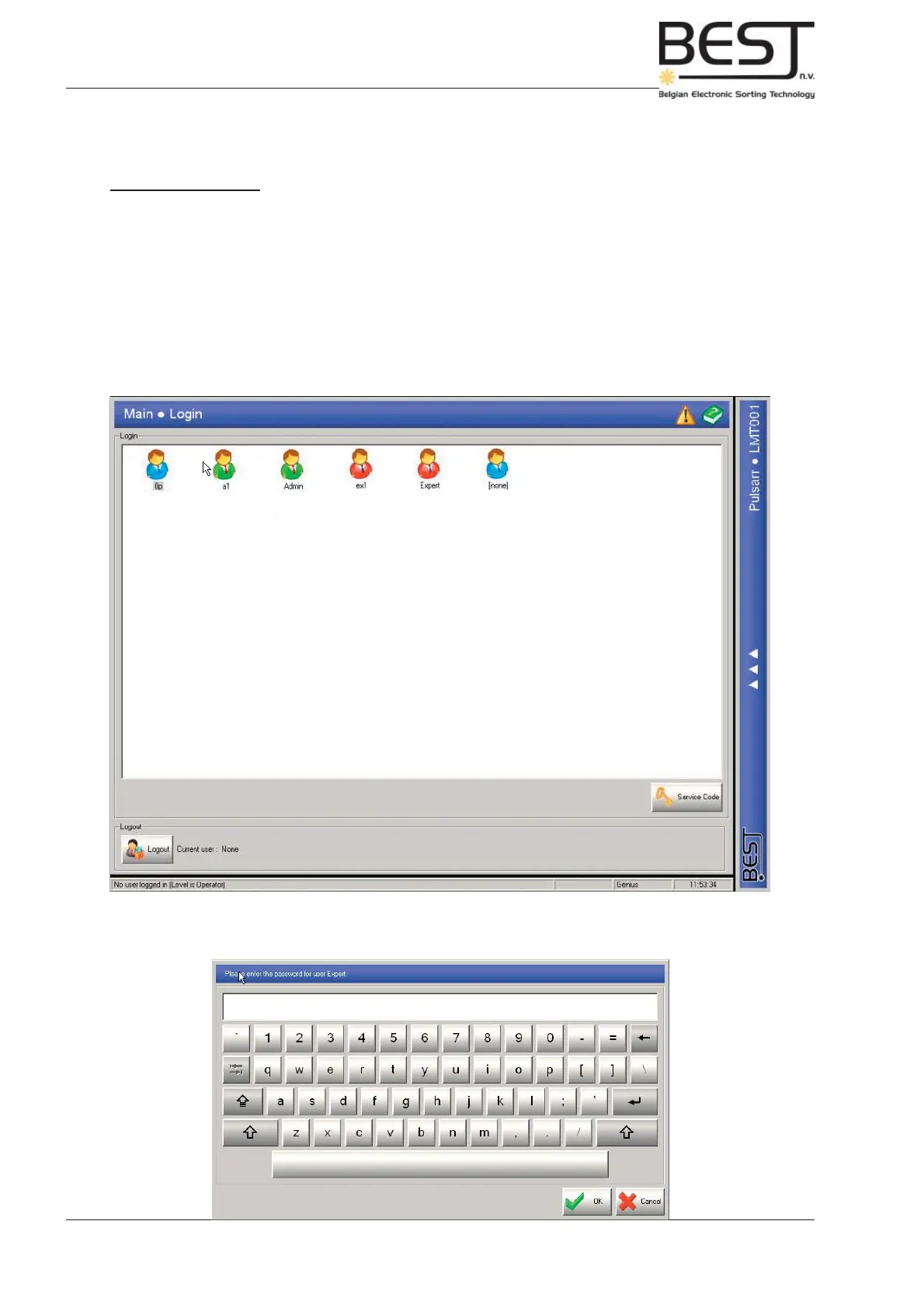
The Log-in menu
After the GENIUS Compact sorter unit has been switched on (main power switch ON), the touchscreen
program will start up automatically and the Login Menu should appear on the touchscreen display.
The Pollux program will automatically start up in the lowest user level possible, the so-called “no-user”
level. In this user level only the Login menu is available.
The Login menu will appear (see below), featuring a number of user icons, representing different users
and/or user groups with specifi c rights.
Select the appropriate user by pressing the appropriate icon. Use the pop-up keyboard (see next picture)
to enter your user code and press OK once the correct code is entered.



 To Next Page