Chapter 9: The Touchscreen program
9/22
Operators & Maintenance Manual GENIUS Compact Version UK 0.1 © BESTnv
BESTnv Industrial Research BV, Marinus van Meelweg 20, 5657 EN, EINDHOVEN, THE NETHERLANDS
General tel. +31 (40) 292 2622 - Service tel. +31 (40) 292 2620 - Fax. +31 (40) 292 2633 - Email: service.BESTnv@bestnv.com
9.4.4. Normalization Menu
Operator level
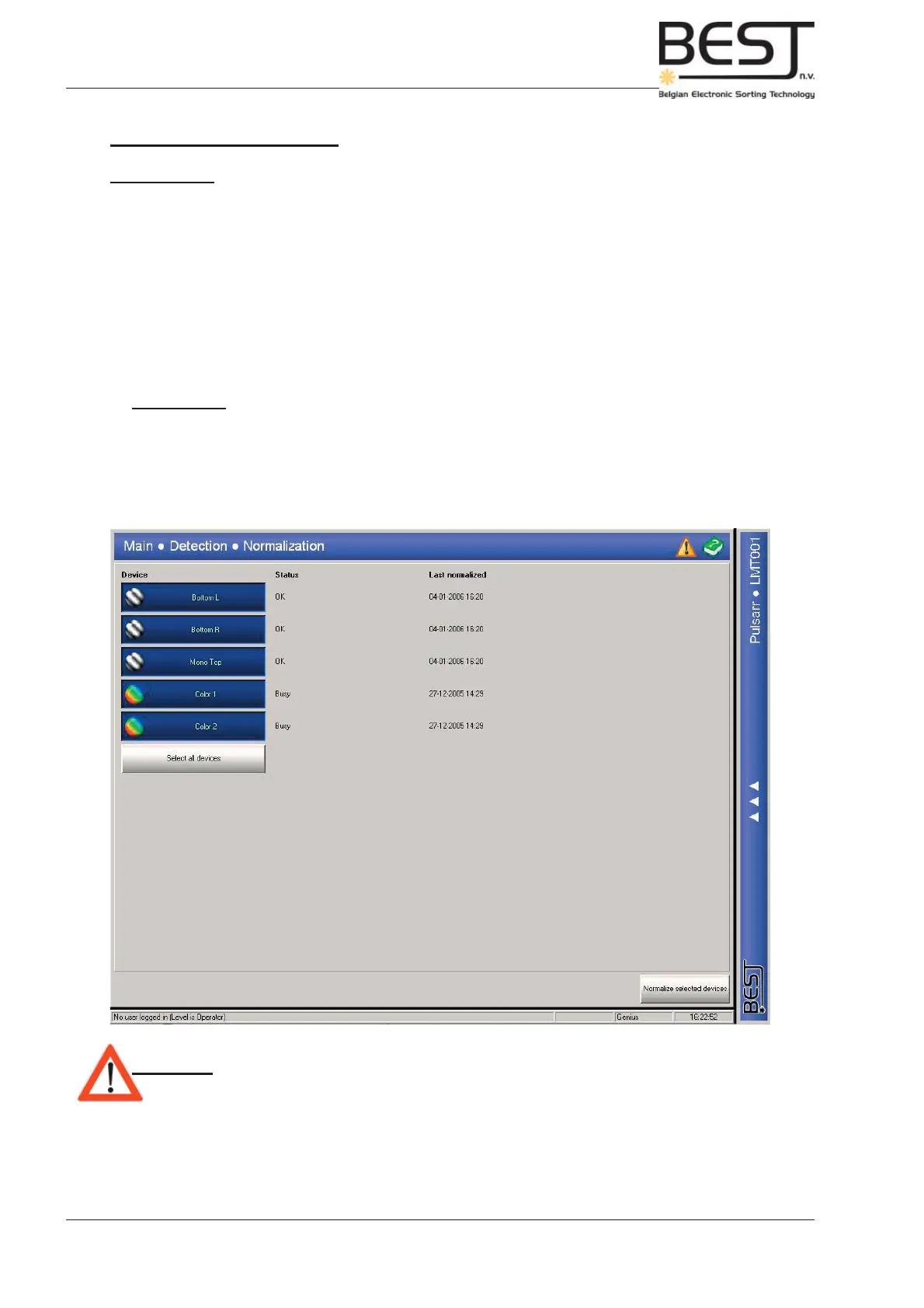
This is a simplifi ed Normalisation Menu for operators.
It contains only a few features:
- 1 button for every device: With these buttons the devices to be normalised can be selected.
- 1 Select All devices button: press this button to select all devices.
- 1 Normalize Selected Devices button: press to start the normalisation of the selected devices.
During normalisation the status of each device will go from busy to OK while the Pollux platform takes a
number of camera signals and calculates the average to use as reference line.
Remember: - If for any reason a normalisation does not succeed, it is imperative that the
normalisation is repeated until it is successful and OK appears after the
device.
The date of the last successful normalisation performed for each device can be found under Last
normalized.
Attention! - It is advisable to take an new normalisation at least once a day, and
preferably once a shift.



 To Next Page