9/13
Chapter 9: The Touchscreen program
Operators & Maintenance Manual GENIUS Compact Version UK 0.1 © BESTnv
BESTnv Industrial Research BV, Marinus van Meelweg 20, 5657 EN, EINDHOVEN, THE NETHERLANDS
General tel. +31 (40) 292 2622 - Service tel. +31 (40) 292 2620 - Fax. +31 (40) 292 2633 - Email: service.BESTnv@bestnv.com
The Different Detection Filters
All fi lters have 2 basic parts that are quite alike: The Filter properties and the Additional fi lters
- The Filter properties: Name of the threshold fi lter
Colour of the threshold fi lter
Enabled/not Enabled
To change any of these properties, just press the appropriate fi eld or button. With the name and colour
a specifi c pop-up screen will appear to enable you to change them. The new name will appear in the
appropriate fi eld after you have entered and confi rmed it. The colour of the button and the colour on
the fi lter display will change immediately. If it is marked with a green square before it, the threshold is
enabled, otherwise it is disabled.
The only part that may differ substantially in appearance is the Filter display, for this changes considerably
depending on whether we are dealing with a 1D (mono) or a 2D (combined) threshold fi lter.
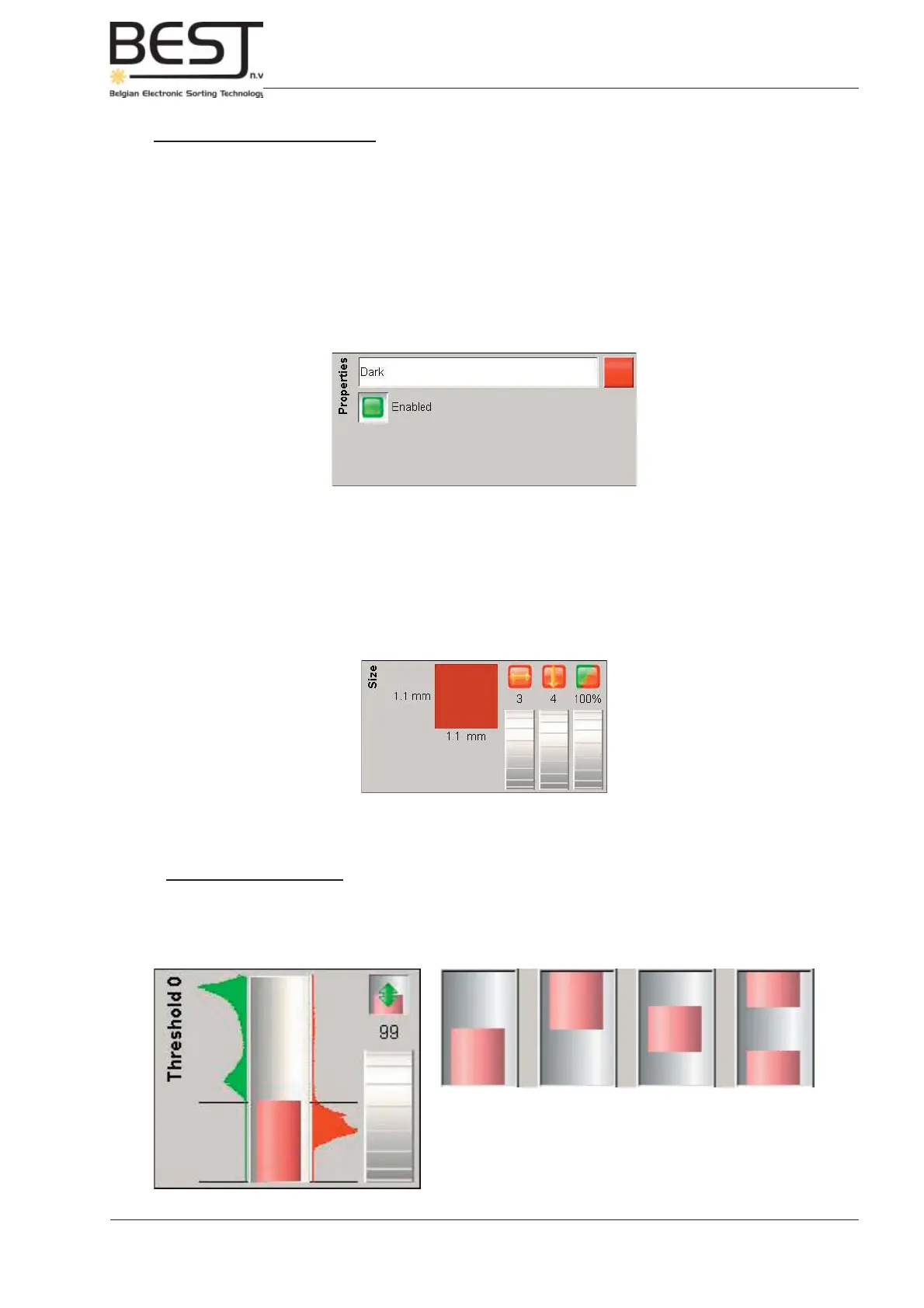
1D (mono) Filter display
A Mono (1D) threshold detection fi lter will usually look somewhat like the fi rst picture underneath, but other
shapes are also possible (see second picture). To change the actual fi lter value, just turn the dial upwards
or downwards. The value above the dial and the image will immediately change accordingly.
- The Additional fi lters: Defect dimension visualization (only functions when belt is activated)
Defect Width (in pixel)
Defect Length (in pixel)
Defect Density (in %)
All these fi lters can be changed using the appropriate dial (turn the dial upwards to increase and
downwards to decrease). The values above the dials will change immediately. The Defect dimension
visualization and accompanying values in mm will only change when the belt is activated.



 To Next Page