2/9
Chapter 2: Pre-installation Guide:
Unpacking & placing of GENIUS Compact optical sorter
Operators & Maintenance Manual GENIUS Compact Version UK 0.1 ©
BESTnv
Pulsarr Industrial Research BV, Marinus van Meelweg 20, 5657 EN, EINDHOVEN, THE NETHERLANDS
General tel. +31 (40) 292 2622 - Service tel. +31 (40) 292 2620 - Fax. +31 (40) 292 2633 - Email: service.pulsarr@bestnv.com
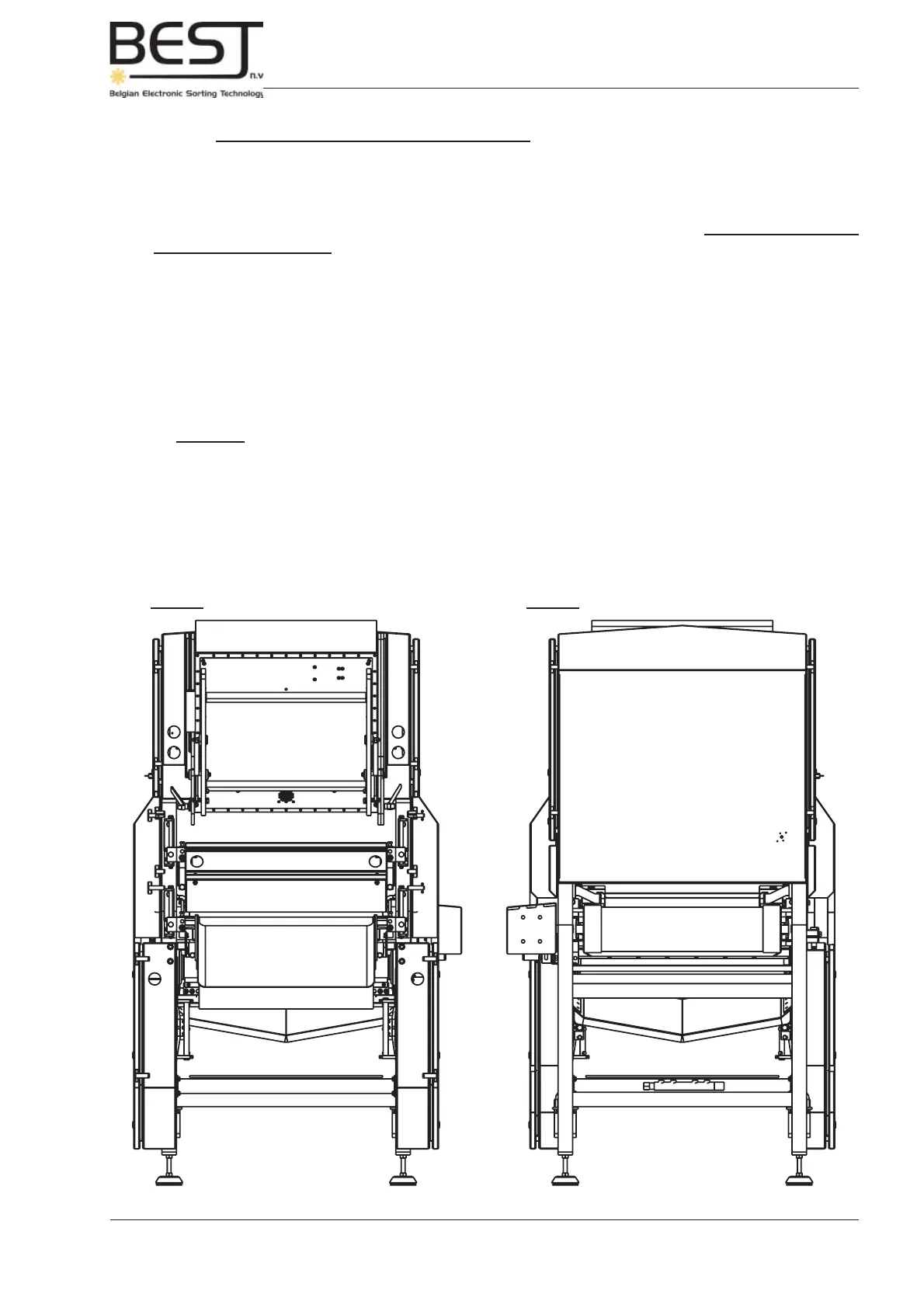
Picture: Front view GENIUS Compact unit Picture: Rear view GENIUS Compact unit
Laser box
(option)
Control cabinet
Accept chute
Reject chute
Rejection unit
Next the Accept/Reject Shaker(s) / Belt(s) (optional) should be placed underneath the sorter unit.
- In some cases the accept/reject shakers/belts have already been mounted and fi xed underneath the
sorter unit in the factory before the sorter installation is shipped.
- When the shakers/belts still have to be installed, please go to subchapter 2.5.4.: Accept/Reject
Shakers/Belts (optional) for more info. It is always advisable to place the output sides of shakers/belts
on the side of the touchscreen, so as to enable the operators to easily check the accept and the reject
(e.g. the percentage of good product in the reject) while setting the sensitivities.
And fi nally, all extra optional equipment that may be necessary, such as cooling unit, compressor, etc...,
should be placed.
When the optical sorter unit, the infeed shaker, the accept/reject belt(s) (optional), and all other optional
equipment have been placed in the production line, they should be placed level.
Remark: - It may be advisable to make sure the infeed shaker is placed slightly sloping
towards the sorter unit, to prevent water from remaining in the shaker pan
(better hygiene).
The following pictures present an overview of the positions of the different units from different
viewpoints.



 To Next Page