Chapter 2: Pre-installation Guide:
Unpacking & placing of GENIUS Compact optical sorter
2/24
Operators & Maintenance Manual GENIUS Compact Version UK 0.1 © BESTnv
Pulsarr Industrial Research BV, Marinus van Meelweg 20, 5657 EN, EINDHOVEN, THE NETHERLANDS
General tel. +31 (40) 292 2622 - Service tel. +31 (40) 292 2620 - Fax. +31 (40) 292 2633 - Email: service.pulsarr@bestnv.com
Touchscreen
display
Advisable
output side
Alternative
output side
0.5 m
(20.0”)
0.8 m
(31.5”)
0.8 m
(31.5”)
0.65 to 1.2 m
(25.6” to 74.3”)
Laser box
(option)
Control cabinet
Transport
belt
Belt motor
Infeed shaker
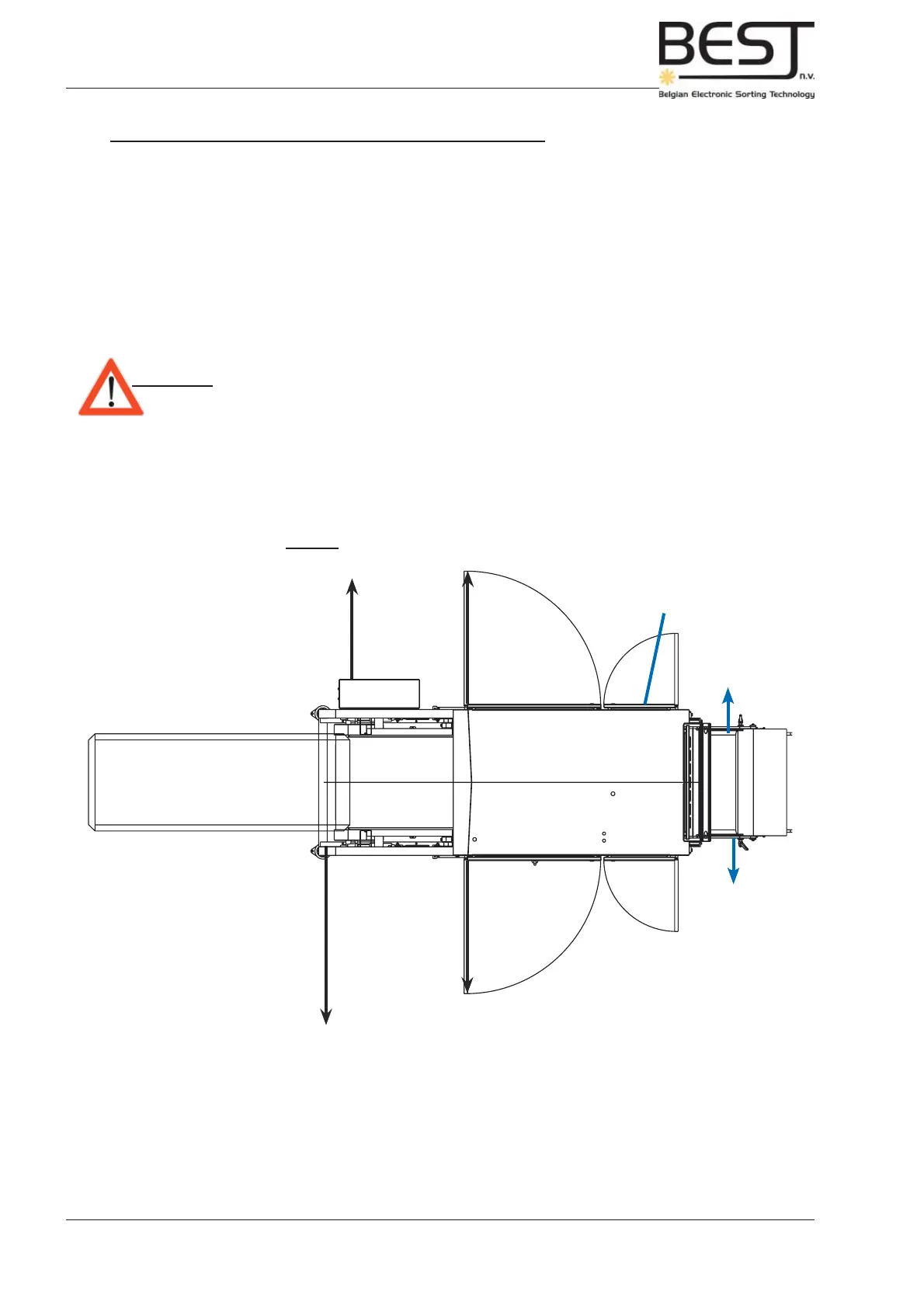
The product handling of the accepted and rejected product
Accept and reject leave the sorter by means of shakers or belts provided by BESTnv (generally). These
can be positioned with the output at either side of the sorter (in accordance with the Purchaser’s wishes). It
is however advisable to keep the output of accept and reject within view of the touchscreen display on the
control panel. This can be a substantial help while setting the sensitivities (see picture underneath).
Upon leaving the accept/reject shakers or belts, the product can be collected in trays, transported on a
belt or moved via any other system to be provided by the Purchaser. The Purchaser is responsible for the
handling of reject and accepted product using a belt, an elevator or any other equipment. This equipment
must be ready and installed before the arrival of BESTnv’s personnel for the start-up.
Attention: - Make sure to leave enough room to the sides of the GENIUS Compact sorter
to allow cleaning, service and maintenance personnel free access to all parts
of the machine at all times (see picture 2.5.1.).
Picture: top view output possibilities GENIUS



 To Next Page