CALREC Putting Sound in the Picture 101
AES inputs on the console can also be
used as an external source. Please note
that the facility for locking to external AES
sources is restricted to the first six inputs
of each AES card in the console. When
using a digital input or word clock as a
source, the system will tolerate a variation
of up to +/- 100 Hz in the frequency of
the source.
Assigning Synchronization Sources
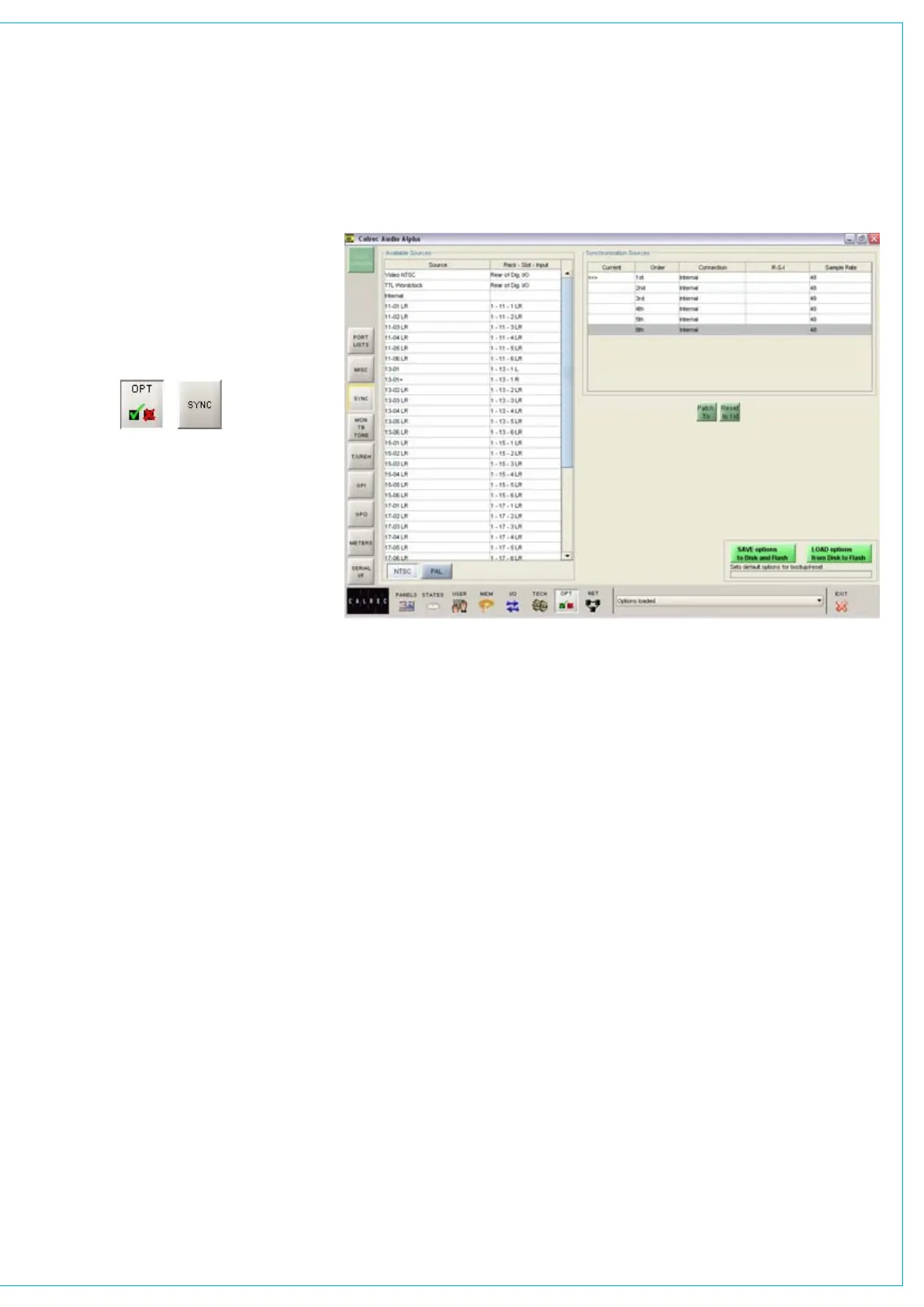
Synchronization sources are assigned by
selecting an available source from the
list on the left side of the screen, then
selecting one of the five places in the
priority list on the right side of the screen,
and selecting Patch To.
Reset to 1st
If the first source has failed, and the
system is running on any of the selections
2 to 6, when the first source becomes
available again, the system can be RESET
TO 1ST during any convenient off-air
period.
SyNCHRONIzATION SCREEN



 To Next Page