CALREC Putting Sound in the Picture 19
A VCA group is made or edited by holding
down the Assign Button (A or B) of the
fader to be master and pressing the
Assign buttons of faders to be added or
removed as slaves. There can be up to 48
members of a VCA group.
When the level of the VCA master is
adjusted it will change the audio level
of all its slaves by the same amount.
Changing the CUT, AFL and PFL settings
of a VCA master applies the same
settings to its slaves.
The slave faders will not move when their
master is adjusted, but the Null LEDs will
illuminate to indicate whether the audio is
above or below the position of the fader.
The MR and SL LEDs next to the Assign
buttons on the fader strip indicate whether
that fader is a master or a slave.
The editing of VCA groups is enabled and
disabled using the States screen. This
provides protection against accidental
changes.
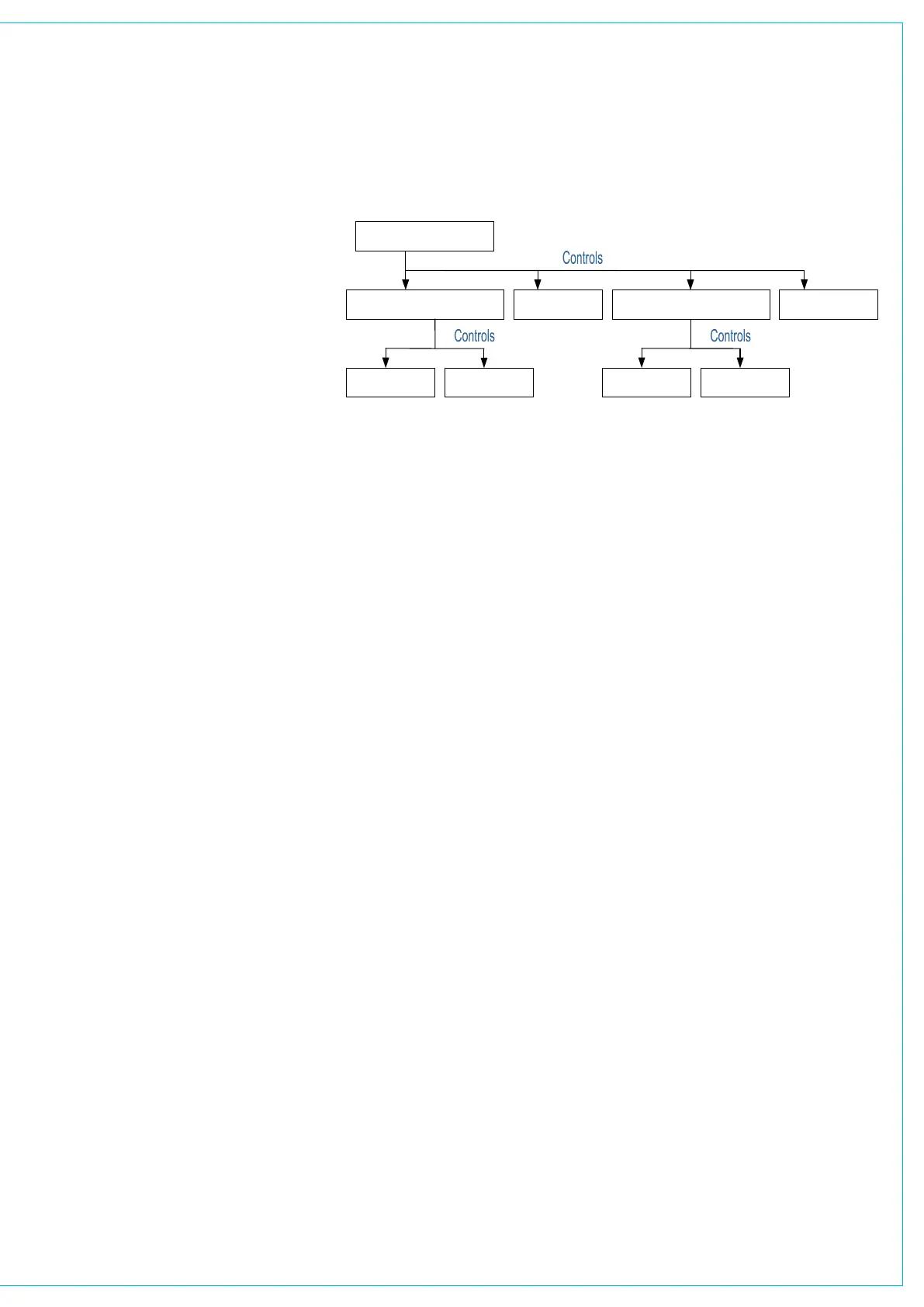
Primary and secondary VCA masters
It is possible to select a VCA master as a
slave of another VCA group. When this
happens, the slave master is known as
the secondary master, and its master is
known as the primary master.
When the level of a primary master is
adjusted it will change the audio level
of its own slaves and the level of its
secondary master’s slaves by the same
amount. Changing the CUT, AFL and
PFL settings of a primary master applies
the settings to the slaves, secondary
masters and their slaves.
VCA gROUPINg
When the level of a secondary master
is adjusted, the audio level of all its
slaves changes by the same amount. Its
adjustment will not affect the level of the
primary master or its slaves. Changing the
CUT, AFL or PFL of a secondary master
applies the settings to the secondary
master’s slaves only.
The number of slaves in VCA group with
a primary master would include all the
primary master’s slaves and the slaves of
all its secondary masters. A secondary
master fader has both the MR and SL
LED lit.
It is possible to create the primary or
secondary group in any order. A slave
can be made into a secondary master by
adding slaves to it. If a slave added to
the VCA group is already a master it will
become a secondary master.
5.1 Surround channels
If a surround master is part of a VCA
group then the VCA primary and
secondary master levels, cut settings
and APFL settings affect all of its spill
legs. It is not possible for the spill faders
themselves to be masters or slaves of a
VCA group.
VCA group interrogation
Interrogation provides a clear way of
indicating VCA group assignments. When
the fader assign button of a VCA group
member is held down, the fader assign
buttons of all members of the same group
will be lit, and the fader assign buttons of
paths which are not part of the group will
cease to be lit.
Interrogation of a primary master will light
the fader assign buttons of its primary
slaves and secondary masters.
Interrogation of a secondary master will
light the Assign buttons of its secondary
slaves, and the primary master’s Assign
button will flash.
Primary Master
Slave Secondary Master Slave
Slave Slave
Secondary Master
Slave Slave



 To Next Page