CALREC Putting Sound in the Picture 17
MAINGROUP
1
5
7
6
8
4
3
2
MIC1
3
2
4
DIR
TB AFL
REAR
A B
1
2
3
4
CC5471
LINE
DIG
SRC
TRACK
MIX-M
A 1 GN
A 3 GN
C T-HLD
I/P GN
+34.0 dB
BUSS
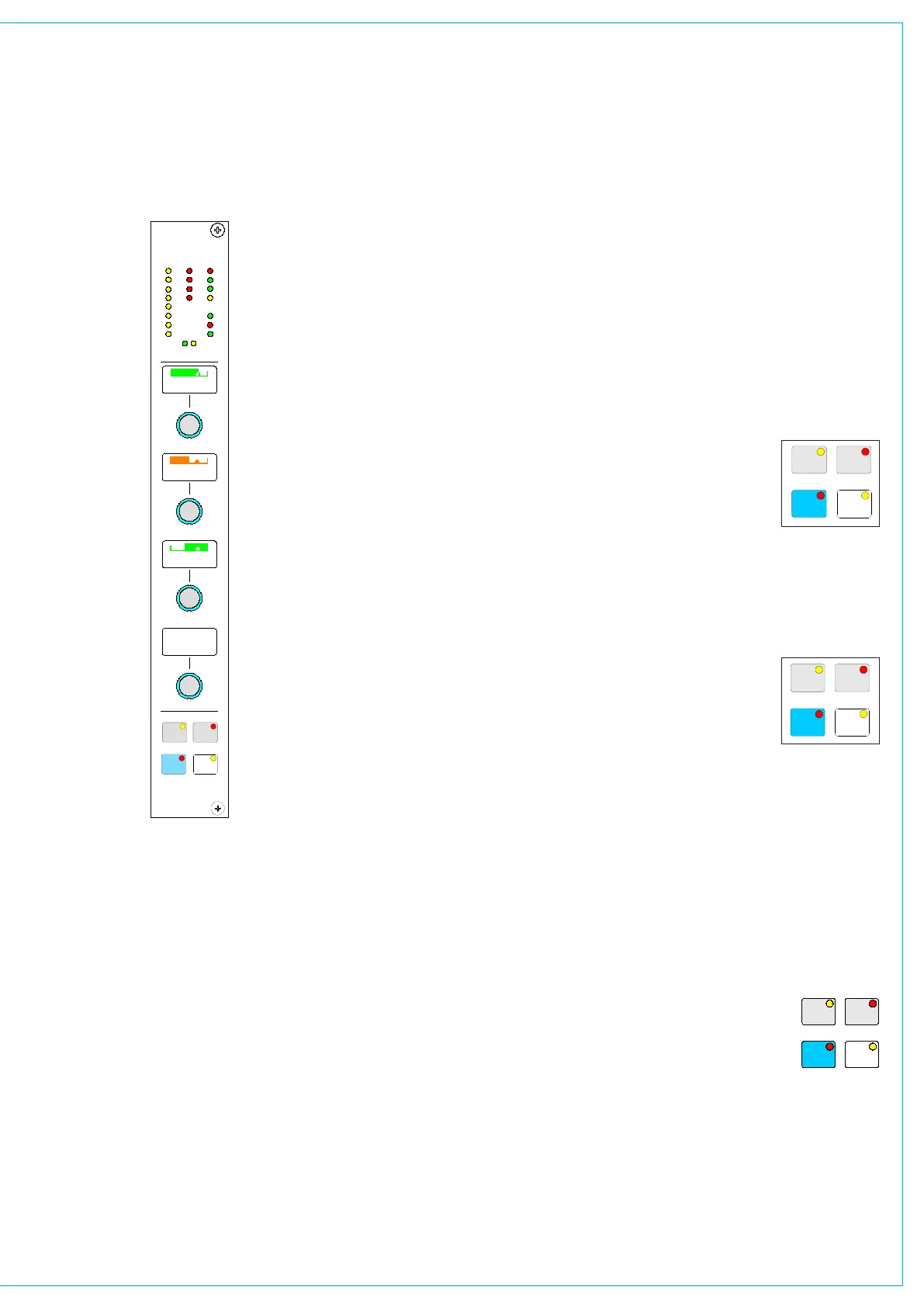
A set of LED’s provide good visual
feedback of :
Routin
• g to groups and mains
The currently selected input type
•
(mic, line or digital)
If the Sample Rate Convertor (SRC)
•
is switched in (for AES inputs)
Routin
• g to any track
Whether the
• direct output is being
fed with a mix minus feed.
The currently active
• fader path A or B
There are four wild controls per fader.
Almost any assign panel rotary control for
the selected path can be assigned to a
Wild control, including:
Input Gai
• n
Aux Send Level•
Direct Output Leve• l
Pan and Balance•
E• Q
Track Output Leve
• l
Dynamic
• s
Stereo Width•
Wild controls are assigned using the
Functions panel or the USER - CHAN
screen.
Once assigned, the same function is
provided for each of the two paths.
If the track output level control is assigned
to a block of Wild controls, each fader’s
Wild control will have a different numbered
track output level control, beginning with
the track currently selected on the first
fader in the block.
The gains of inputs 1 and 2 can be assigned
to Wild controls separately.
The fader for the alternate layer can also
be assigned to a Wild control.
Multiple Wild Control Assignment
It is possible to assign controls to more than
one fader path at a time, either by selecting
individual fader assign buttons (A or B), or
by defining a “block” or “Region” of faders.
It is possible to assign the same control to
Wilds 1, 2, 3 or 4 for all fader paths.
Wild Control Push-Switch Option
If a wild control has the Aux Send, Delay
or Front Pan controls assigned to it, the
user can control the ON/OFF or IN/
OUT status of these controls using the
Wild control push-switch. This feature is
optional, so it can be enabled or disabled
using the Options - Misc screen.
Talkback is available to direct outputs
CHANNEL CONTROL
using the DIR TB button. All Talkback
buttons are subject to On-Air inhibits, set
up on the Options - TX/REH screen.
Button Options
Depending on the options purchased, the
two buttons beneath the rotary controls
can perform different functions.
Option 1
Each channel path can
select between two
inputs 1 and 2. This is
usually done using the
Input/Output panel for
the currently assigned
fader. As an option, there can be selection
buttons for each path on this panel. There
can be either two buttons (shown here), or
just one (shown below).
Option 2
The ALT WILD button
allows switching between
two complete sets of Wild
settings. This would then
allow up to 8 available
Wild controls per fader. I/P 2 allows
selection between inputs 1 and 2 with just
one button. Input 1 is selected when the
button LED is off, and input 2 is selected
with the button LED on.
Input 1 and 2 selection is only operational
from this panel when a port is attached
to the selected input (unlike selection
from the Input/Output panel which is not
dependent upon port attachment).
Option 3
LB and RB buttons allow
Left to Both and Right to
Both switching from the
fader strip.
MAINGROUP
1
5
7
6
8
4
3
2 MIC
1
3
2
4
DIR
TB AFL
REAR
A B
1
2
3
4
CC4723-3
LINE
DIG
SRC
TRACK
MIX-M
A 1 GN
A 3 GN
C T-HLD
21
I/P GN
+34. dB
0
MAINGROUP
1
5
7
6
8
4
3
2 MIC
1
3
2
4
DIR
TB AFL
REAR
A B
1
2
3
4
CC4723-4
LINE
DIG
SRC
TRACK
MIX-M
A 1 GN
A 3 GN
C T-HLD
ALT
WILD
I/P
2
I/P GN
+34. dB
0



 To Next Page